The best bill splitting apps for Android.
Not every bill splitting app treats Android as a first choice. Some are iPhone only, and one has not been updated on Google Play since 2023.

Five apps on Google Play
Download bands and update dates were read from the US Google Play listings on November 20, 2026.
The best bill splitting apps of 2026 →
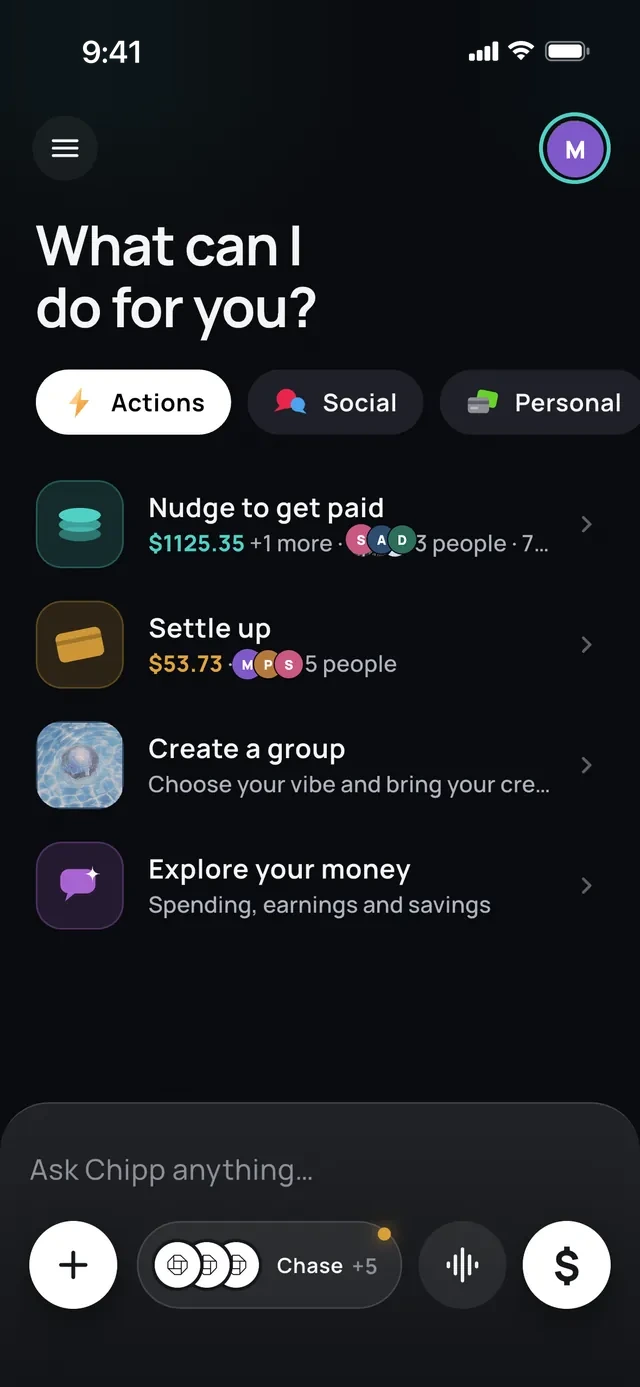
Chipp
No cap, and it does the asking
On Android and iPhone. Expenses, groups, friends and every way to split are free with no daily limit. Pay with Google Pay, a card, a bank or Chipp Balance.
Receipt scanning has a limit on the free plan. Newer than the others here, so fewer friends have it already.

Splitwise
The one friends already have
The best known tracker, with more than 10 million downloads on Google Play. Also on iPhone and the web.
The free plan allows 4 expenses a day and shows ads. Receipt scanning and currency conversion need Pro.

Tricount
Free with nothing held back
Free, with no ads, no limits and no paid plan. More than 10 million downloads on Google Play.
Export and statistics were removed. Payment links work only in the Netherlands, Germany, France and Belgium.

Settle Up
Android, iPhone and web together
Free on Android, iPhone and the web, so a mixed group can all get in. Friends can view a group in a browser from a link.
The free version has ads. Receipt photos and recurring bills need Premium at $3.99 a month or $19.99 a year.

Splid
No sign-up, works offline
Free with no account, and it works offline. One-time extras instead of a subscription.
No payments and no reminders. The Android app was last updated on August 23, 2025.
Three to check before you install
These come up in most lists of bill splitting apps. On Android, two are missing and one is dated.
Apps to split a restaurant bill →- 1
 Splitty. iPhone only. Its site says Android is not available yet
- 2
 Tab. On Google Play in the US only, last updated May 22, 2023
- 3
 Apple Cash. No Android app, so a mixed group cannot all use it
When the group is half iPhone
Most groups are mixed. Pick an app that is on both stores, or one where the others do not need the app at all.
- 1On both stores. Chipp, Splitwise, Tricount, Settle Up, Splid
- 2Also in a browser. Splitwise and Settle Up
- 3No app needed to pay. Chipp, from a link or QR code
- 1You add more than 4 things a day. Chipp or Tricount
- 2Friends already have Splitwise. Splitwise
- 3Nobody wants an account. Splid
- 4You want to pay with Google Pay. Chipp
1 of 6
Add an expense in seconds.
Chat-first interface
A chat-first interface.
Tell Chipp what you paid for. It does the math and reminds everyone for you.
 Chipp
split $84 sushi with Maya and Jo
Done. $28 each
I'll remind them for you
Jo just paid you $28
Receipt scanning
Scan the receipt.
Chipp reads every item and everyone claims their own.
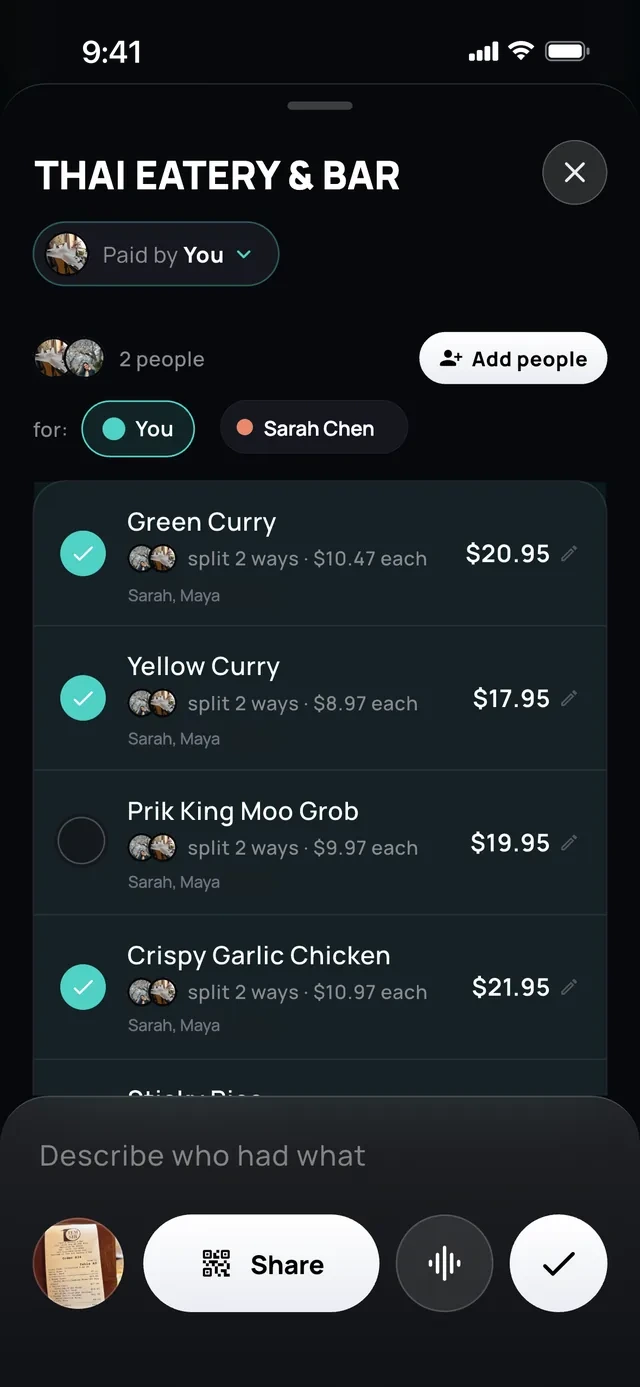
- 1Tap what you had
- 2Or describe who had what
Linked cards
Forgot to add it?
Split it straight from your card transactions.
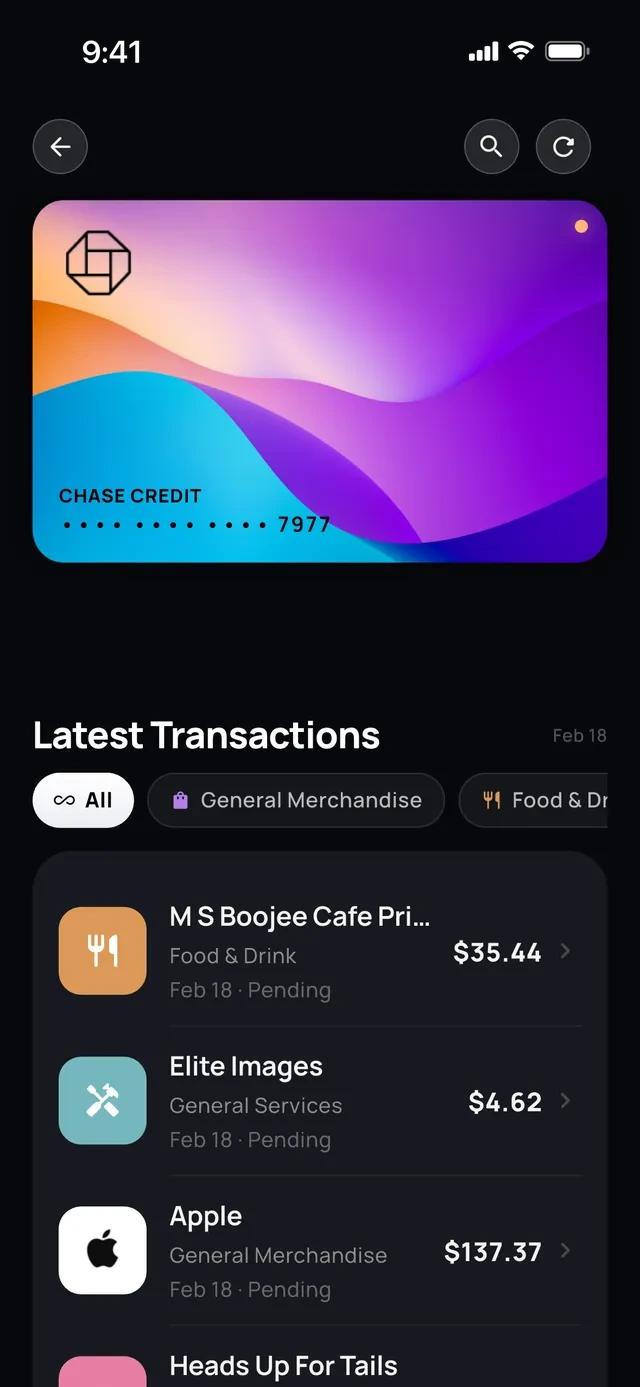
- 1Your card charges
- 2Pick one and split it
Split it your way
Even. Exact. Itemized.
Split equally, by exact amounts or item by item.
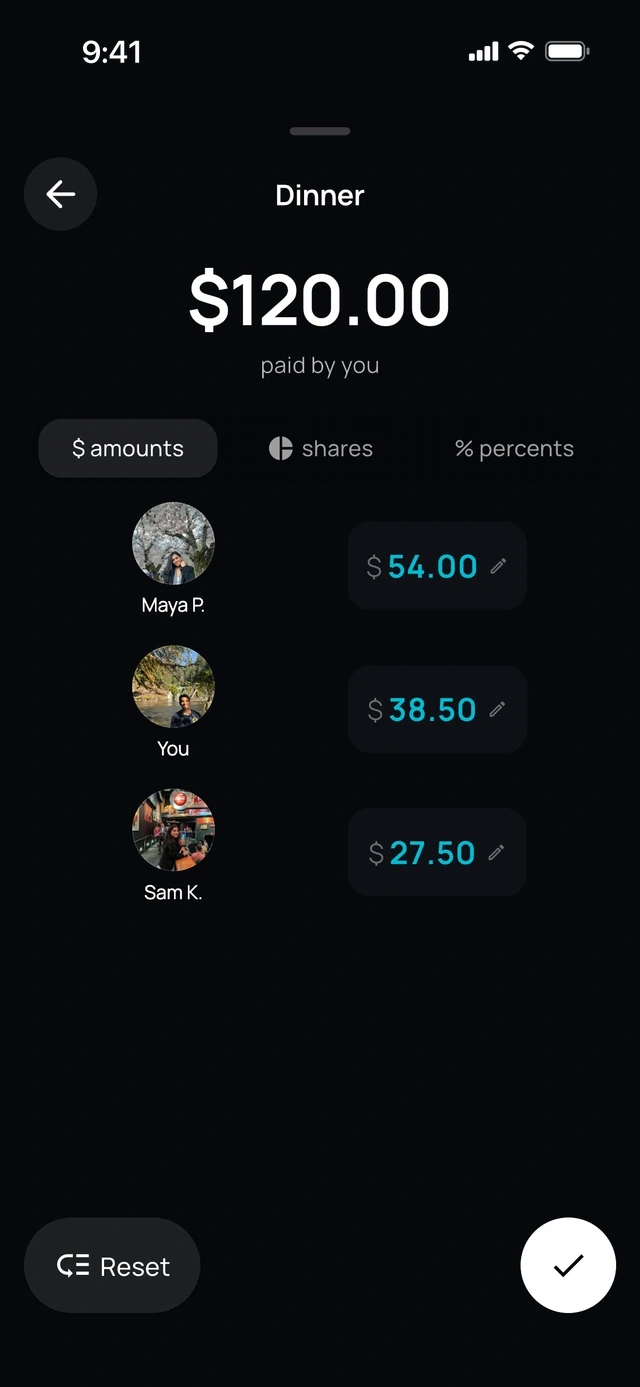
- 1Amounts, shares or percent
- 2Each person's own amount
Any currency
Rupees on the trip, dollars at home.
Split in 104 currencies.
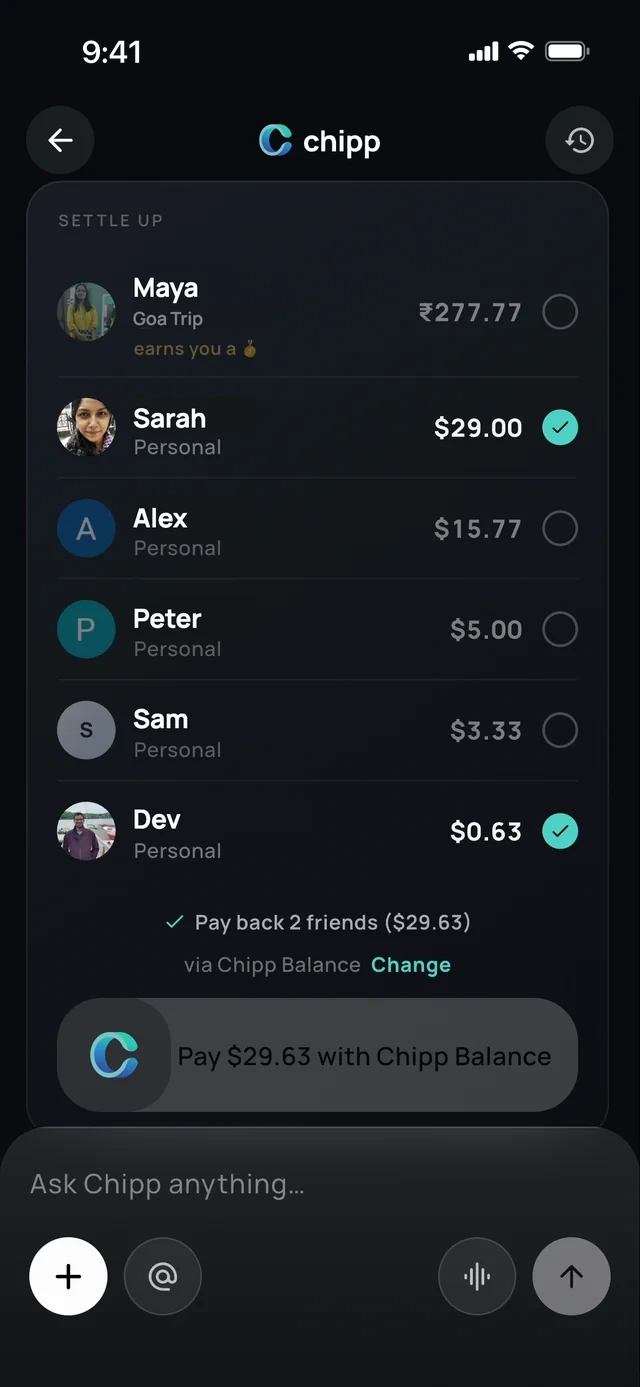
- 1Rupees for the trip
- 2Dollars at home
Recurring, on Chipp+
Set it once and it repeats.
Rent, wifi, the group Netflix.
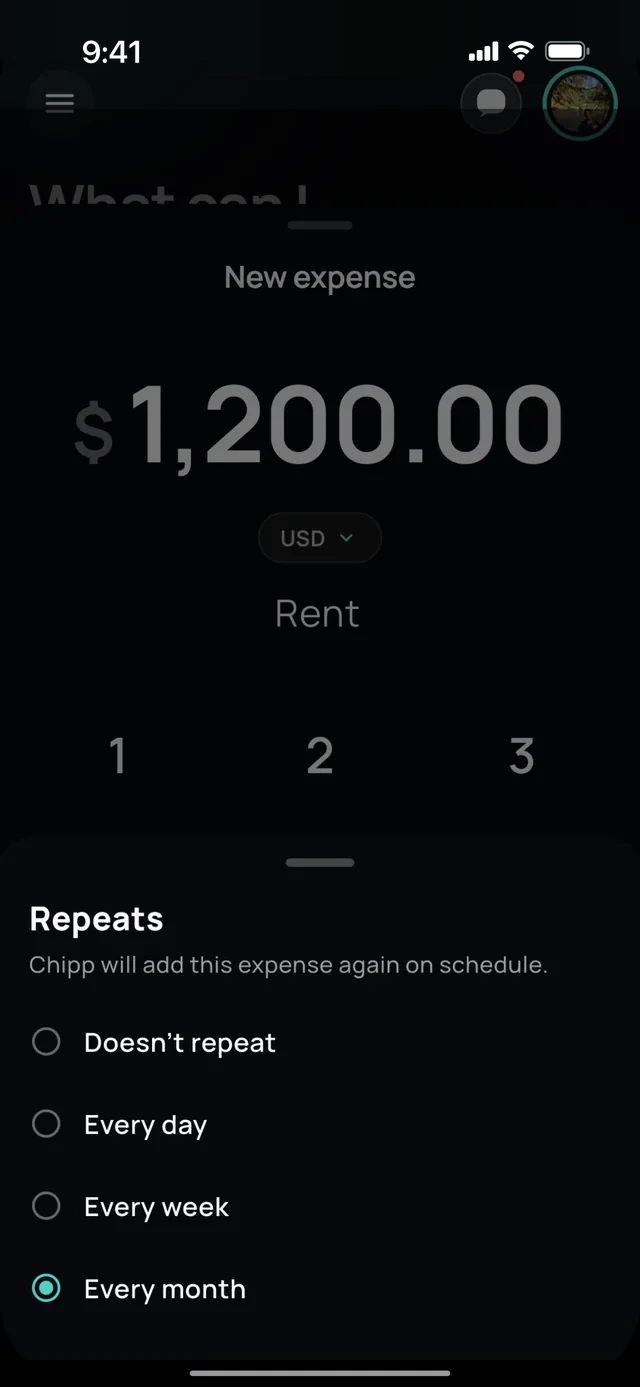
- 1Choose how often
- 2It adds itself each month
2 of 6
Chipp knows your numbers.
Ask Chipp
Ask about your spending.
Get the answer with a chart.
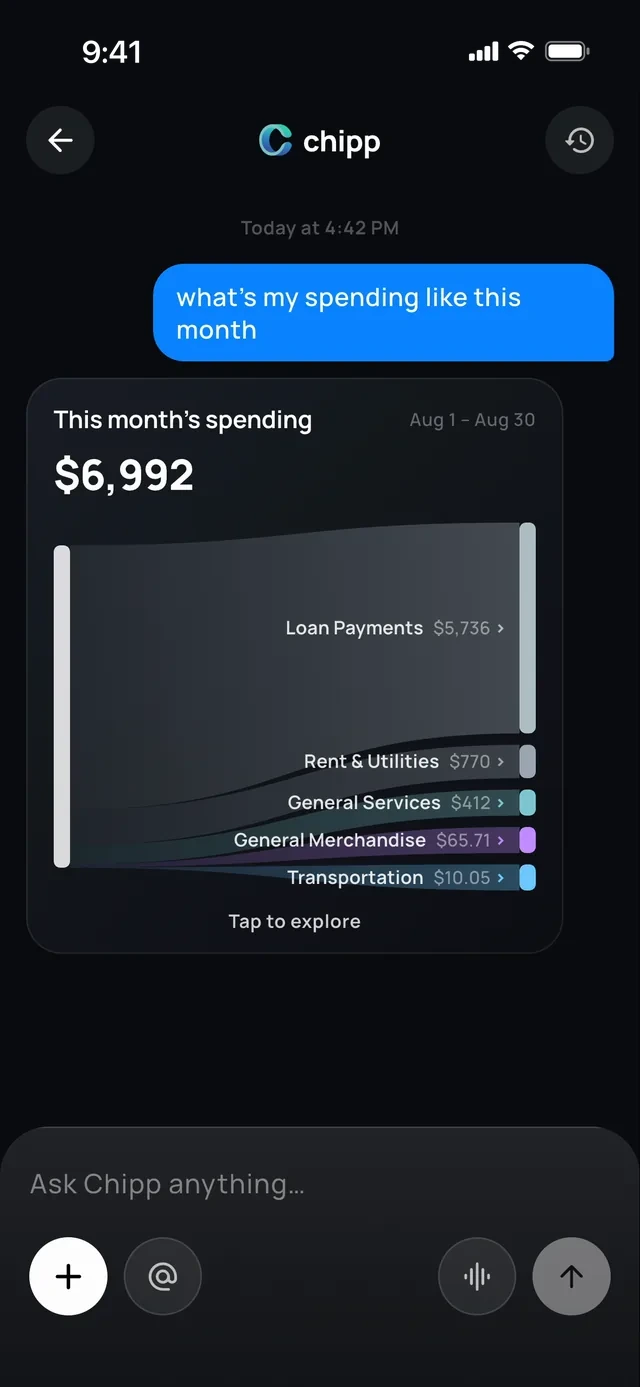
- 1Ask in plain words
- 2The answer is a chart
Chipp in iMessage
Text Chipp like a friend.
Ask who owes you, split a bill or send a reminder.
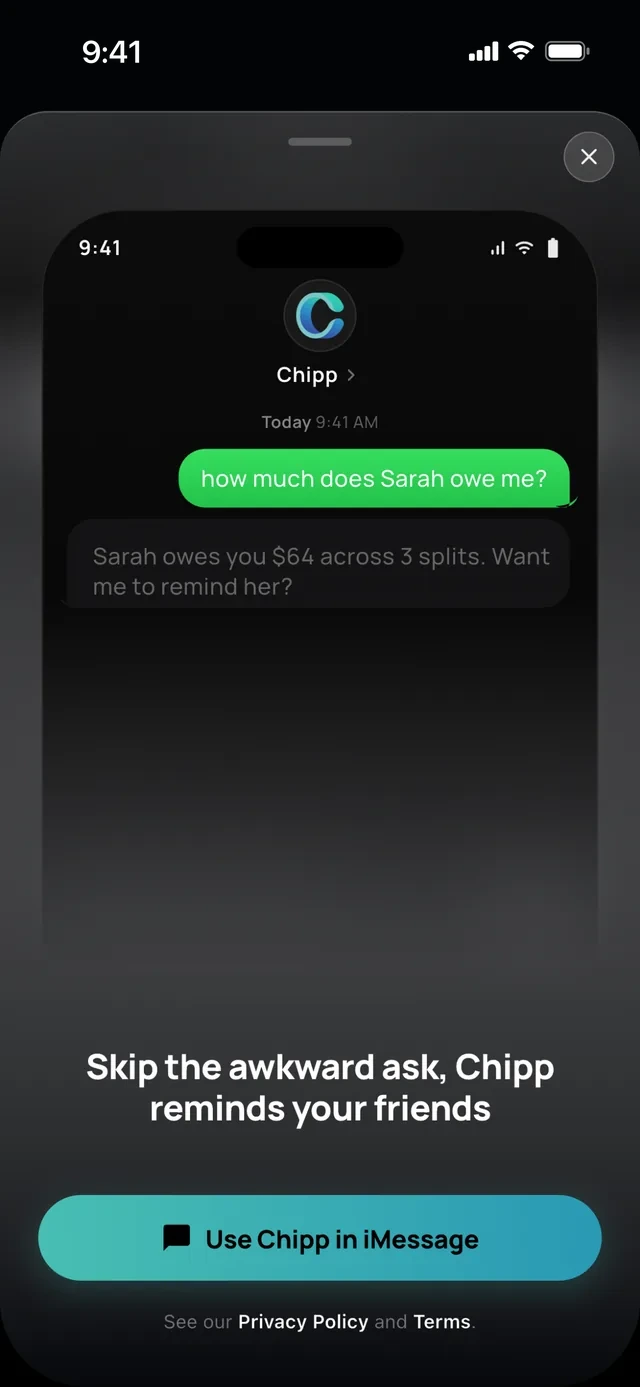
- 1Text it like a friend
- 2Chipp answers, and offers to remind
Actions
It does the work too.
Chipp drafts the expense, creates the group, pulls a trip's charges from your card or lines up reminders. You confirm every step.
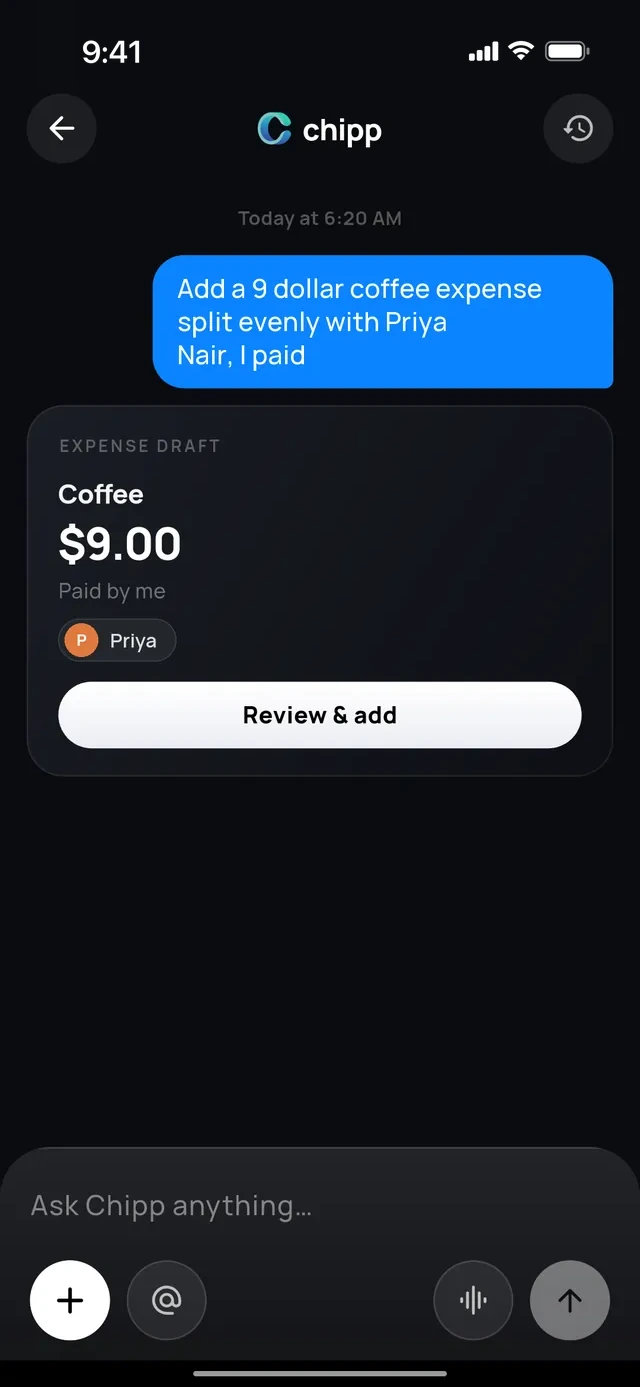
- 1One sentence
- 2Chipp writes the expense
- 3You confirm
Mentions
Mention anything with @.
Tag friends, groups, cards and bank accounts to pull them into your question.
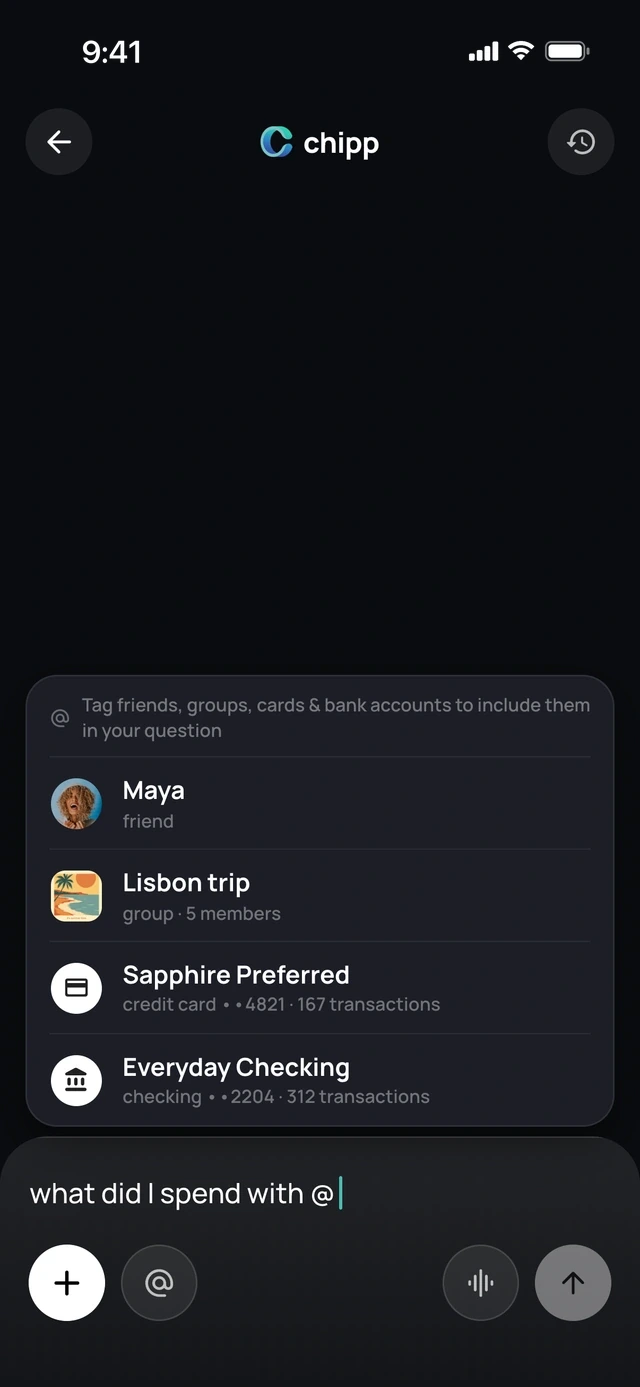
- 1Type @
- 2Pick a friend, group or card
Languages
Any language, typed or spoken.
Ask out loud or type, in the language you think in.
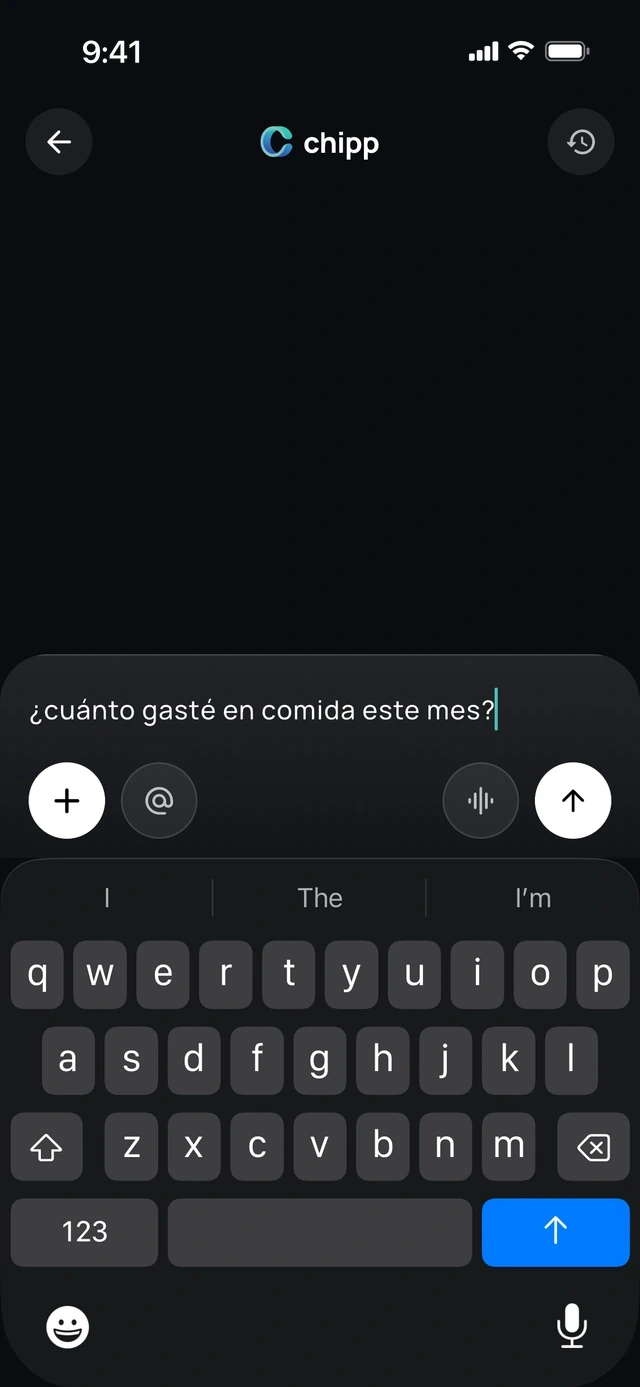
- 1Any language
- 2Typed or spoken
Texts from Chipp
Check-ins by text.
Chipp checks in on your money by text, at most once a day, so you don't have to ask.
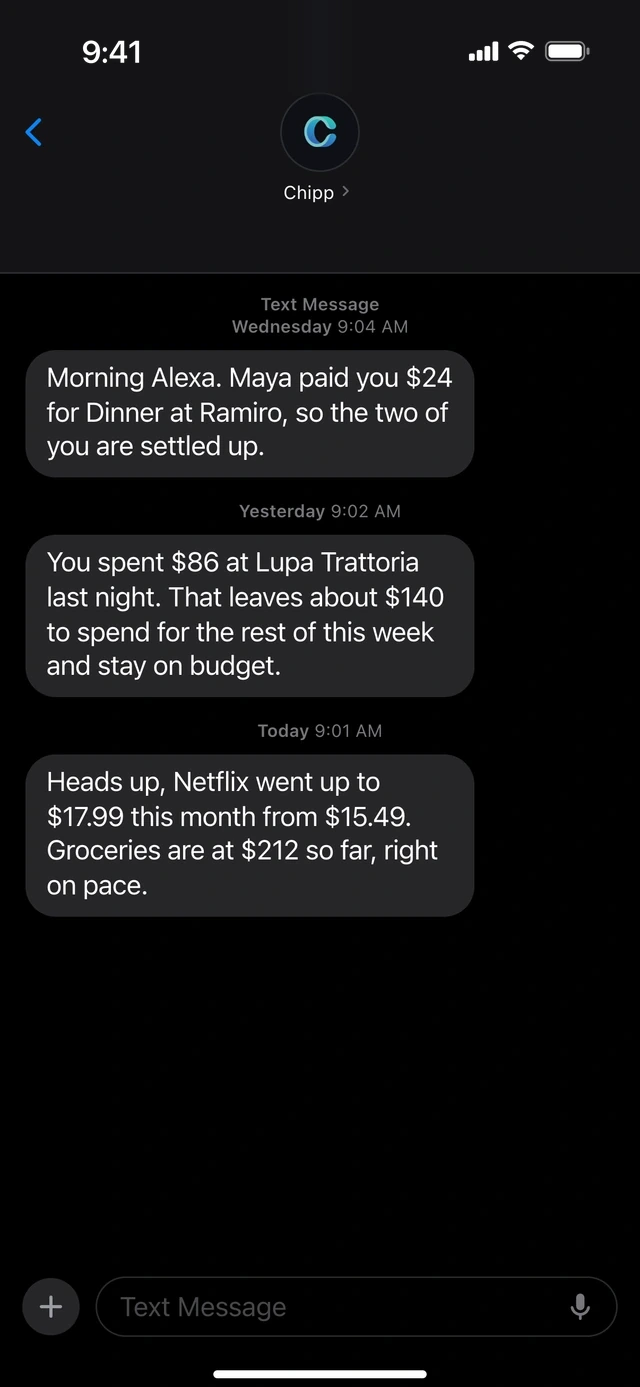
- 1Chipp texts you first
- 2A price went up? It tells you
3 of 6
Get paid back without the awkward ask.
Nudges
One tap reminds everyone.
Everyone who still owes you gets the nudge.
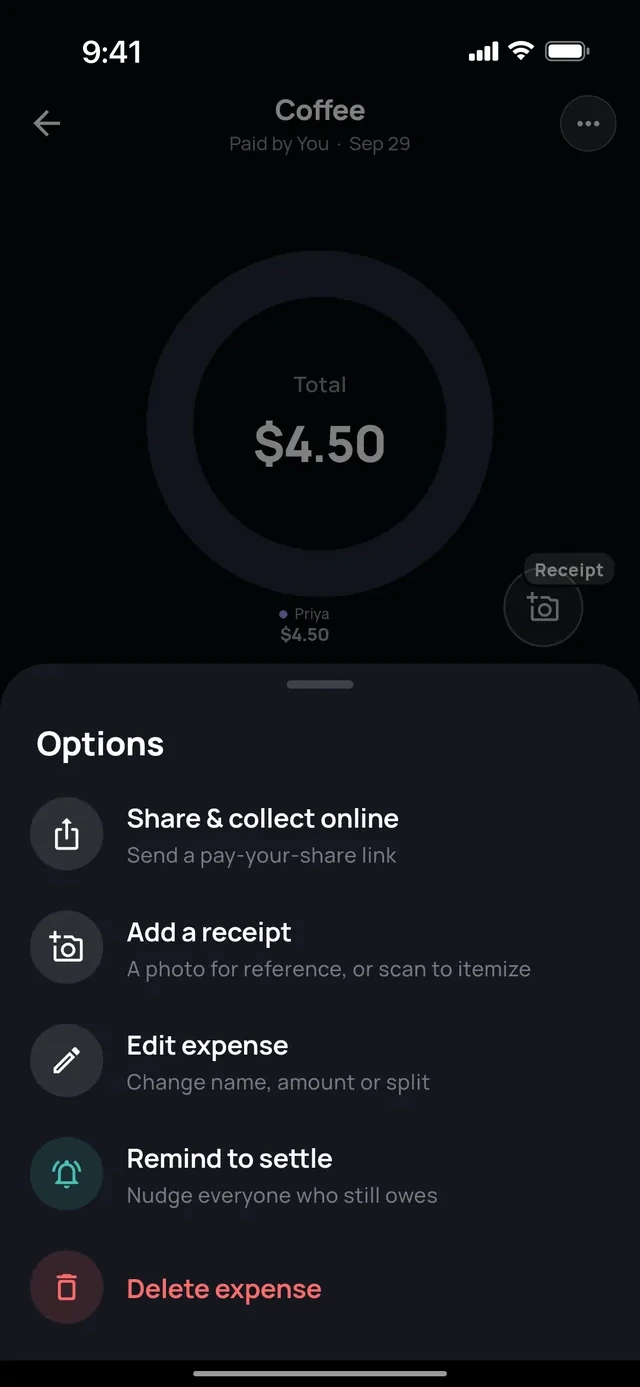
- 1Share a pay link
- 2Or remind everyone
Auto reminders
Reminders that send themselves.
When money has been owed for a few days, Chipp sends the nudge so you don't have to.
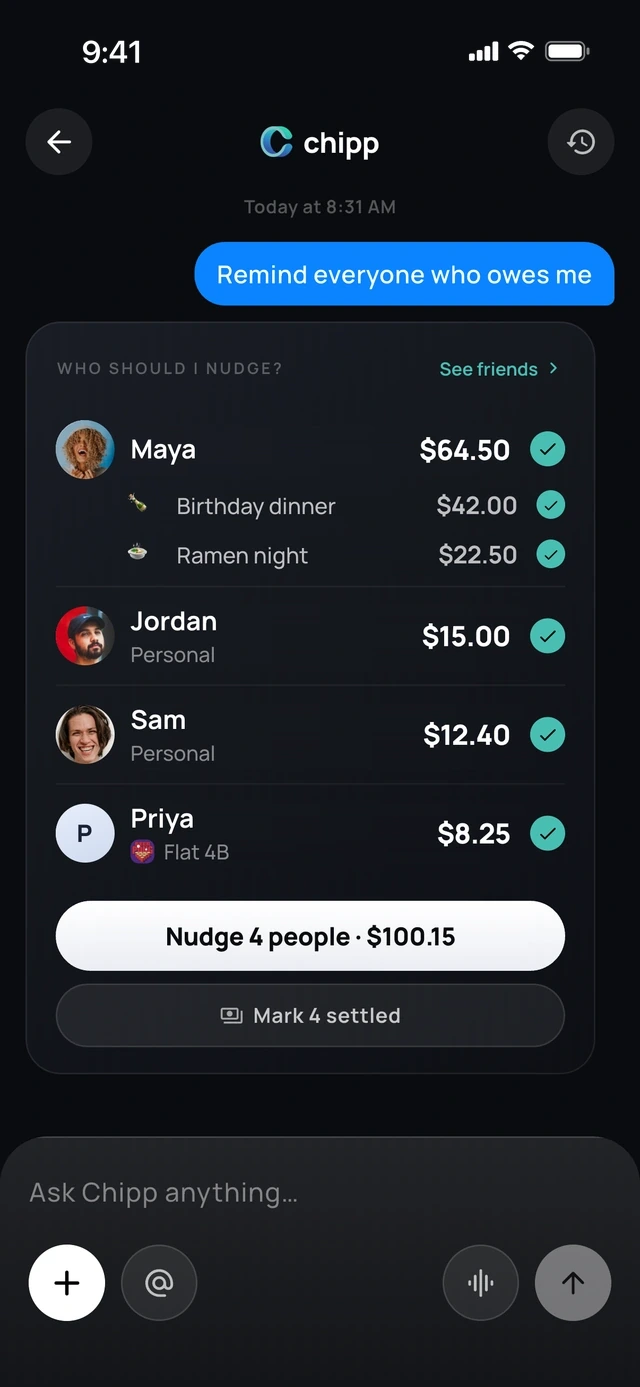
- 1Who owes, and for what
- 2One tap reminds all four
Who owes what
See who has paid, live.
Every expense shows who has paid and who still owes.
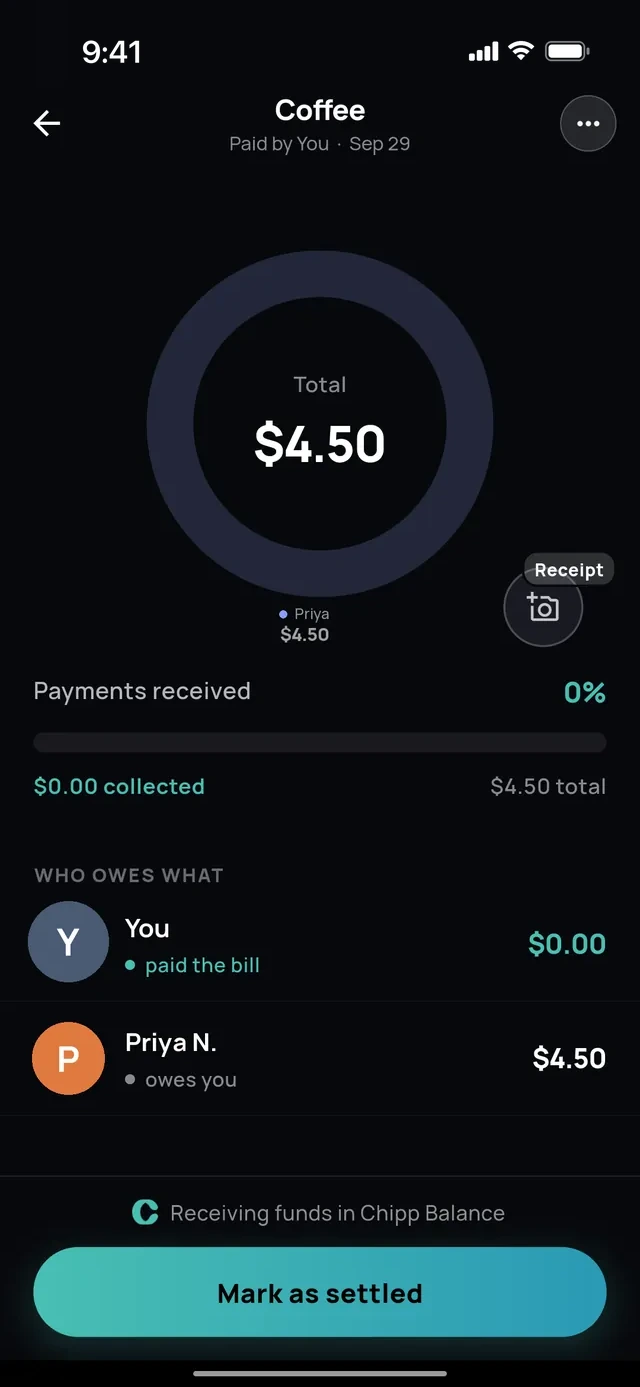
- 1Who has paid
- 2Who still owes
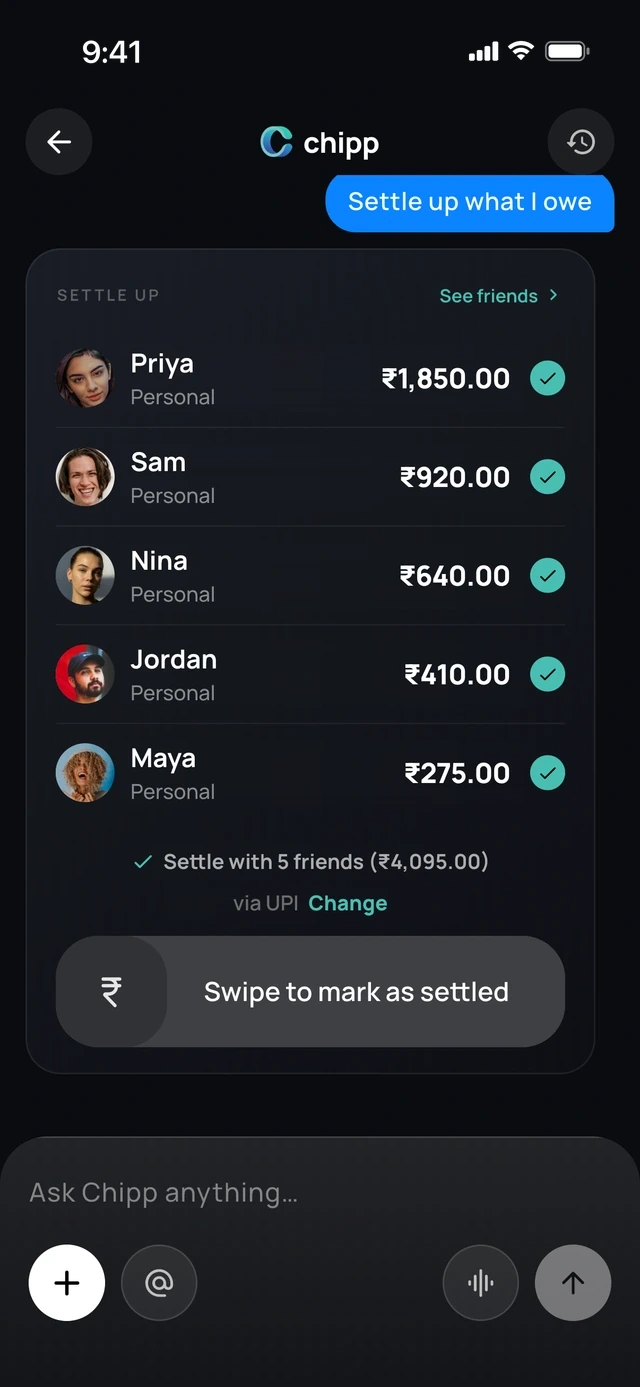
Settle up
Pay everyone back in one swipe.
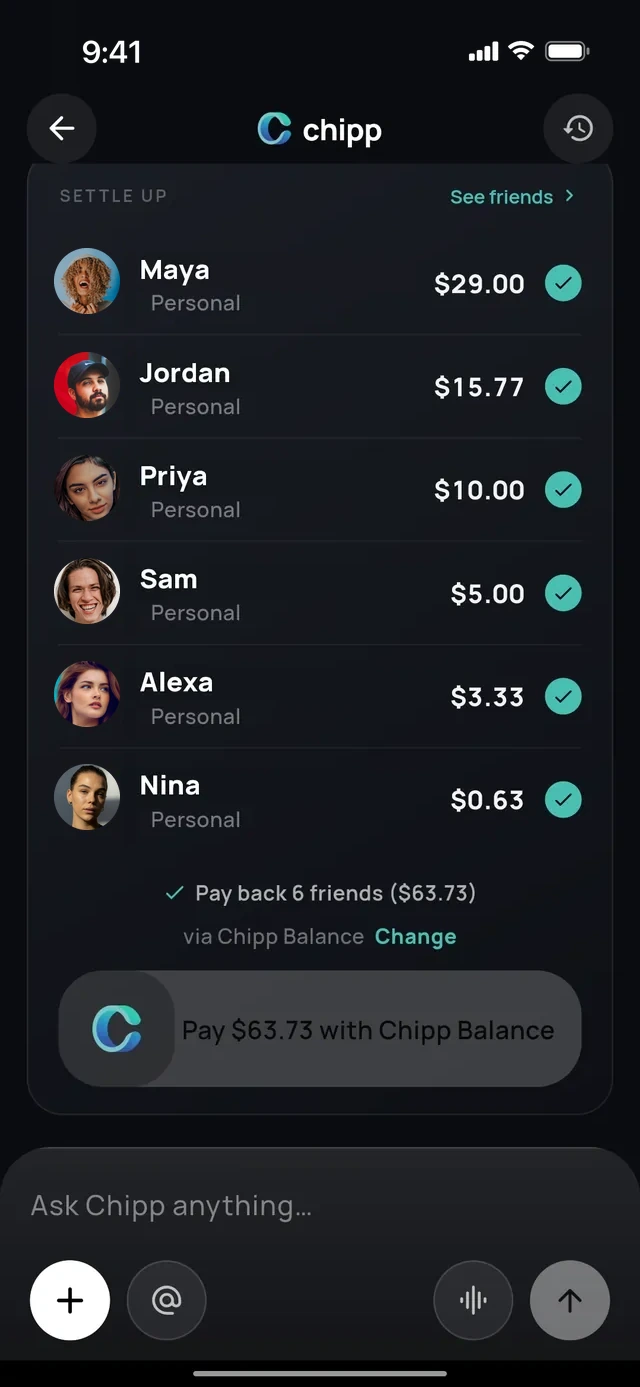
- 1Everyone you owe
- 2One swipe pays them all
No app needed
Share a link or QR code.
Friends claim their items and pay from their browser.
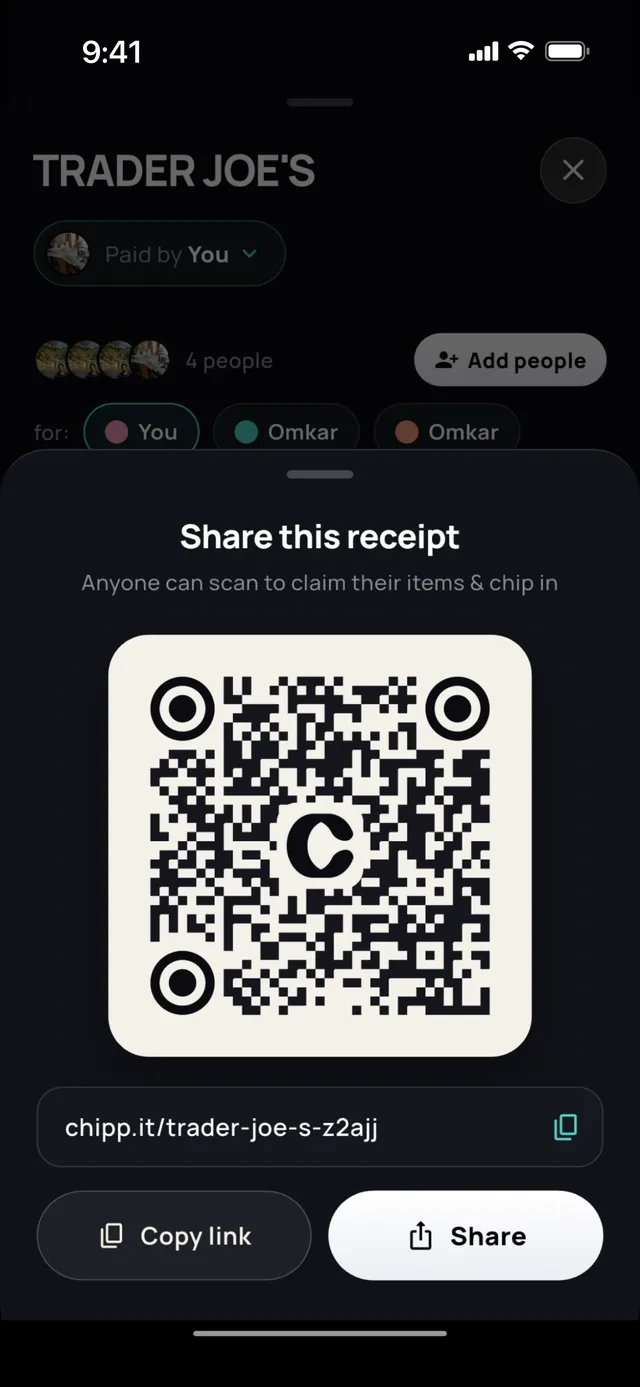
- 1Friends scan this
- 2Or send the link
Every way to pay
Settle any way you like.
Chipp supports the apps you already pay with.
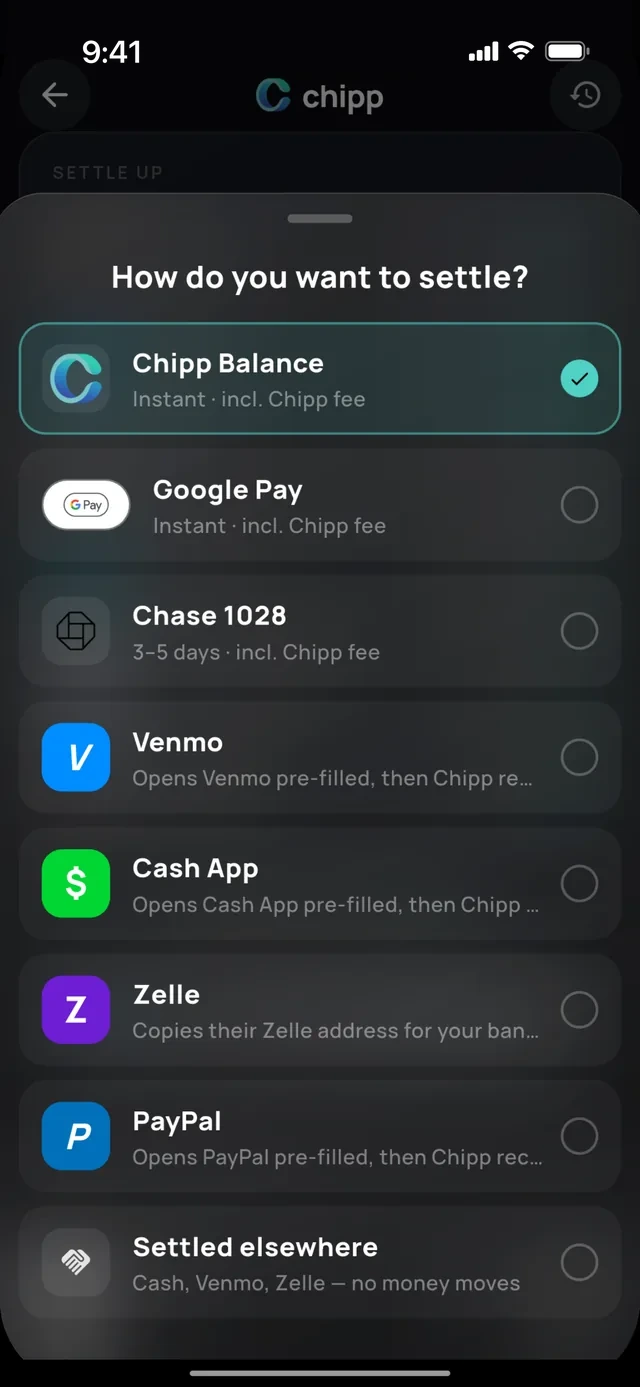
- 1Pay in the app
- 2Or the apps you already use
Cash and other apps
Settled elsewhere.
Paid in cash? Swipe to mark it settled and the balance clears.
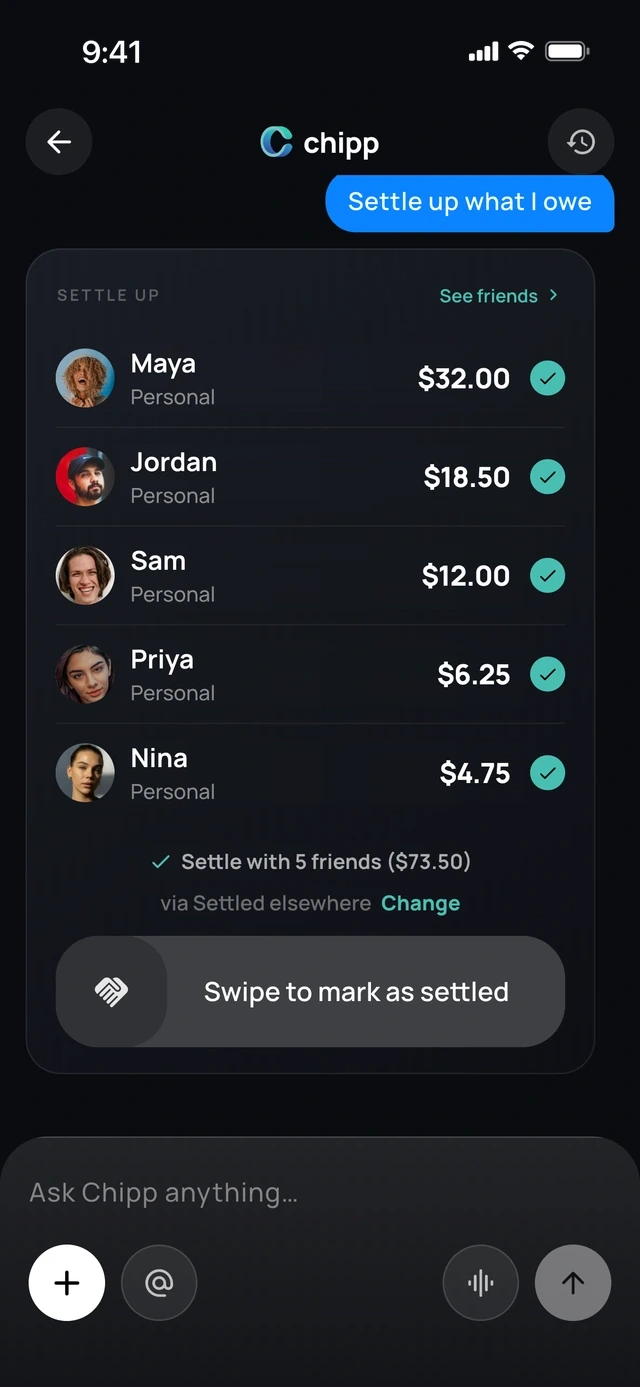
- 1Paid in cash?
- 2Swipe and it clears
Abroad
Local payment apps abroad.
UPI, Pix, PayNow, PromptPay, DuitNow, PayID and Interac, converted at the day's rate.
- 1In their currency
- 2Paid with a local app
4 of 6
Made for trips, roommates and couples.
Groups
One group for the trip or the house.
Or just the two of you.
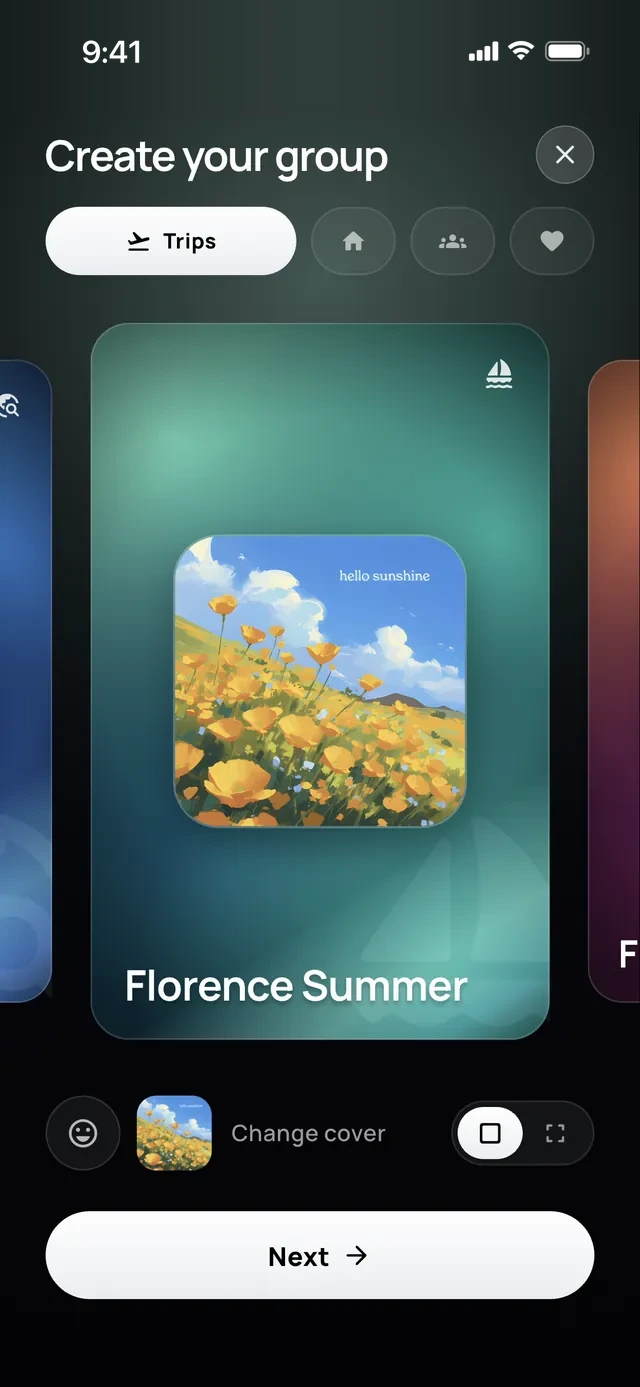
- 1Trip, home or couple
- 2Pick a cover
Pools
Chip in together toward one goal.
Anyone can add money, with or without the app.
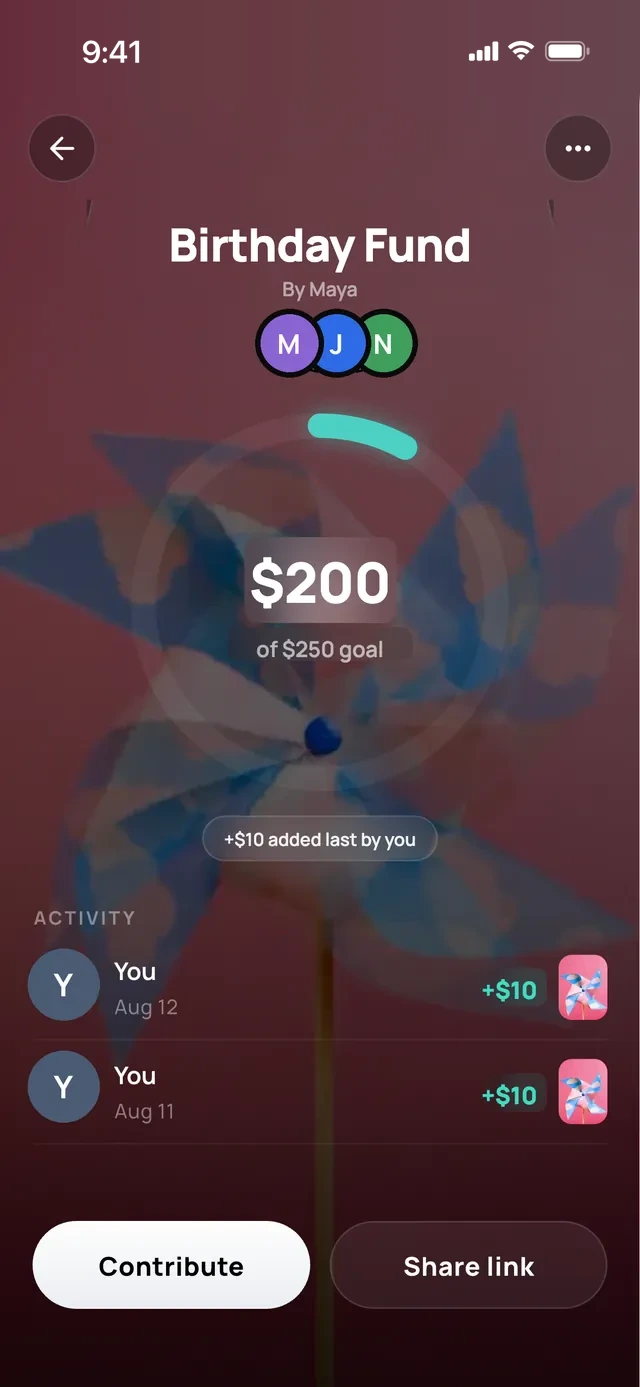
- 1Everyone sees the goal
- 2Chip in
Send money
Pay a friend, pick the vibe.
Choose the vibe it arrives with.
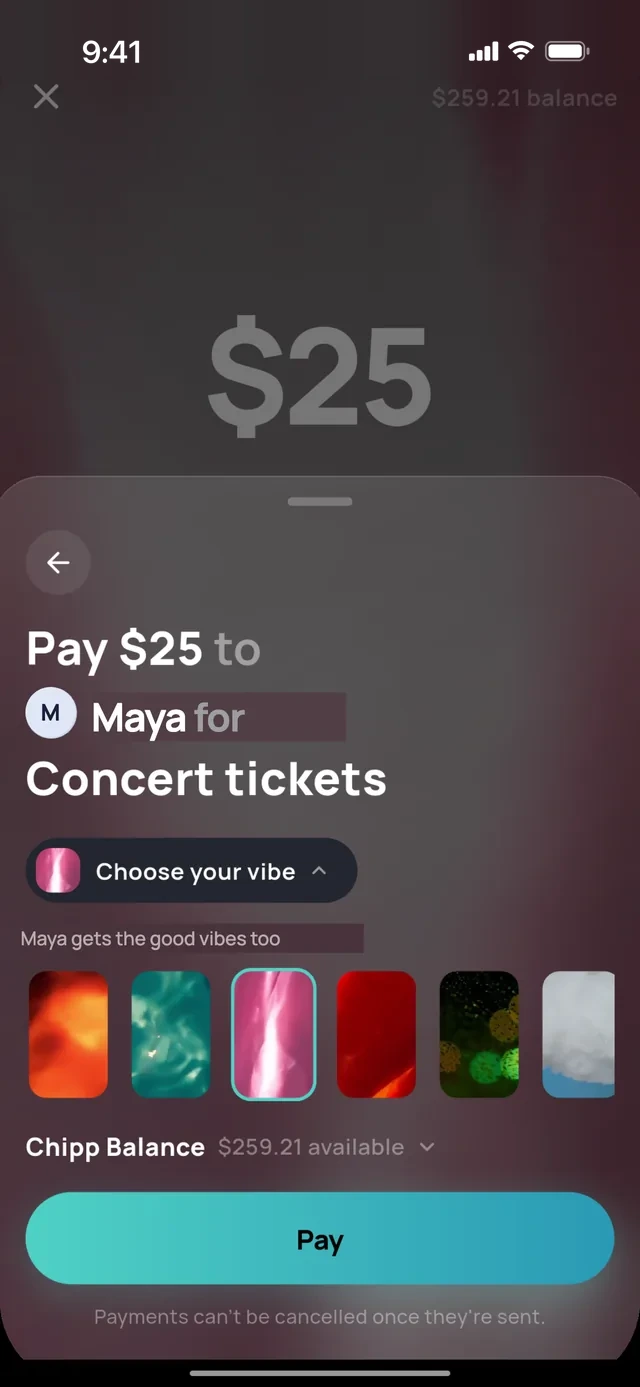
- 1Say what it is for
- 2Pick a vibe
One feed
Group chat.
Expenses, payments and reminders land in one feed, next to the conversation.
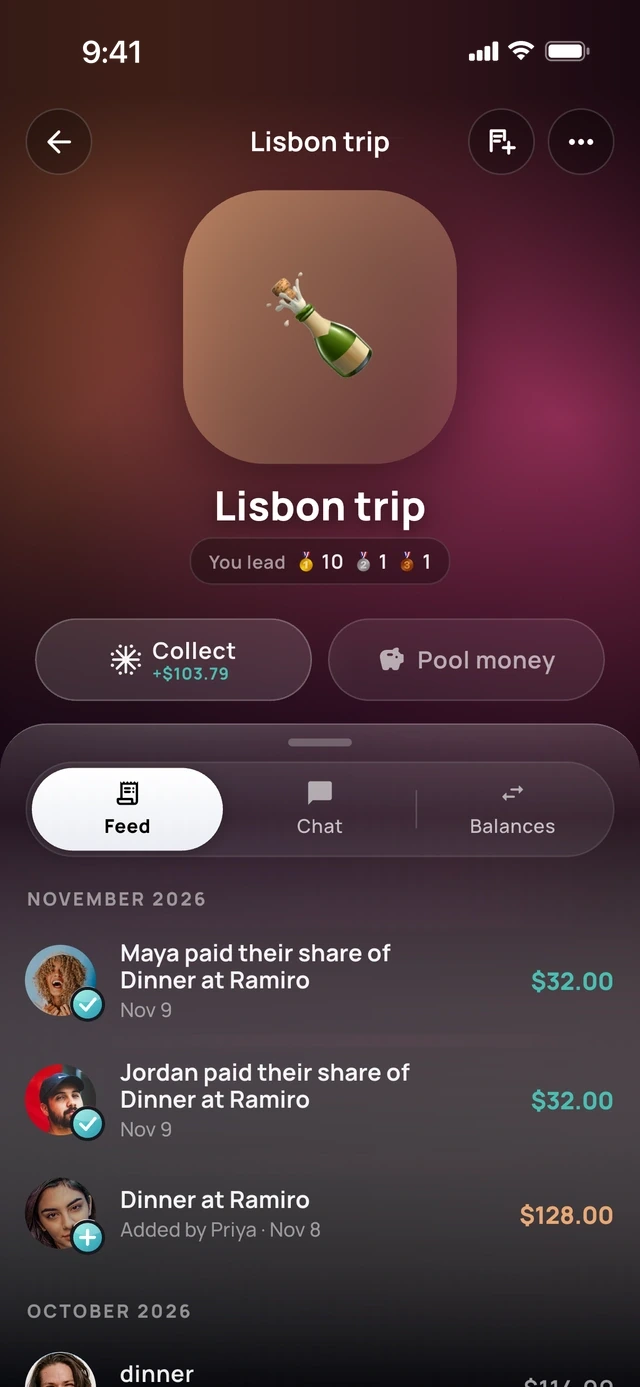
- 1Feed, chat and balances
- 2Payments land here
Switching over
Move from Splitwise.
Bring your groups and balances over from a screenshot or the export file. Tricount and spreadsheets work too.
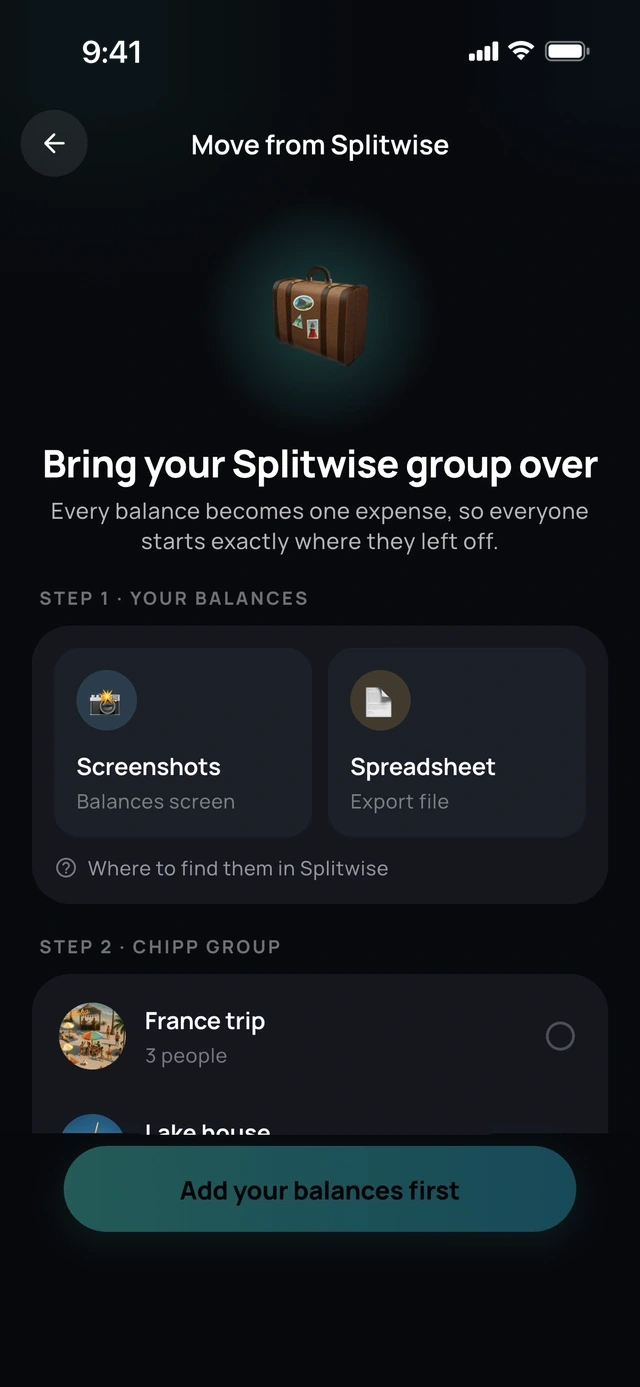
- 1From a screenshot
- 2Or the export file
Nearby
Friends nearby.
Chipp spots friends standing next to you, so adding them takes one tap.
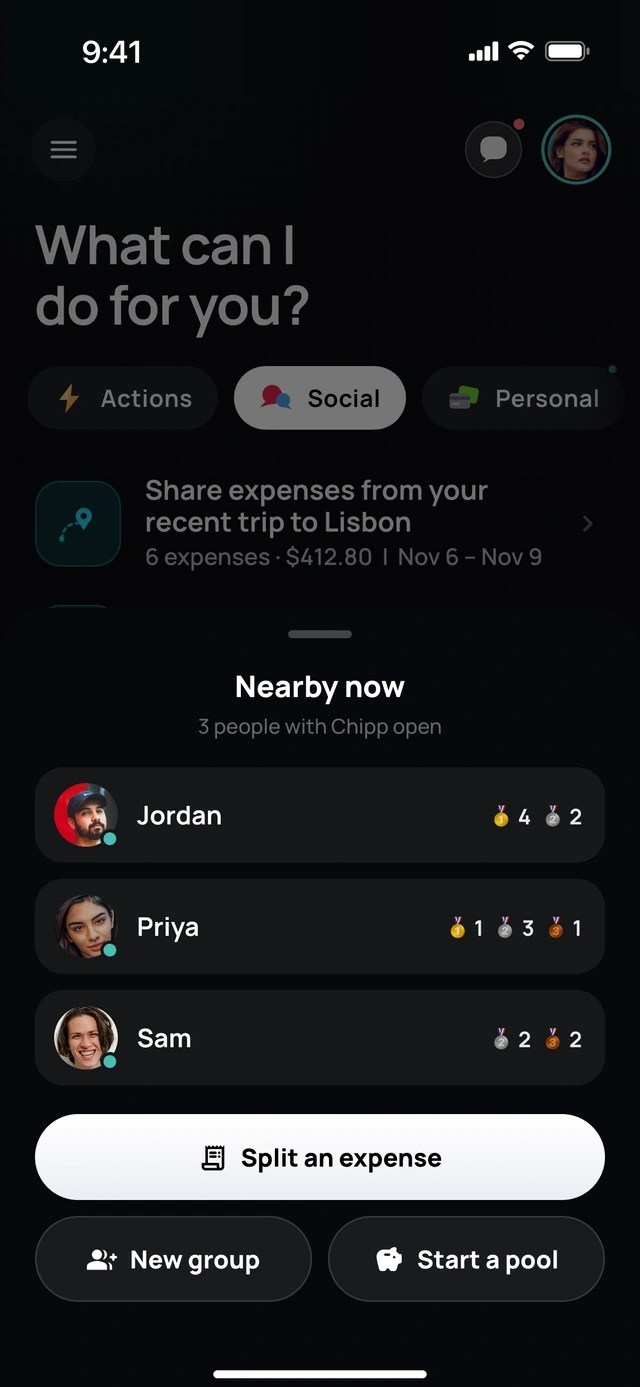
- 1Friends next to you
- 2One tap to split
Invites
Invite with a link.
Not on Chipp yet? They get an invite and a seat saved in the group.
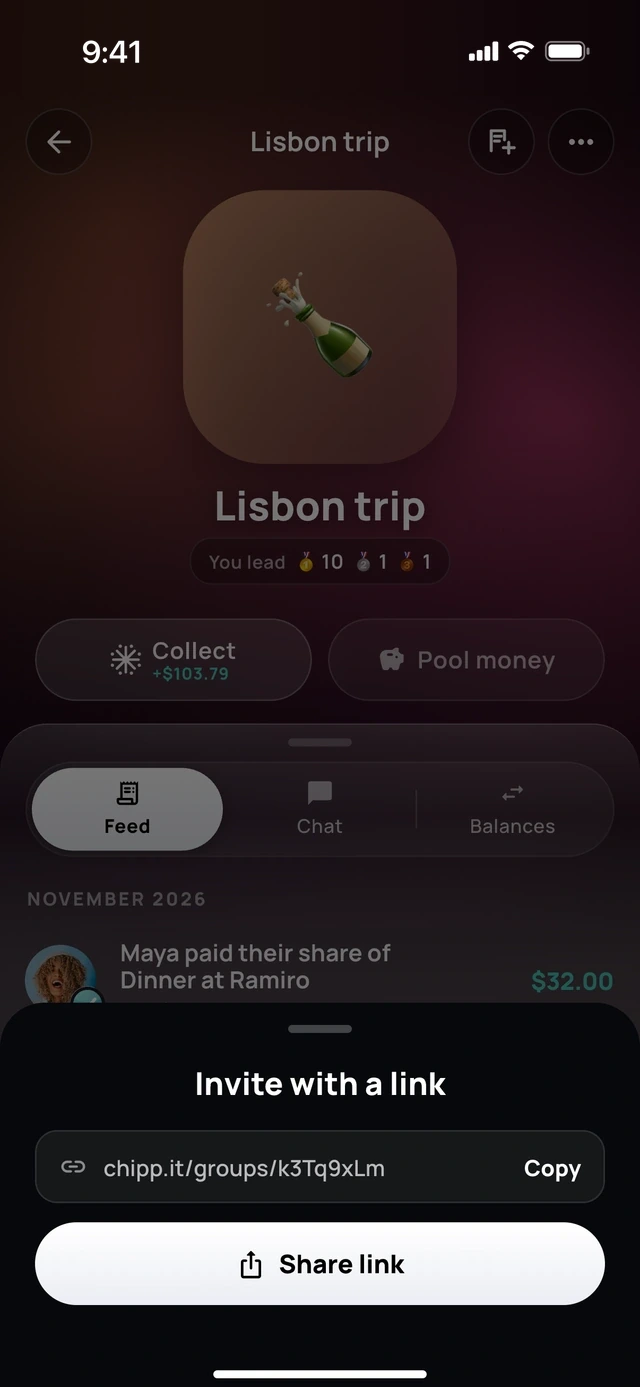
- 1A link to the group
- 2Send it anywhere
Make it yours
Covers and vibes.
Pick a cover for every trip, house and crew, and share the group card.
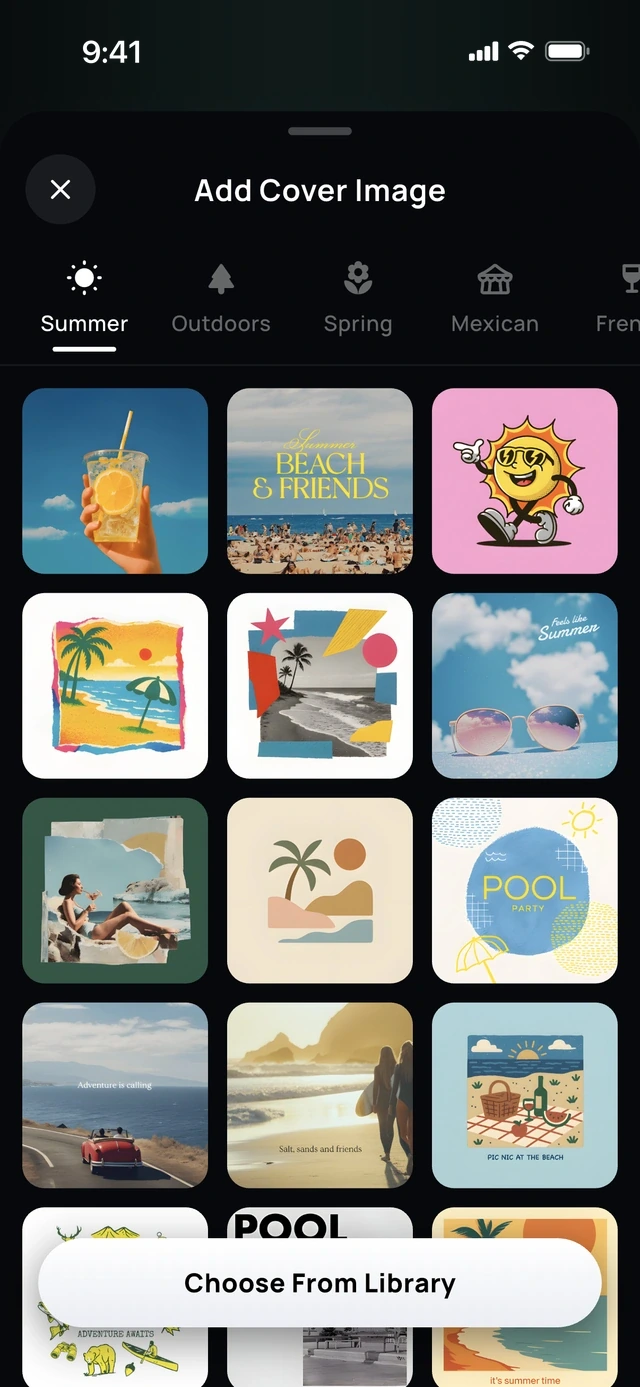
- 1For every kind of group
- 2Pick a cover
For everyone
Chipp+ Circle.
One subscription gives Chipp+ to everyone in the groups you own.
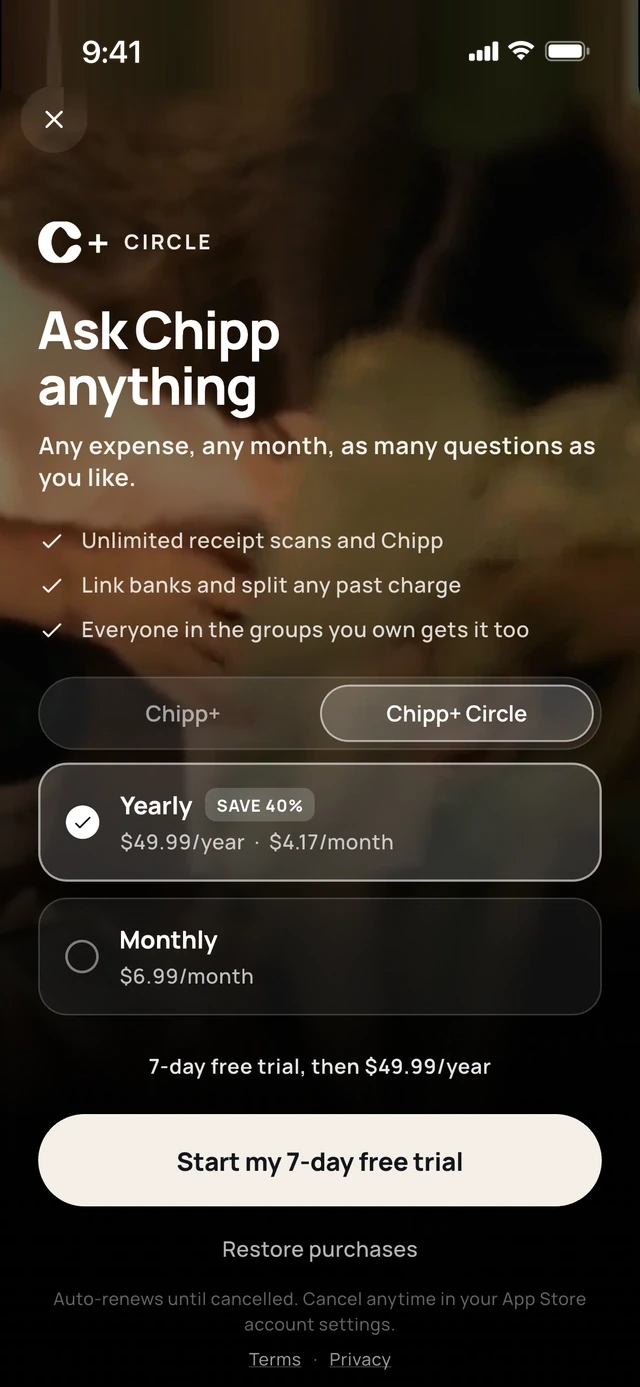
- 1Your groups get it too
- 2One plan covers everyone
5 of 6
Receipts and files, sorted.
Receipt library
Every receipt, saved.
Scanned receipts stay in a searchable library, ready to split or share.
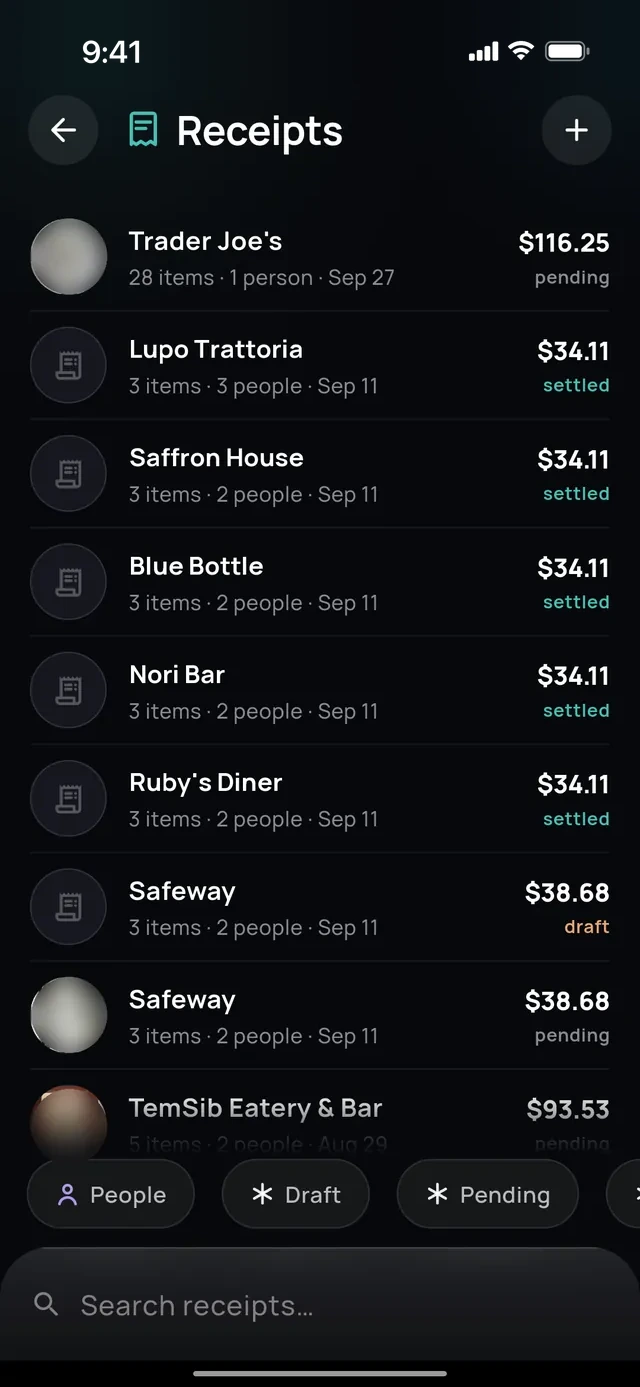
- 1Every receipt kept
- 2Search them all
Files
Photos, PDFs and spreadsheets.
Attach a file and tell Chipp what to do with it.
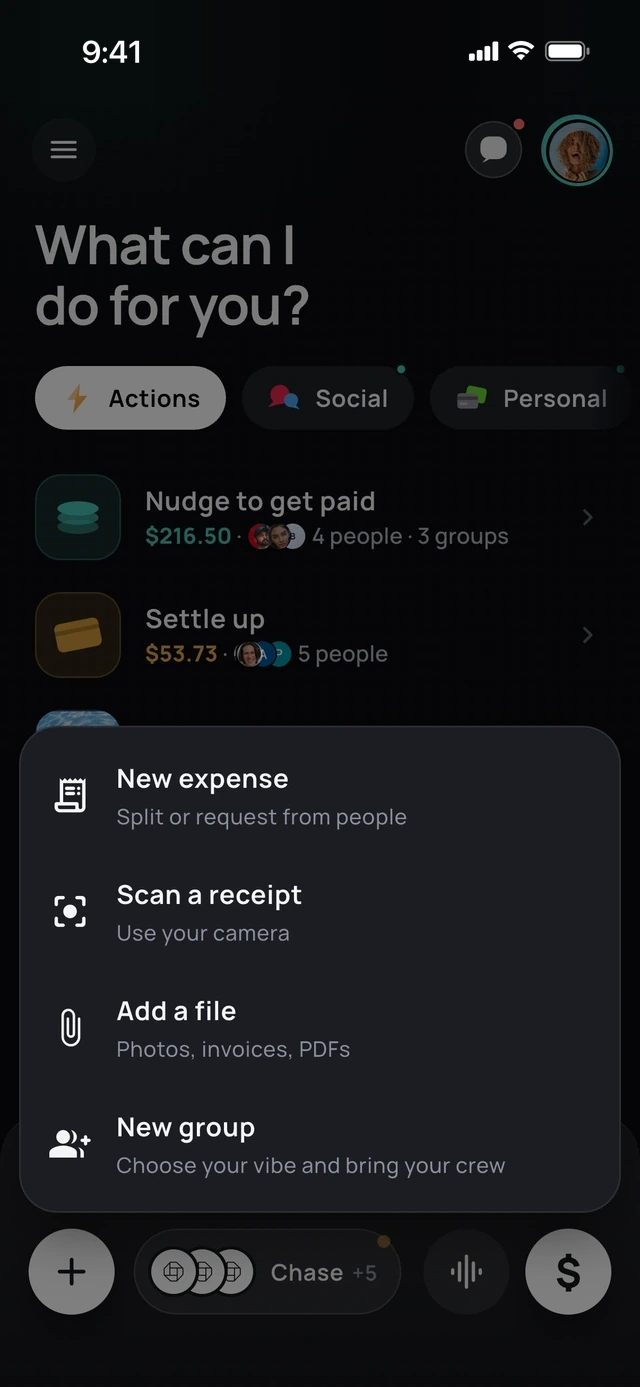
- 1Scan with the camera
- 2Or add photos and PDFs
Itemized by description
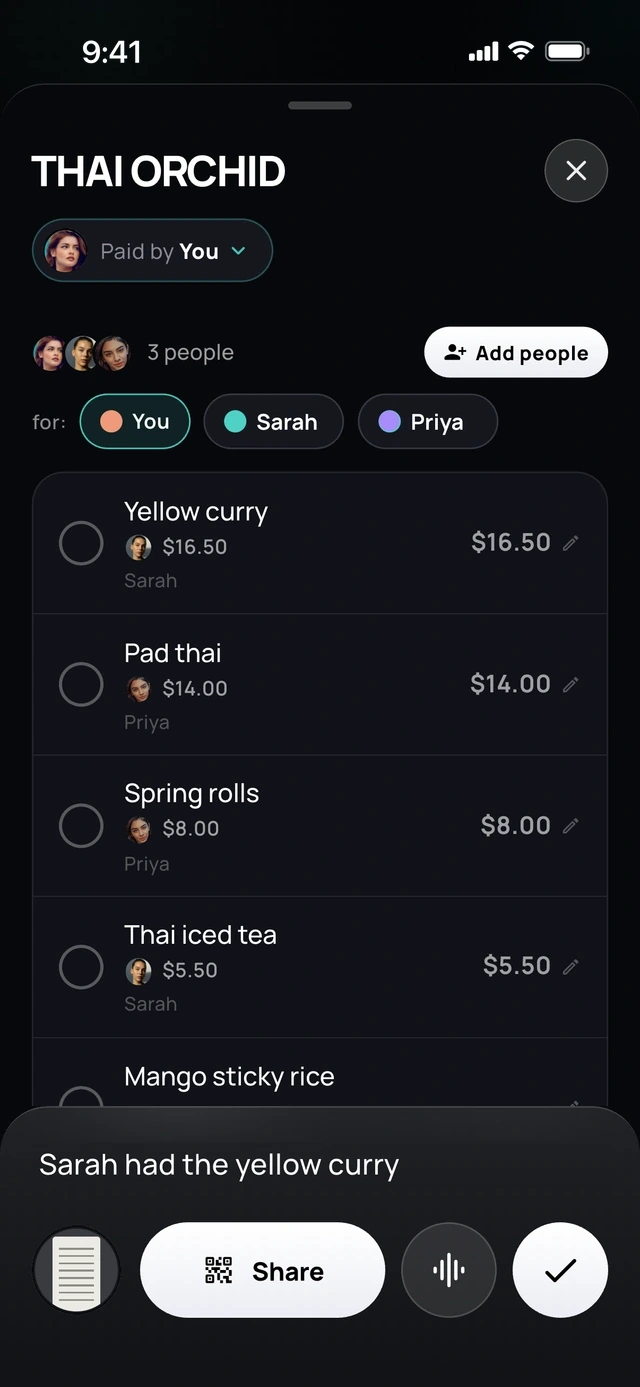
Describe who had what.
Say "Sarah had the yellow curry" and Chipp assigns the items for you.
- 1Say who had what
- 2Chipp ticks the dish
6 of 6
Your own money, in the same app.
Budget
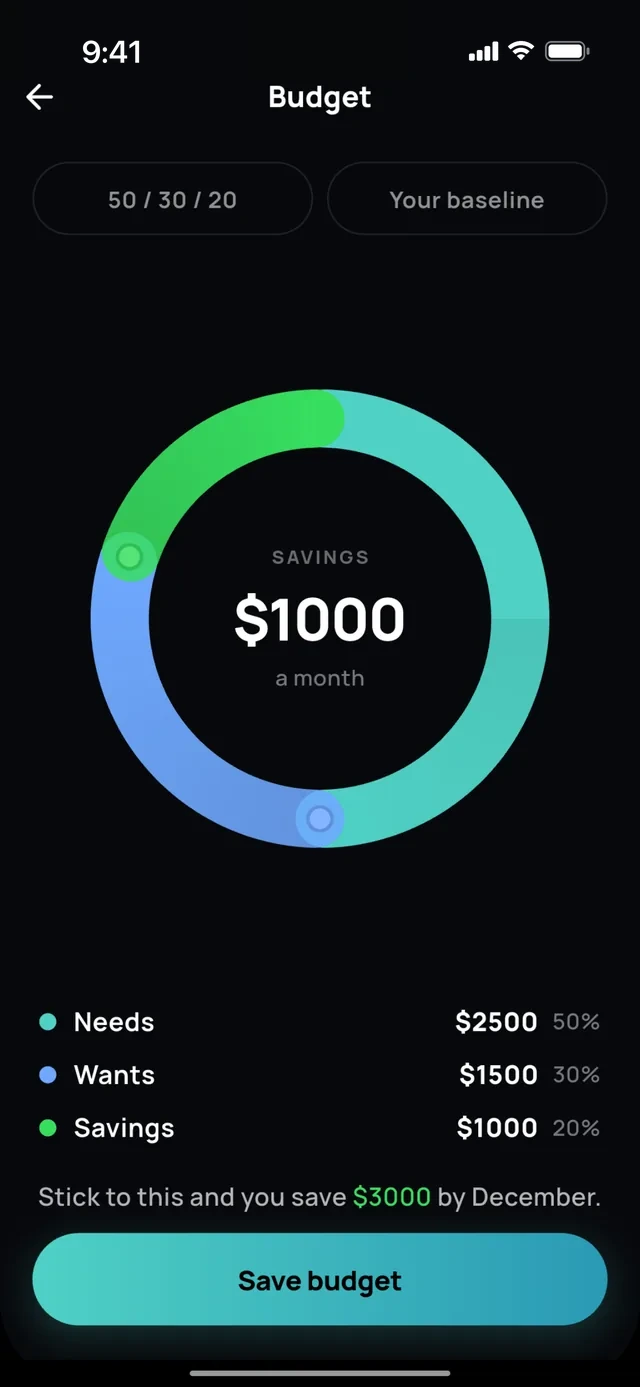
A budget you can actually hit.
Needs, wants and savings in one ring.
- 1Needs, wants, savings
- 2In one ring
Wallet
Keep a Chipp balance.
Pay friends instantly and send it to your bank.
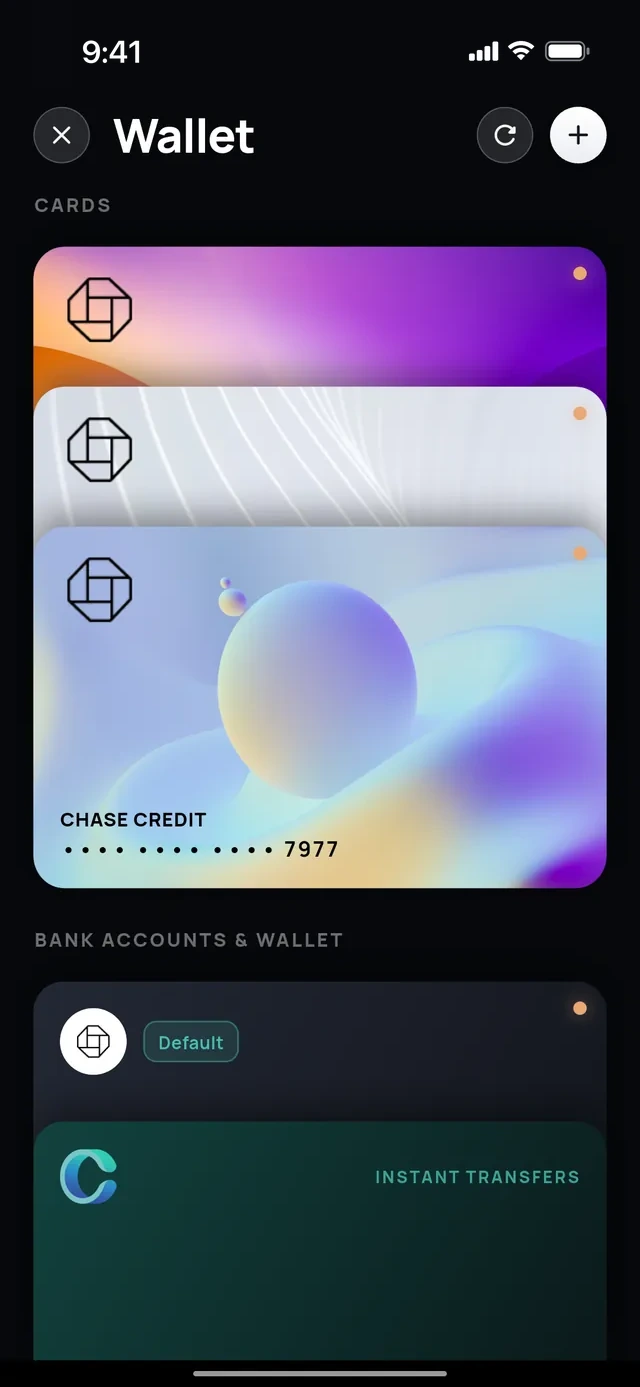
- 1Your cards
- 2Send it to your bank
Banks and cards
Every account in one feed.
Link US banks and cards through Plaid, then search, filter, rename or hide any transaction.
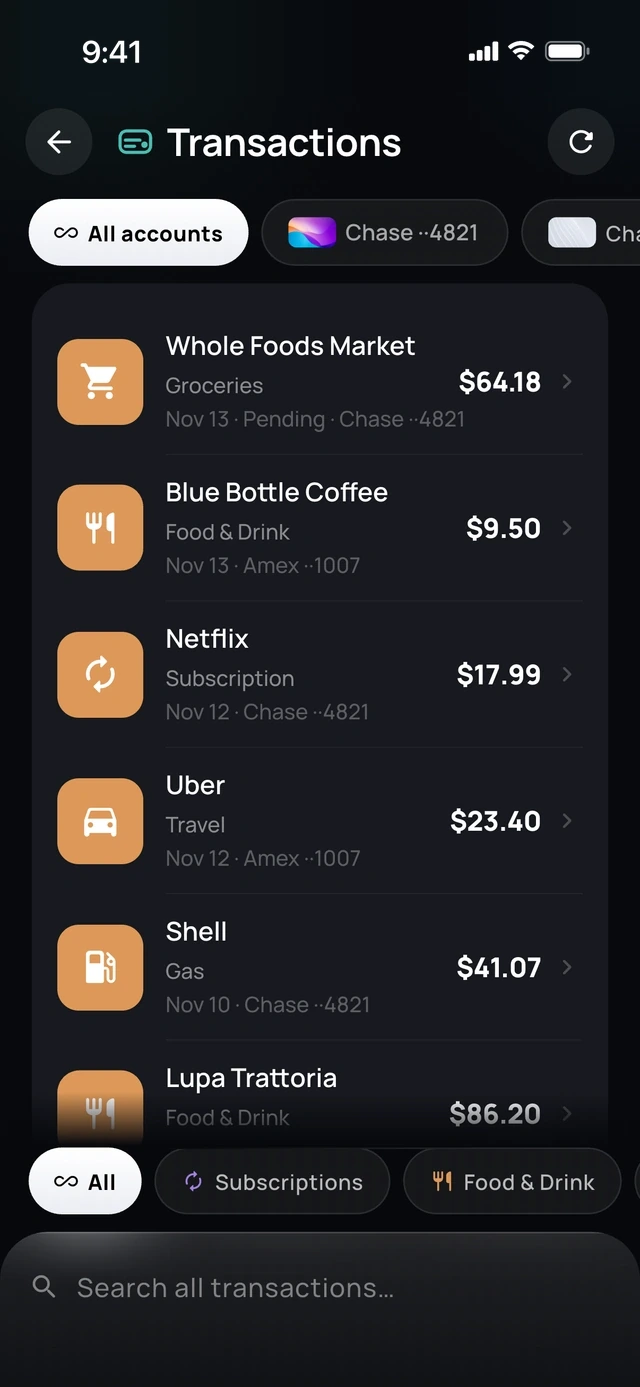
- 1All accounts, one feed
- 2Search everything
Trips
Trip detection.
Chipp notices a trip in your transactions and offers to split it.
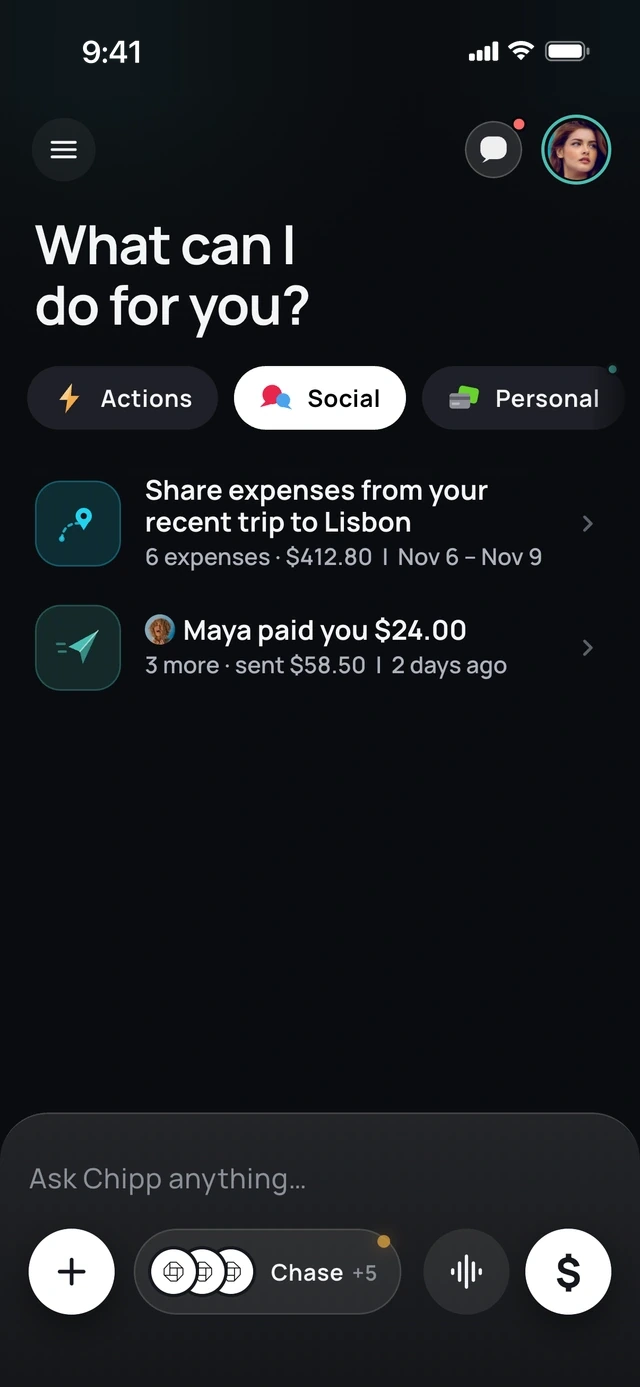
- 1Chipp spotted your trip
- 2And who paid you back
Explore
Spending explorer.
Tap through where the month went, category by category.
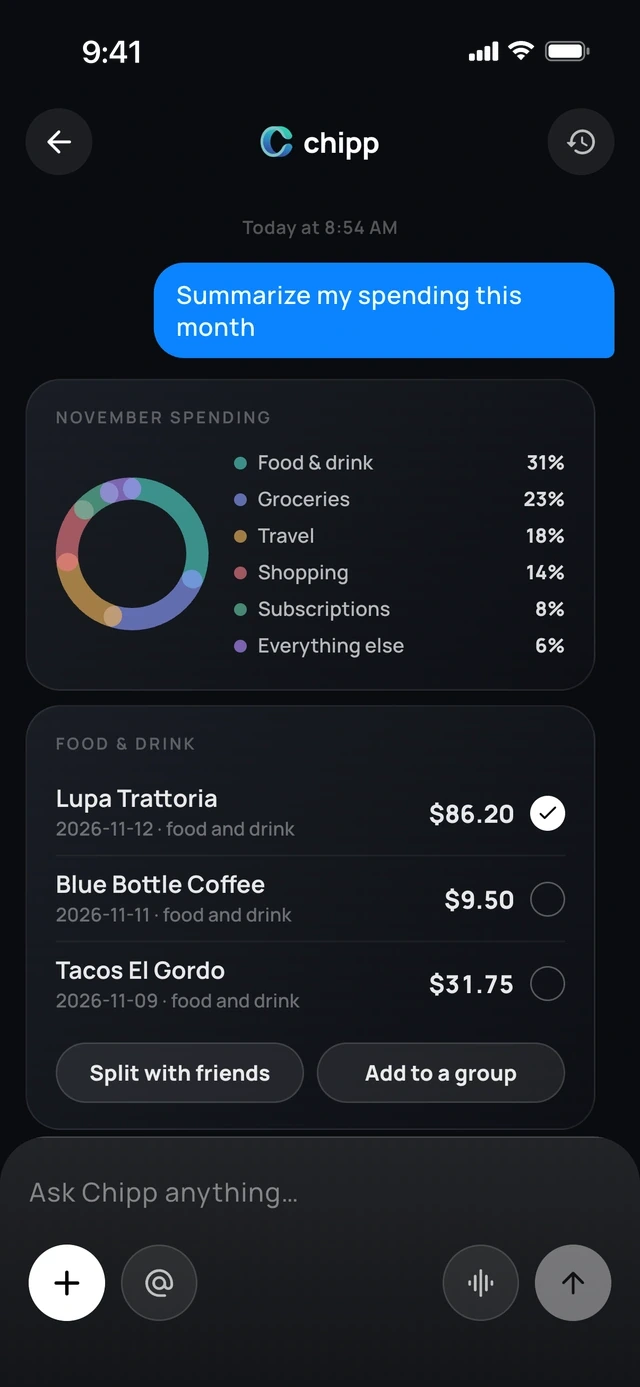
- 1Where the month went
- 2Split any of it
Each month
Monthly look-back.
Planned versus actual, and what you saved.
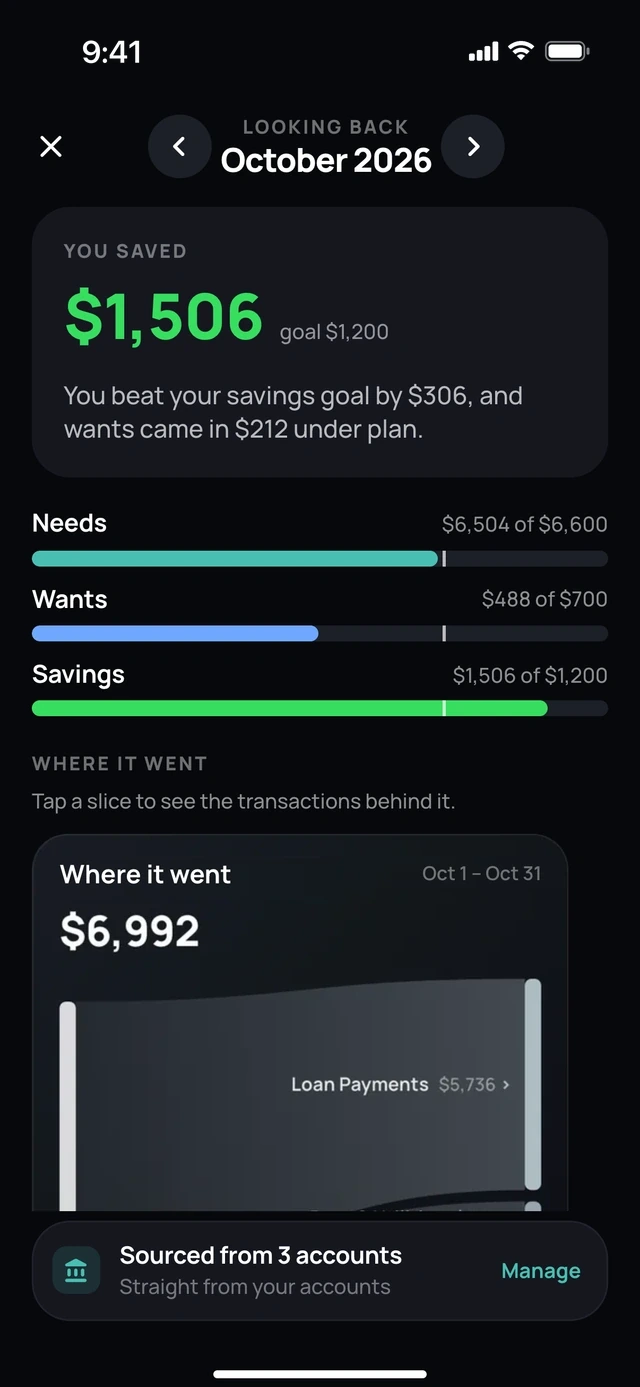
- 1What you saved
- 2Planned against actual
Subscriptions
Subscriptions and savings.
Ask what renews this month, what went up in price or how much you saved last month.
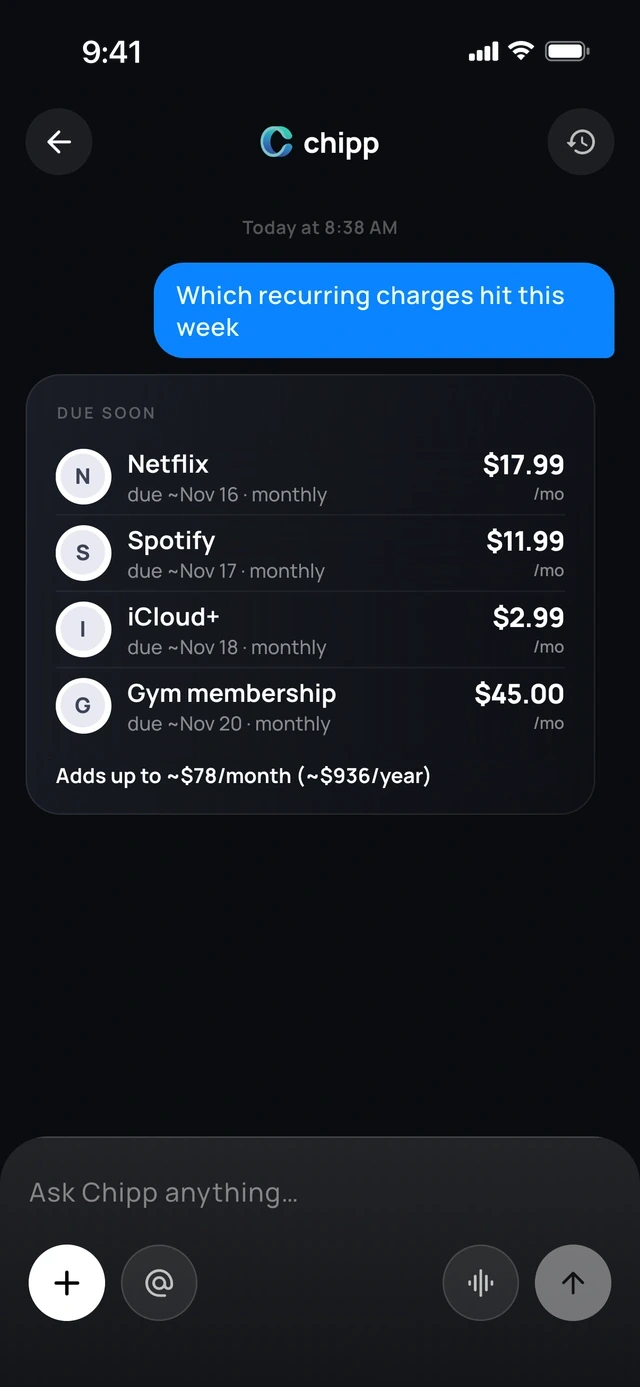
- 1What renews this week
- 2And what it adds up to
On your terms
Budget check-ins.
Daily, weekly or only when you go over. You choose.
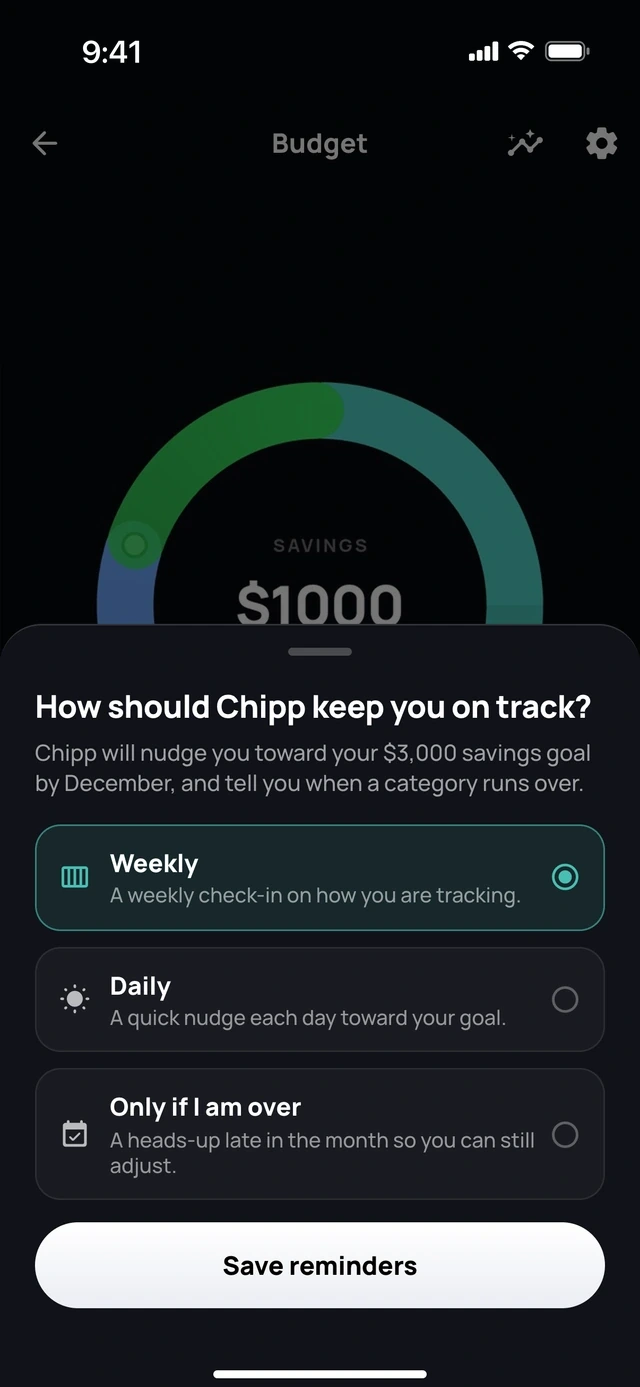
- 1Weekly or daily
- 2Or only when you go over
Private
App Lock.
Face ID or fingerprint before anyone sees your money.
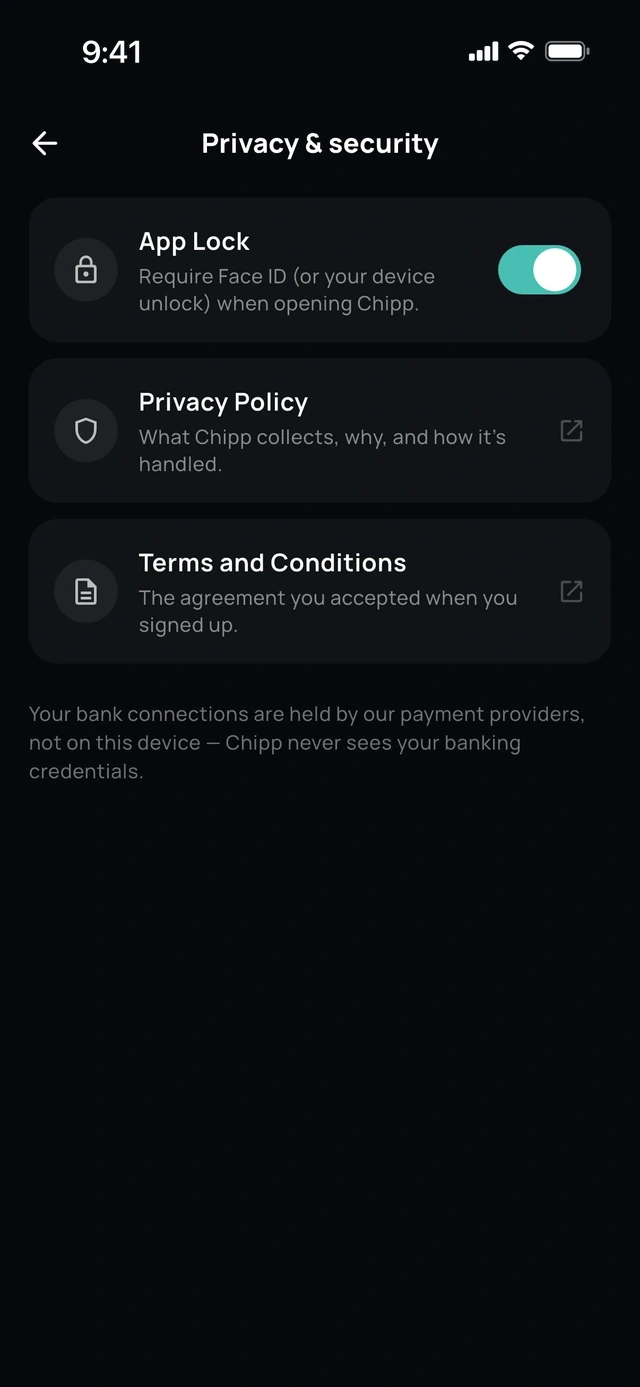
- 1Face ID or fingerprint
Support
Help, built in.
Ask how to do anything in Chipp, or talk to a person.
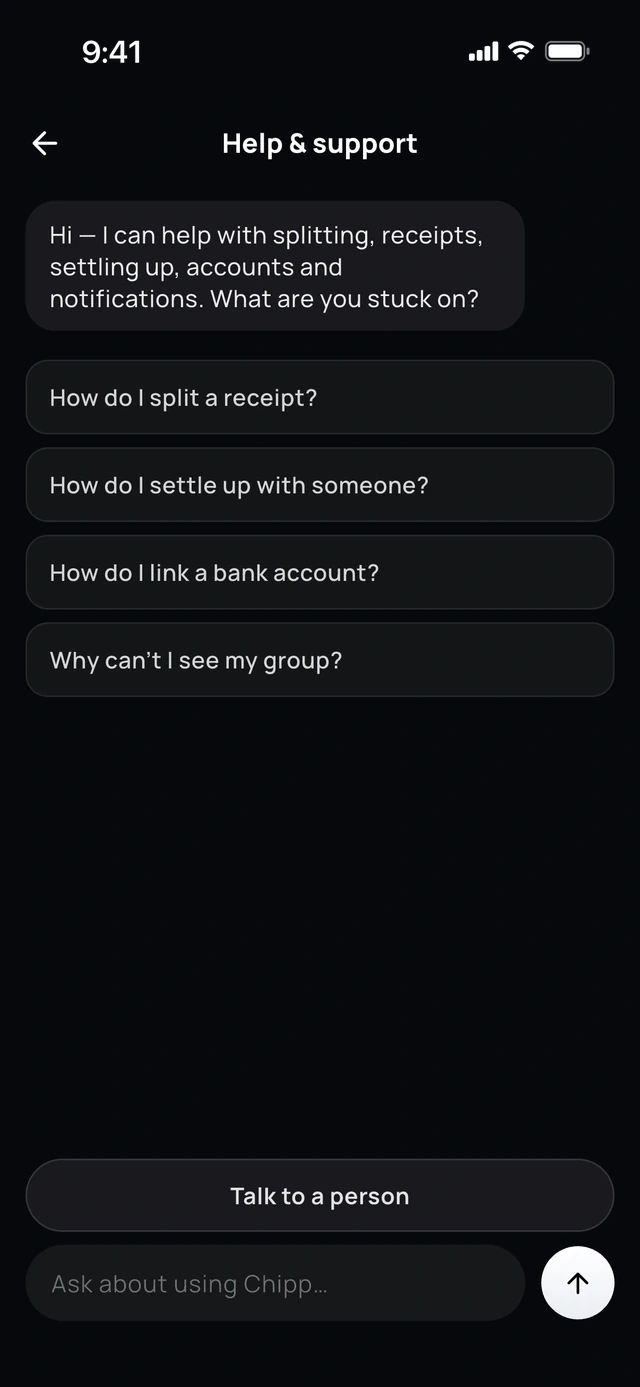
- 1Ask how to do anything
- 2Or talk to a person
Questions people ask
What is the best bill splitting app for Android?
It depends on the group. Splitwise is the one most friends already have, with a free limit of 4 expenses a day. Tricount is free with nothing held back. Chipp is free with no cap, sends reminders and takes Google Pay.
Is Splitty available on Android?
No. Splitty is an iPhone app, and its site says Android is not available yet. On Android, Chipp scans a receipt and lets everyone claim their items, and Tab does the same for a single bill in the US.
Is there a free bill splitting app on Google Play?
Yes. Tricount is free with no ads, limits or paid plan. Chipp is free with no cap on expenses, groups or friends. Splitwise, Settle Up and Splid are free with a limit, ads or paid extras.
Can Android and iPhone friends use the same app?
Yes. Chipp, Splitwise, Tricount, Settle Up and Splid are on both stores. In Chipp, a friend without the app can still see what they owe and pay from a web link.
Sources
Facts about other apps were checked against these pages on the date above. Plans and prices change, so check the app itself before you decide.