Split · Scan · Settle

Split anything.
Get your money back.

Most apps stop at a number on a screen. Chipp takes it the rest of the way — one tap, and the money is actually on its way to your account.

Free to start · iPhone & Android · Built for the US

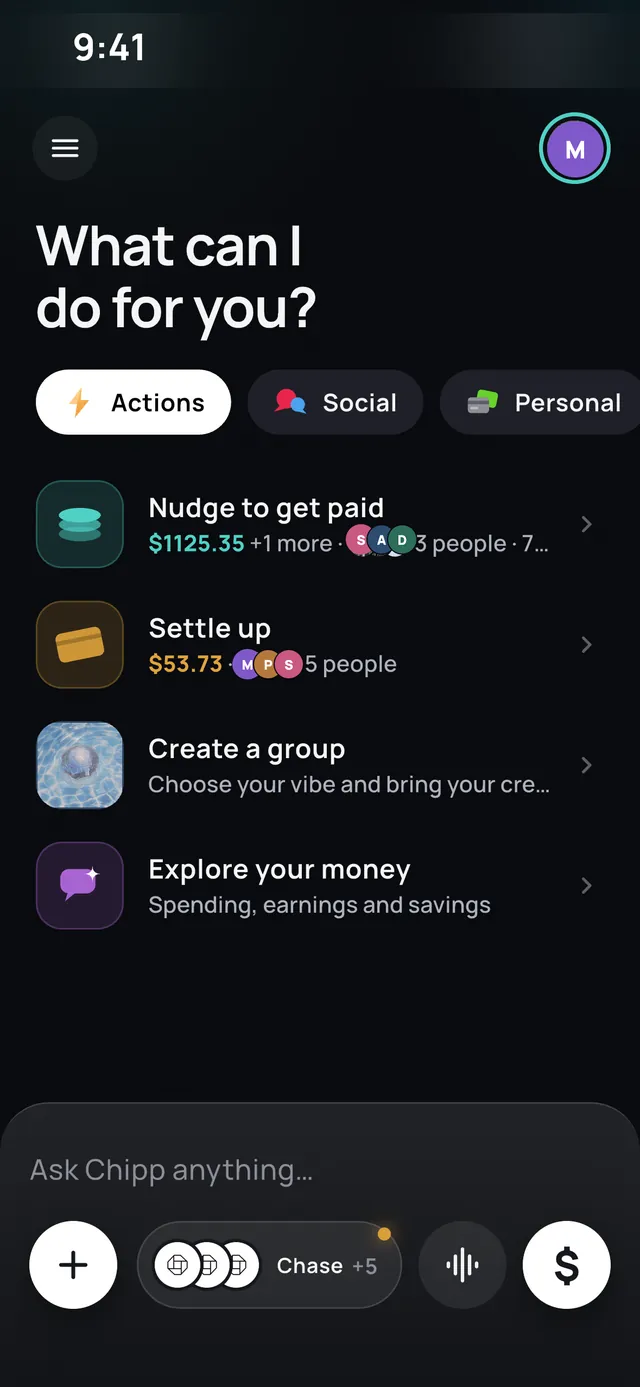
The Chipp home screen on iPhone, showing a nudge to get paid, a settle-up card and a prompt to create a group. iPhone

Splitting

One bill. Everyone squared away.

Add what you paid, pick who was there, and Chipp does the arithmetic — evenly, or line by line when someone skipped the wine. Every expense keeps its own little ledger, so nobody has to remember who covered what three weekends ago.

Equal · Unequal · Any currency · Recurring

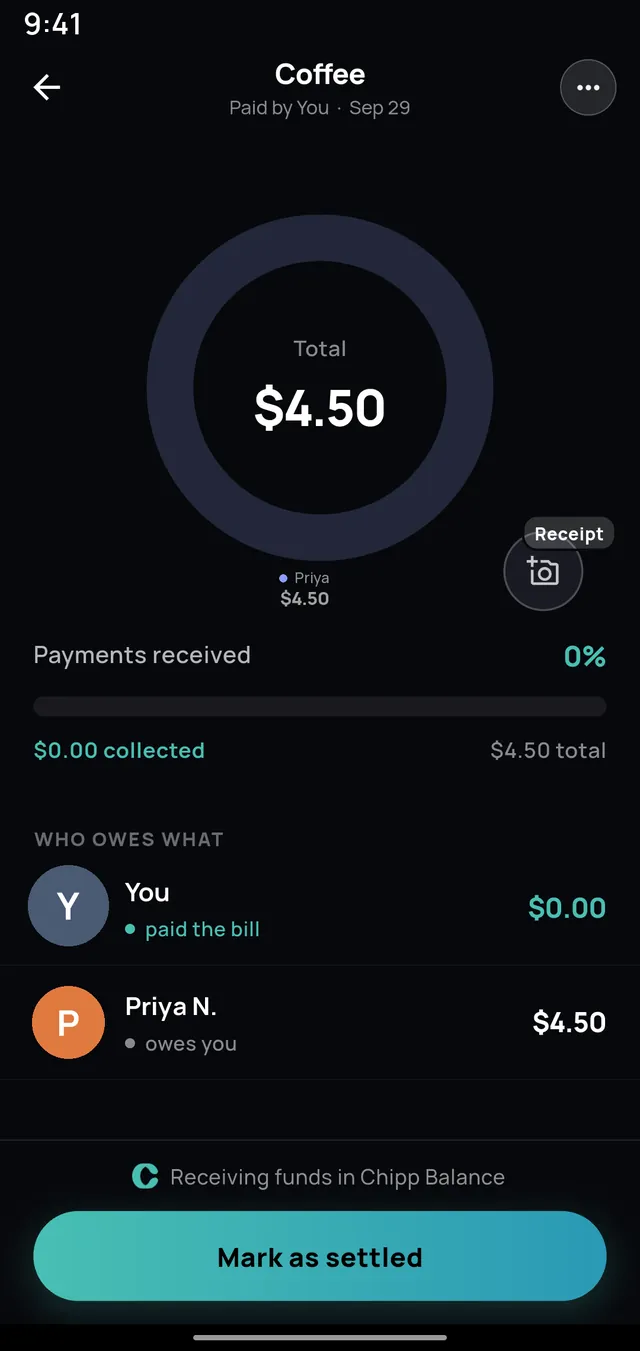
An expense called Coffee for $4.50 on Android, with a donut chart and a who-owes-what breakdown. Android

Chipp AI

Just say it. Chipp writes the expense.

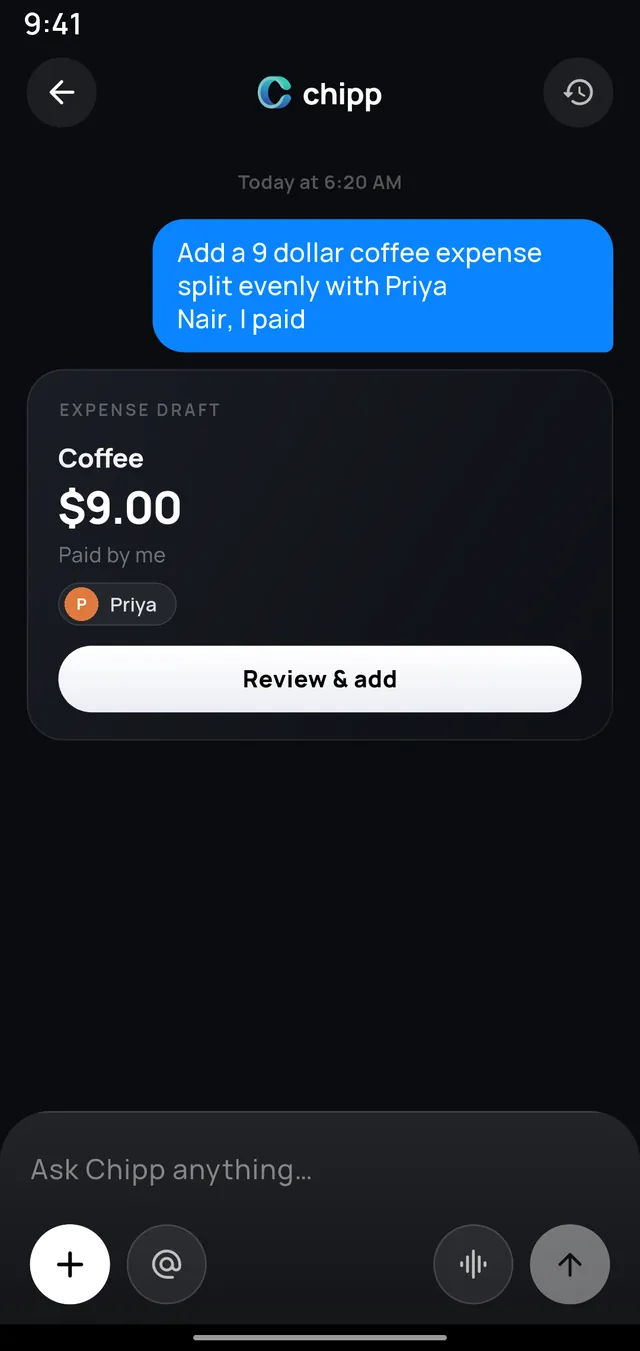
“Add a 9 dollar coffee split evenly with Priya, I paid.” Chipp drafts the whole thing — amount, payer, split, people — and waits for you to confirm. Ask it who owes you, where your money went last month, or to settle up, and it answers in the same breath.

Drafts · Answers · Charts · Sankey

Chipp AI on Android turning a typed sentence into a ready-to-confirm expense draft. Android

Receipts

Scan the receipt. Split it by item.

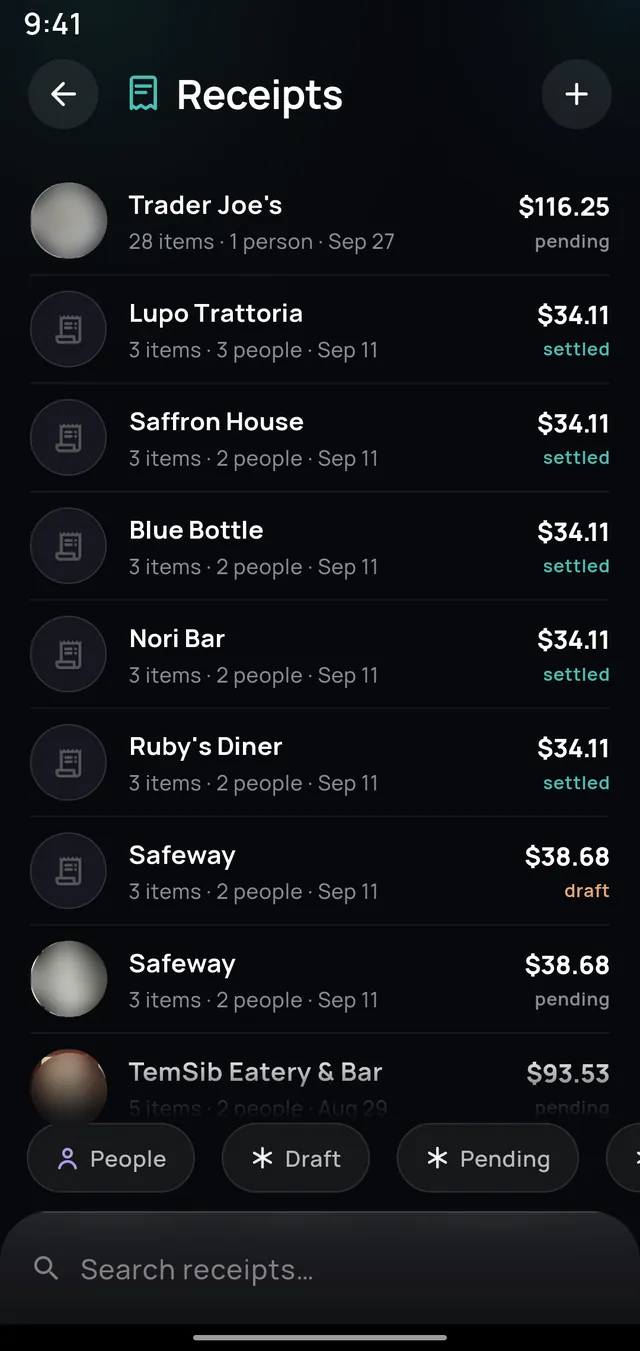
Photograph the bill — or drop in a PDF — and Chipp reads every line. Assign the oysters to the person who ordered the oysters, and tax and tip follow along automatically. It becomes a real expense, with a link you can share to anyone.

Camera · Gallery · PDF · Per-item

A list of scanned receipts on Android with item counts, people and settled or pending status. Android

Groups & friends

A room for every trip, house and crew.

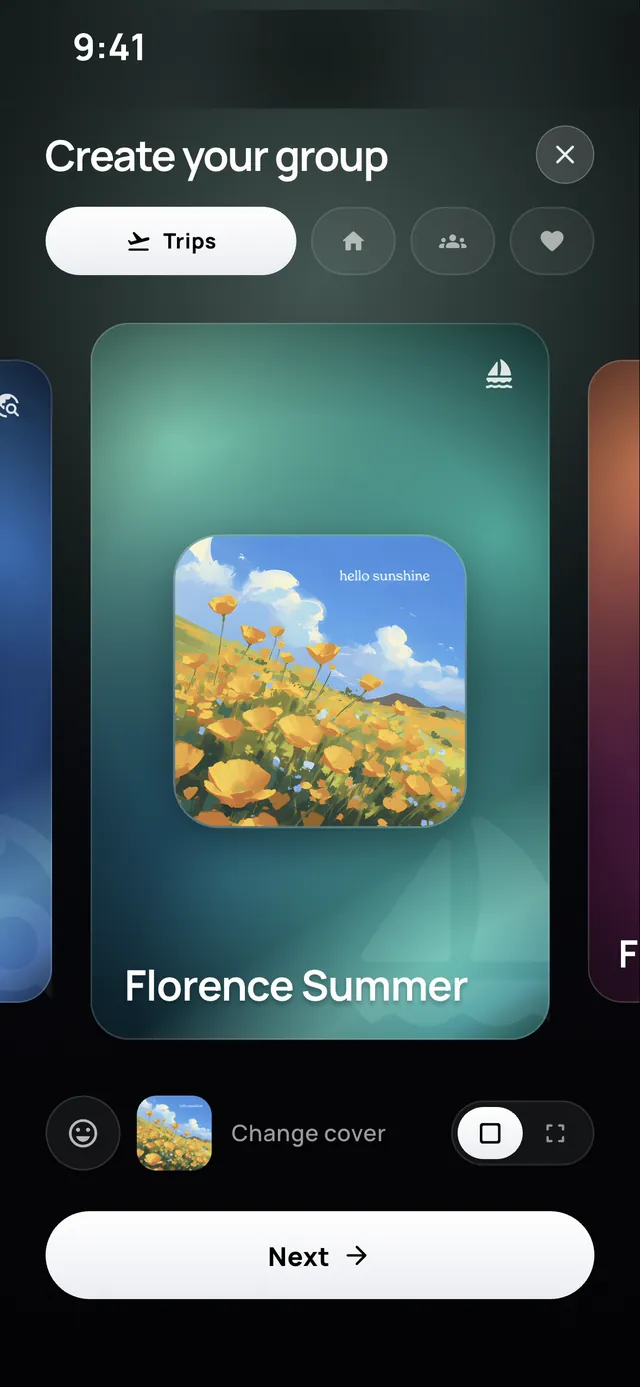
Give the group a name and a cover and it becomes a place: a running feed of expenses, a chat, and a balance that is always current. Friends get their own room too — every expense between the two of you, and one number at the bottom.

Trips · Housemates · Chat · Live balances

Creating a group on iPhone, choosing a cover image for a trip called Florence Summer. iPhone

Banks & cards

You already paid. Split it from the charge.

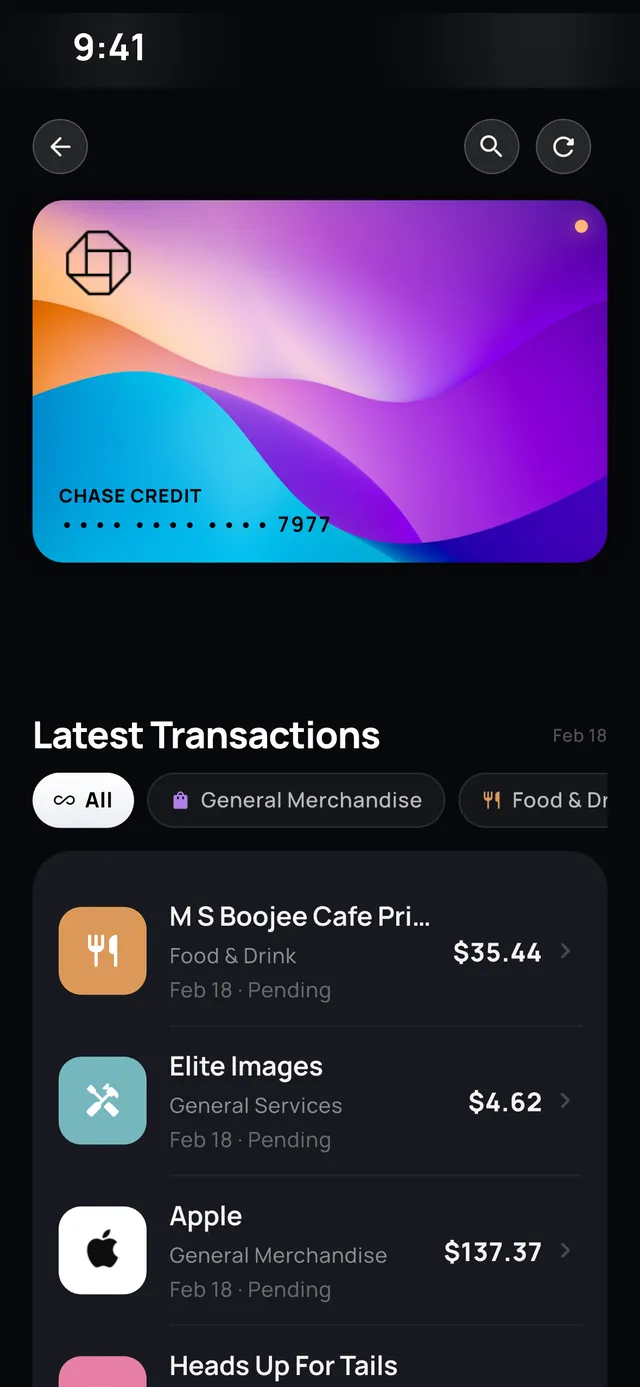
Link your bank and cards through Plaid and last week's dinner is sitting right there in the app. Tap the charge, pick the people, done — no digging through a card statement trying to remember what $84.20 was. Forgot to add it at the table? It doesn't matter any more.

Plaid · Split past charges · Bank-grade

A linked credit card on iPhone with recent transactions and options to split one with friends or add it to a group. iPhone

Getting paid

Every way your friends actually pay.

Apple Pay, Google Pay, a linked bank account, or straight from your Chipp balance. If they'd rather use Venmo, Cash App, Zelle or PayPal, Chipp hands them the right app with the right amount already filled in. No “what's your handle again?”

Apple Pay · Google Pay · Bank · Venmo · Cash App · Zelle · PayPal

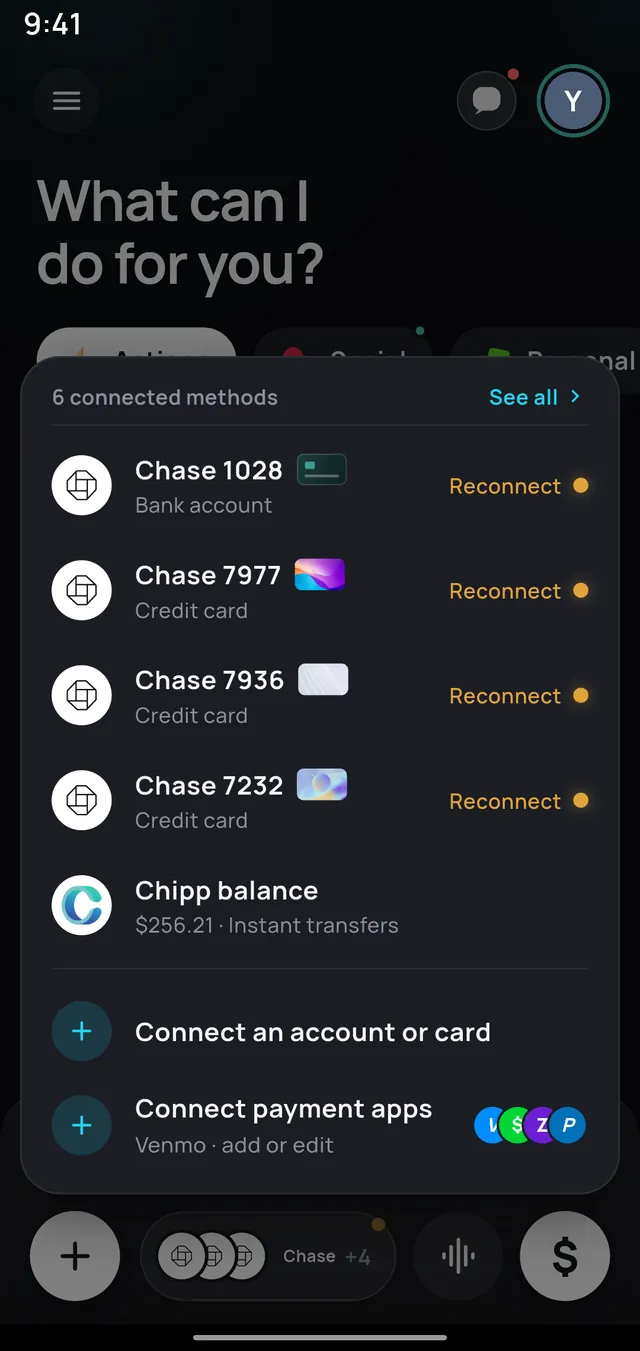
A sheet on Android listing six connected payment methods including bank accounts, credit cards and the Chipp balance. Android

Chipp Wallet

Money that's already yours, already here.

Repayments land in your Chipp balance the moment they're sent. Spend it settling the next thing, or move it out to your bank whenever you like. Top up from a linked account for free, and keep every card and account in one place.

Instant balance · Top up · Cash out

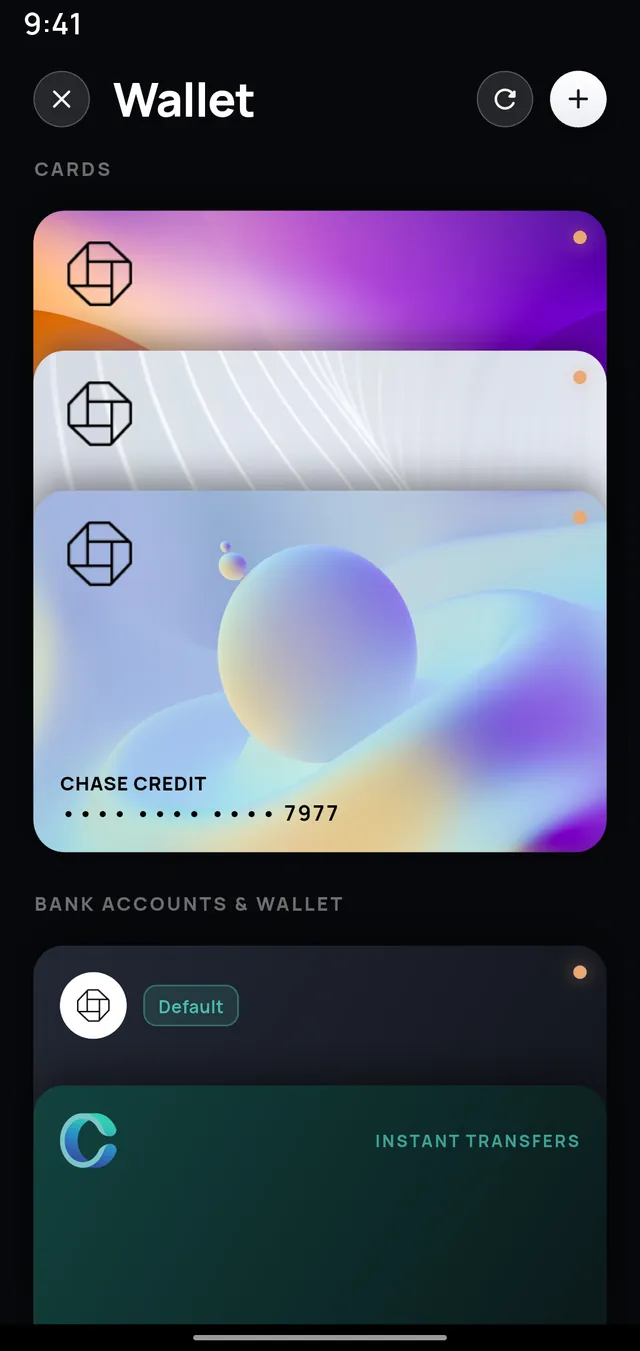
The Chipp wallet on Android showing linked cards, bank accounts and the Chipp balance used for instant transfers. Android

Pools

For the things everyone chips in on.

A leaving gift, a ski house deposit, the group present nobody wants to front. Set a goal, share the link, and watch it fill. Everything is visible to everyone, and if the plan falls through the host can dissolve the pool and every contribution goes straight back.

Goal · Share link · Refundable

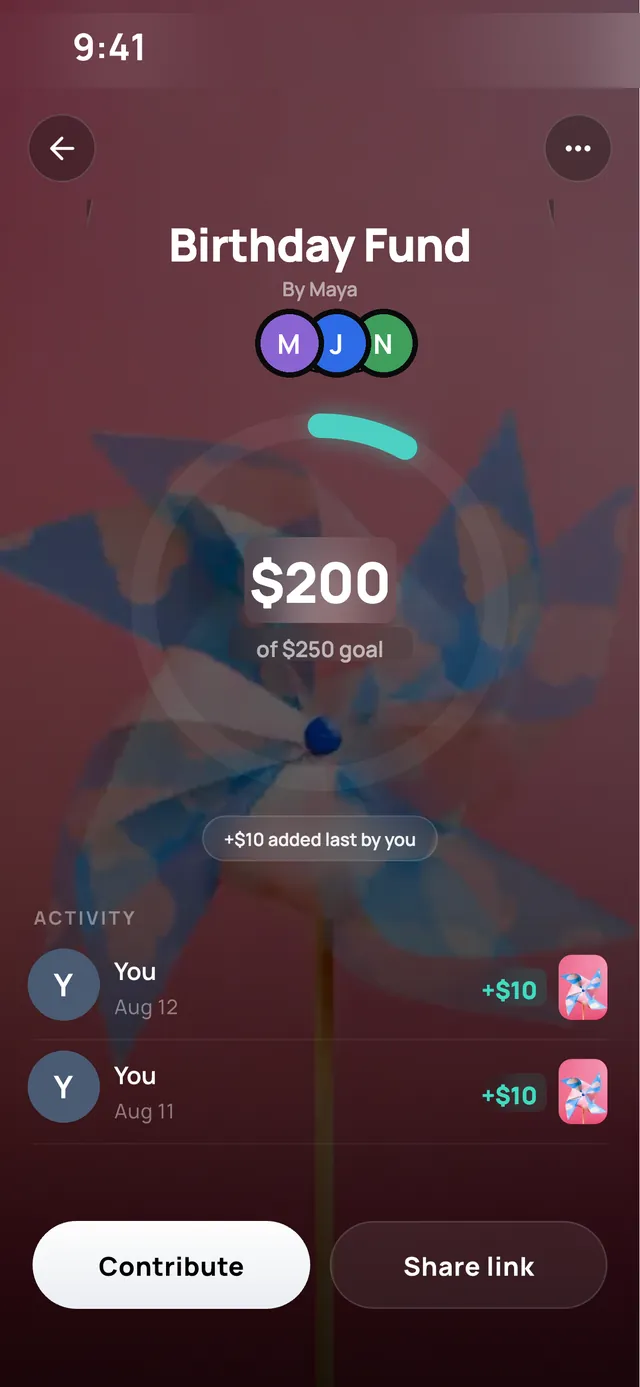
A money pool on iPhone called Birthday Fund, showing $200 collected of a $250 goal with recent contributions. iPhone

Share links

Send a link. Get paid by anyone.

Someone not on Chipp? Share the expense or the receipt as a normal web link. They open it in a browser, see exactly what they owe and what it was for, and pay online — no download, no account, no awkward follow-up text from you.

chipp.it/e/… · Pay in browser · No signup

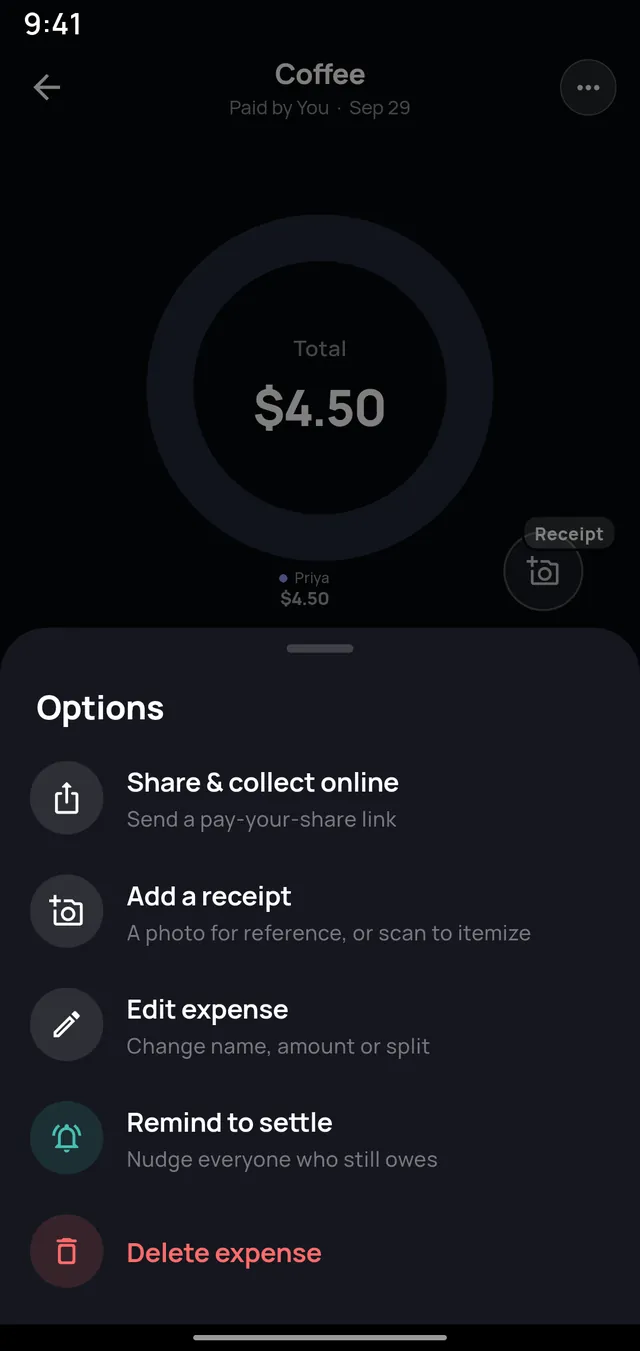
An expense options sheet on Android with share and collect online, add a receipt, edit, remind to settle and delete. Android

And the rest of it

Small things that save the friendship.

NearbySitting at the same table? Chipp finds the people around you over Bluetooth and adds them to the bill — no phone numbers, no typing.
Budgets & CFO insightsSet a budget from your real spending, then let Chipp tell you when a category is running hot — before the month ends, not after.
Recurring expensesRent, the internet bill, the shared streaming plan. Set it once and it splits itself on schedule, every month.
Reminders that aren't awkwardOne tap nudges everyone who still owes. Chipp throttles them so nobody gets pestered, and you never have to send the message yourself.
Activity feedEvery expense, payment and settle-up in one timeline, for the whole circle — with search that understands plain questions.
Multi-currencyPay in euros on the trip, settle in dollars at home. Chipp keeps each currency's balance honest instead of quietly flattening them.
Settling up

Ten seconds, start to finish.

  1. Open the settle cardChipp has already worked out the net — one number per person, not a wall of individual expenses.
  2. Pick who you're payingOr select everyone at once. Mixed currencies stay separate so nothing gets fudged.
  3. Choose howChipp balance, Apple Pay, Google Pay, your bank — or hand it to Venmo, Cash App, Zelle or PayPal.
  4. ConfirmThe fee is on screen before you tap, never after. Everyone's balance updates the moment it goes through.

Instant transfers land right away · Standard bank transfers take 3–5 business days and are free

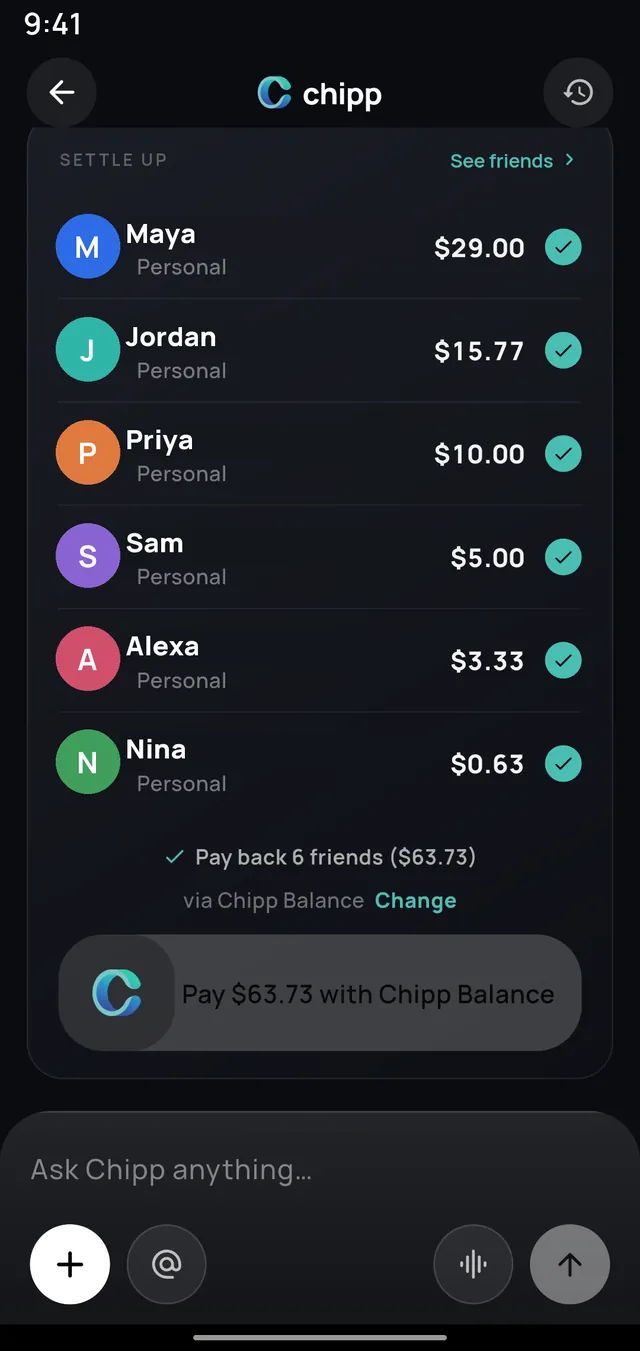
A settle-up card on Android listing six friends with the amount owed to each and a single button to pay them all from the Chipp balance. Android

Hear it from our users

People stopped chasing each other.

★★★★★

“Chipp makes splitting bills effortless with its tap feature, letting me assign expenses to friends as soon as the bill arrives.”

R Riya

★★★★★

“It is the only app you need for any kind of group expense. Seamless bank integration, and transfers are effortless with one swipe.”

D Daniel

★★★★★

“Splitting bills straight from my credit card transactions is a breeze. I no longer have to remember or look up what I paid across different card apps.”

A Ana

★★★★★

“Chipp handles my trips, group dinners and recurring expenses without the hassle. With instant payments I don't wait months to get my money back.”

M Marcus

Pricing

Free for most people. Genuinely.

Splitting, groups, settling up and budgets don't cost anything. Chipp+ is for people who scan a lot of receipts and lean on the AI.

Free

$0

Forever

  • Unlimited expenses, groups and friends
  • Settle with every payment method
  • Budgets and spending insights
  • 3 receipt scans and 10 AI asks a month
  • 1 bank account + 1 card

No card needed to start.

Most popular

Chipp+

$3.99 /month

or $29.99 a year — about $2.50 a month

  • Unlimited receipt scanning
  • Unlimited Chipp AI
  • Unlimited banks and cards
  • Recurring expenses

Auto-renews. Cancel any time in the App Store or Google Play.

Chipp+ Circle

$6.99 /month

or $49.99 a year, with a 7-day free trial

  • Everything in Chipp+
  • Extends Chipp+ to everyone in the groups you own
  • For housemates, trips and families

One subscription for the whole house. Auto-renews; cancel any time.

FAQ

Questions, answered.

Is Chipp on both iPhone and Android?
Yes — Chipp is a full native app on both, and everything here works on either one. Groups, expenses and balances sync across both, so it doesn't matter what your friends carry.
Is it really free?
Adding expenses, making groups, tracking balances, budgets and settling up are all free, with no limit on how many. The free tier meters two expensive things — receipt scans (3 a month) and Chipp AI questions (10 a month) — and allows one bank plus one card. Chipp+ removes all of that for $3.99 a month or $29.99 a year.
How does the money actually move?
Payments run through Stripe. You can pay from your Chipp balance, a linked bank account, a card, Apple Pay or Google Pay. Instant transfers arrive right away and carry a small fee that is always shown before you confirm; standard bank transfers are free and take about 3–5 business days. Chipp is not a bank — see the Terms for the full detail.
Can I link more than one card or bank account?
On the free plan you can link one bank account and one card. Chipp+ lifts that entirely — link as many as you like. Accounts connect through Plaid, and Chipp never sees or stores your banking password.
What if my friends don't have Chipp?
They don't need it. Share any expense or receipt as a plain web link — they open it in a browser, see what they owe, and pay online without downloading anything. You can also invite them properly from inside the app, and any group link will bring them straight into the right group.
Is my banking data safe?
Bank connections are made through Plaid, the same infrastructure used by most major US finance apps, and card details are handled by Stripe. Chipp stores access tokens, never your bank credentials or full card numbers. You can unlink an account or delete your whole account from inside the app at any time. The details are in our Privacy Policy.

Download the app

Stop fronting the bill.
Start getting paid back.

Free to download. Two minutes to set up. Then never send “hey, any chance you could…” again.