Why money apps are going chat-first.
For ten years finance apps added screens. Now the ones that grow let you say what you want and get it done. Here is the data.

People stopped tapping and started asking
 Bank of America's assistant needed four years to reach a billion interactions and under three to add two billion more. Yearly use has held near 700 million since 2023, so this is a settled habit and no longer a spike.
Bank of America's Erica
Interactions since launch, in billions
First they answered. Now they act.
The launches of 2023 and 2024 mostly answered questions. Since the middle of 2025 the new ones do the task for you.
- 1Jul 2025.
 Intuit's agents chase invoices and reconcile the books
- 2Sep 2025.
 Stripe puts checkout inside a chat
- 3Nov 2025.
 Cash App's Moneybot answers and suggests
- 4Apr 2026.
 Revolut's assistant freezes cards and plans trip budgets
- 5Aug 2026.
 Rocket Money's assistant cancels subscriptions by text
Companies now report outcomes, not features
Intuit says its payments agent gets businesses paid 5 days faster on average.  bunq says its assistant went from fully resolving 40% of requests to 84% in two years.
Company reported
Support requests the assistant resolved with no person involved
bunq, 202440%bunq, 202570%bunq, 202684% Nubank, 202555%
 Chime voice, 202566%
Source: bunq, Nubank and Chime company statements; definitions differ
The cost of an answer collapsed
Stanford's yearly index found the price of a fixed quality of answer fell more than 280 times in two years. A conversation that was a luxury in 2022 now costs a fraction of a cent.
Chat only wins when it finishes the job
It has not all gone well.  Klarna cut back on people, then restored a human path after its chief executive admitted lower quality. The US consumer bureau warned of chatbots that trap people in loops.
- 1Jun 2023. US consumer bureau warns of chatbot "doom loops"
- 2Feb 2024. Klarna says its assistant handles two thirds of chats
- 3May 2025. Klarna brings back a human path
- 42024. 64% tell Gartner they would rather companies not use one for service
Between friends, the hard part is asking
US adults say friends and family owe them $926 on average. Four in ten never ask for it back. The math was never the problem. The asking is.
US surveys
What happens to money lent to friends and family
So Chipp opens on a conversation
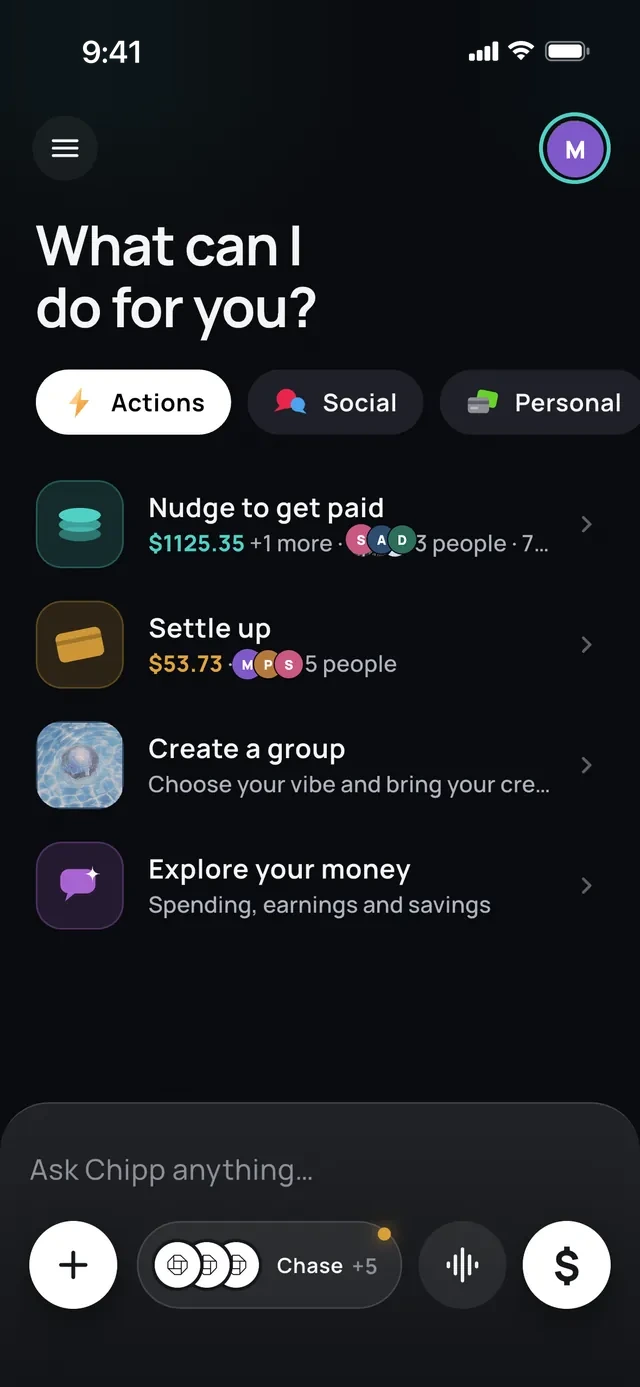
Most money apps open on a dashboard. Chipp opens by asking what it can do for you, with a text box where a menu would be.
- 1It opens with a question
- 2The outcome comes first: get paid
- 3A text box where a menu would be
- 4Or say it out loud
A sentence becomes an expense
Chipp turns one sentence into a draft and waits for you. People confirmed 20 of the 27 expense drafts Chipp wrote for them.
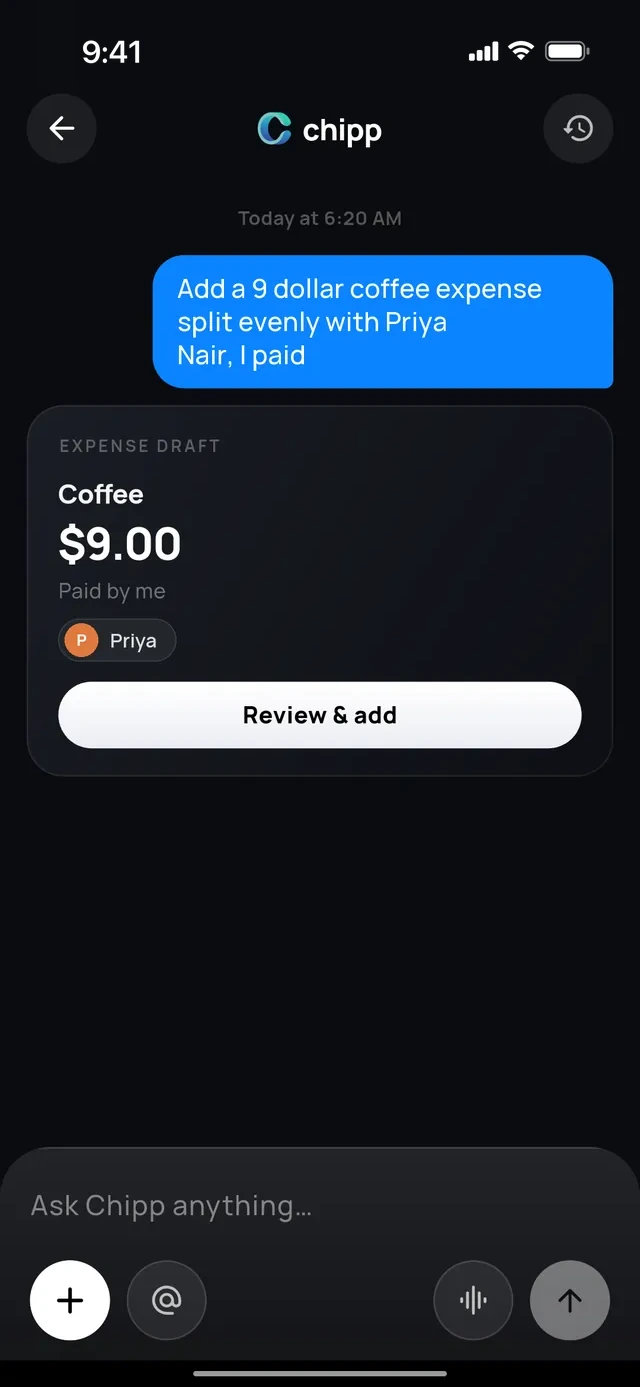
- 1One sentence, typed or spoken
- 2Chipp writes the expense
- 3You confirm. Nothing is added without you
Say who had what
After a receipt scan nobody taps through a list. You describe the table and Chipp assigns the items. 41 people have scanned 116 receipts since late August.
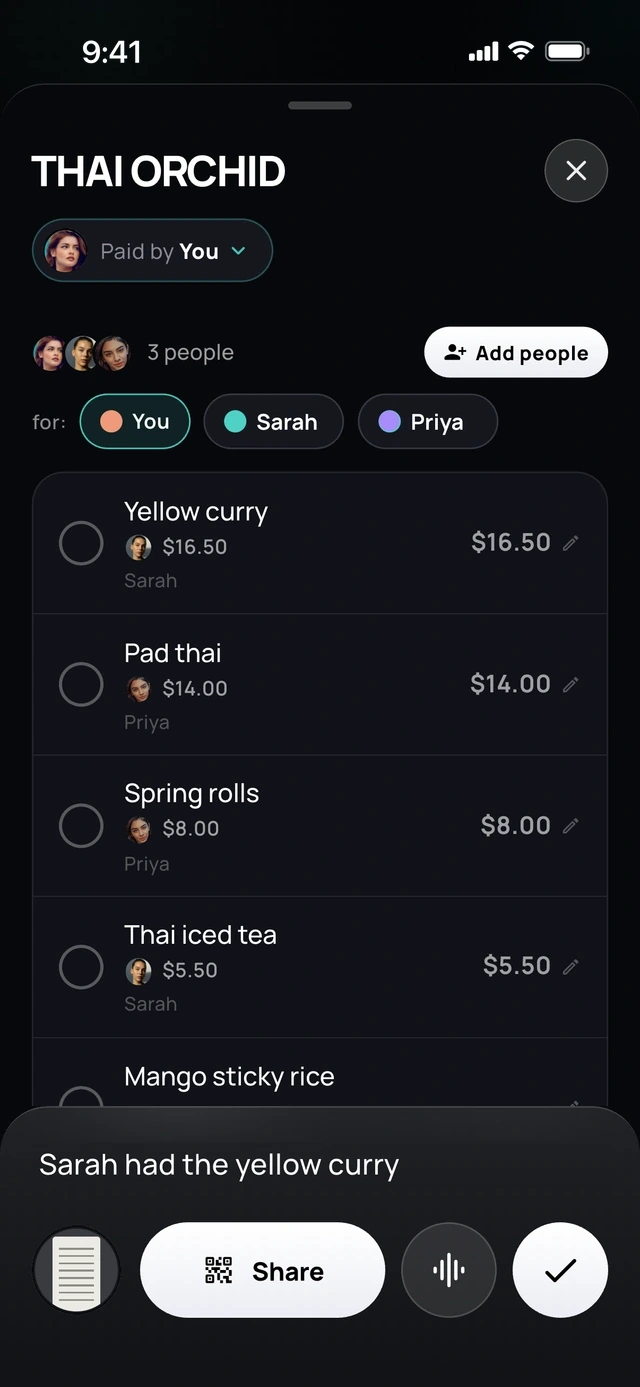
- 1"Sarah had the yellow curry"
- 2Chipp assigns that dish to Sarah
Ask why you owe what you owe
Explaining a balance is the most asked thing in Chipp, level with splitting an expense. It ends the back and forth before it starts.
 Chipp
why do I owe Maya $64.50?
Two things: $42.00 for the birthday dinner and $22.50 for ramen night
Want me to settle it?
What people actually ask Chipp
Almost half of everything people ask is about an outcome between friends: split this, or explain what I owe. The numbers are small and early, so they are shown as counts.
Chipp usage
252 questions, sorted by what the person wanted
Source: Chipp, September 29 to November 20, 2026; test accounts left out
Chipp does the reminding
Of 174 reminders sent through Chipp, 155 went out on their own. Nobody had to write the awkward message.
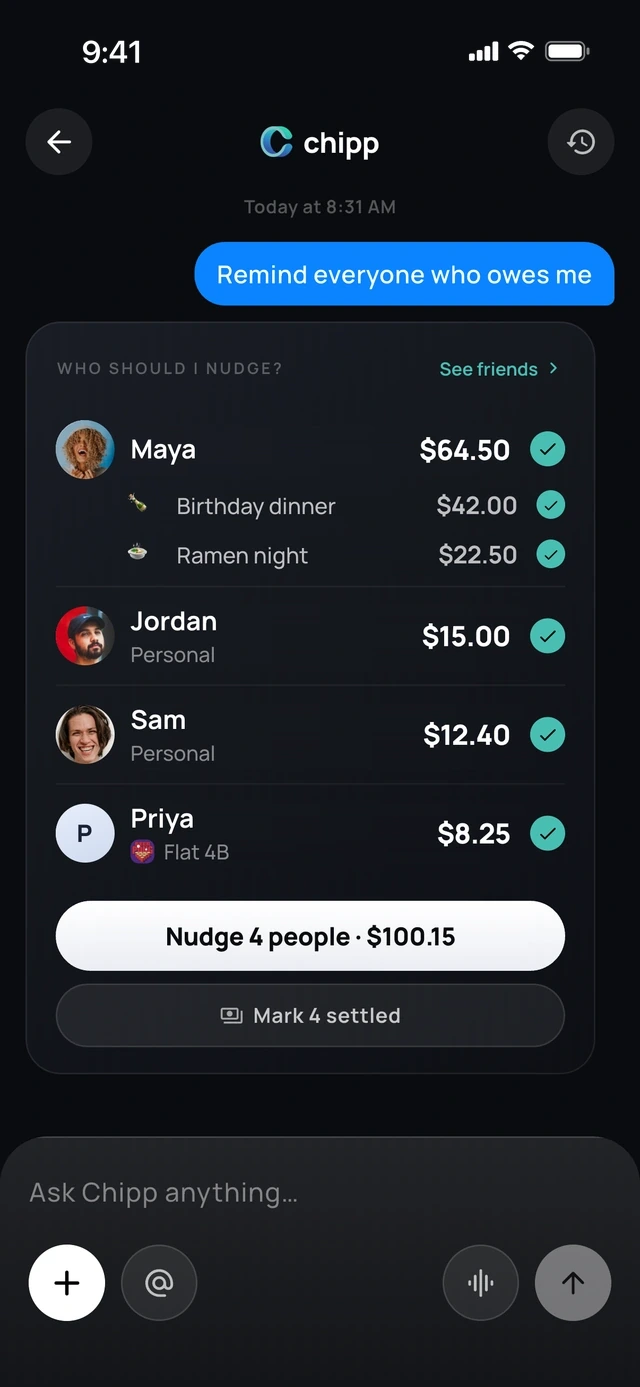
- 1"Remind everyone who owes me"
- 2Who owes, and for what
- 3One tap reminds all four
Why these tokens are worth more
A token spent drawing a chart informs you. A token spent reminding a friend, or explaining a balance so nobody argues, brings money back to you. Same cost, different payoff.
One reminder
1 of 6
Add an expense in seconds.
Chat-first interface
A chat-first interface.
Tell Chipp what you paid for. It does the math and reminds everyone for you.
Chippsplit $84 sushi with Maya and Jo
Done. $28 each
I'll remind them for you
Jo just paid you $28
Receipt scanning
Scan the receipt.
Chipp reads every item and everyone claims their own.
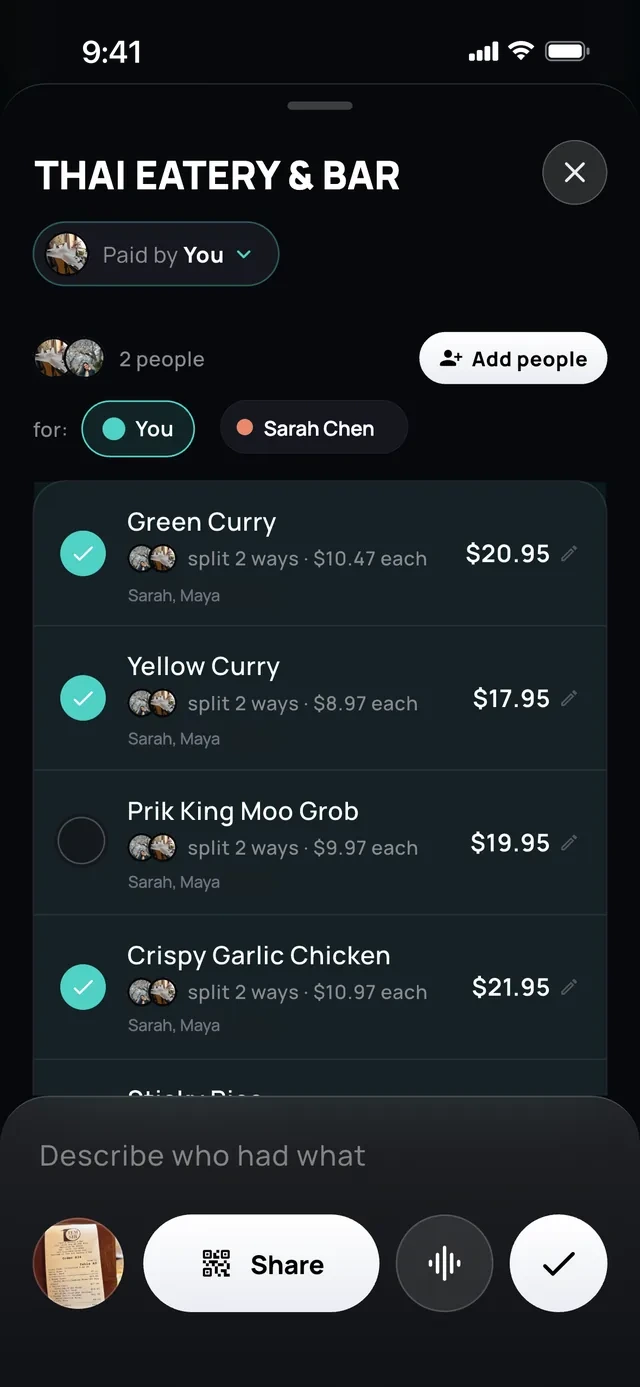
- 1Tap what you had
- 2Or describe who had what
Linked cards
Forgot to add it?
Split it straight from your card transactions.
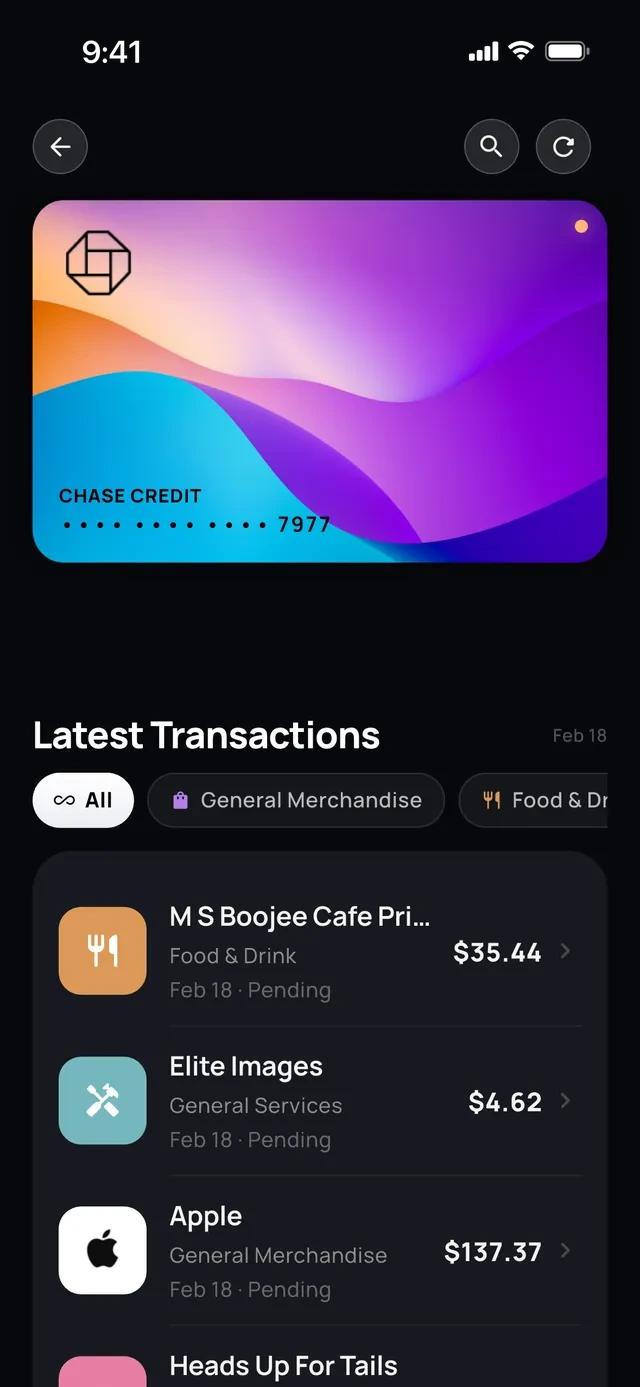
- 1Your card charges
- 2Pick one and split it
Split it your way
Even. Exact. Itemized.
Split equally, by exact amounts or item by item.
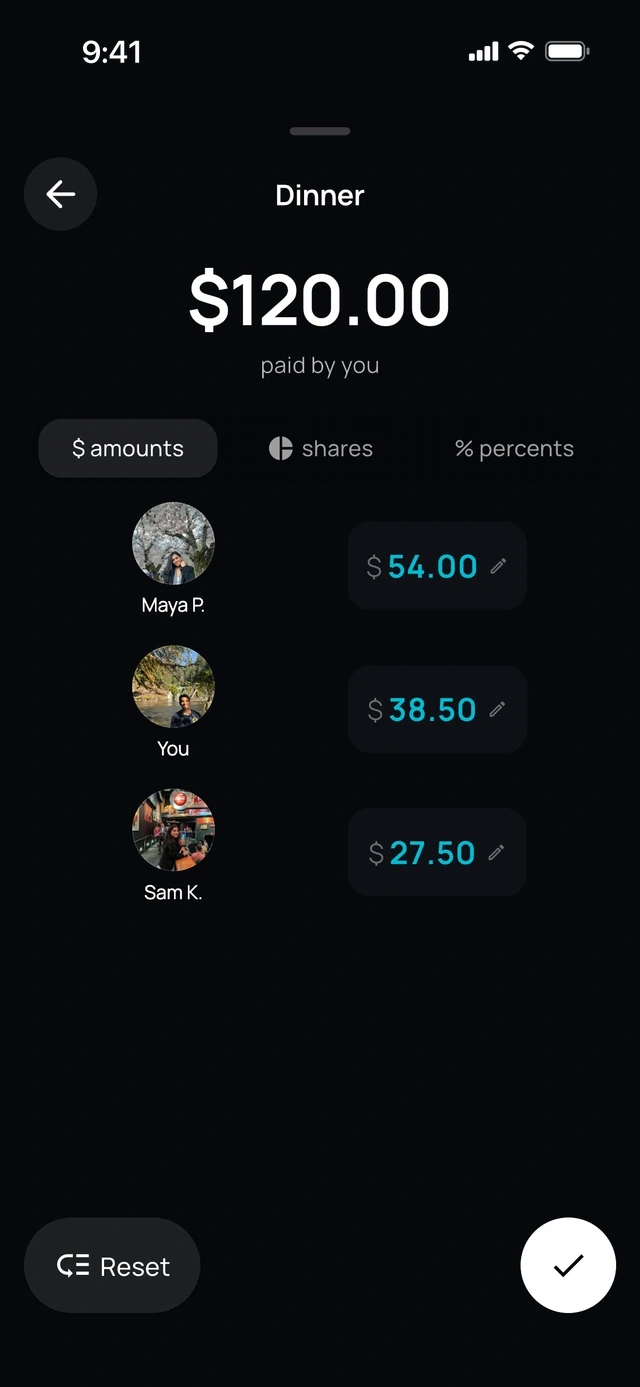
- 1Amounts, shares or percent
- 2Each person's own amount
Any currency
Rupees on the trip, dollars at home.
Split in 104 currencies.
- 1Rupees for the trip
- 2Dollars at home
Recurring, on Chipp+
Set it once and it repeats.
Rent, wifi, the group Netflix.
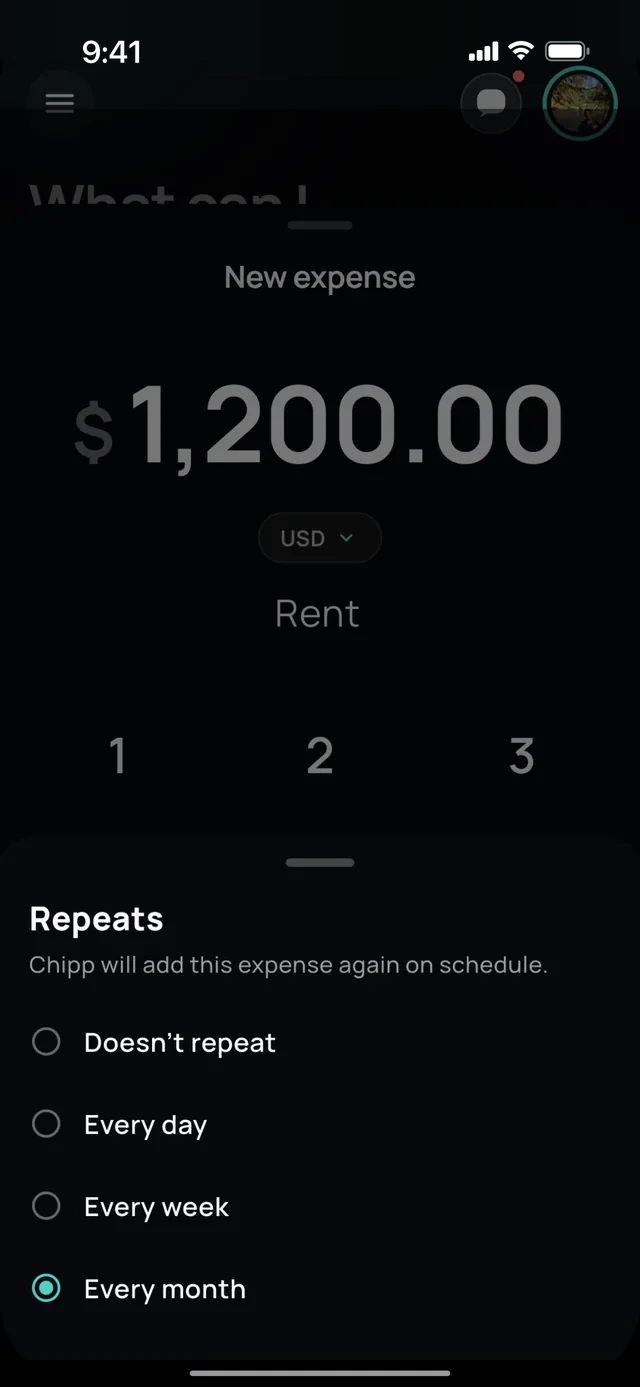
- 1Choose how often
- 2It adds itself each month
2 of 6
Chipp knows your numbers.
Ask Chipp
Ask about your spending.
Get the answer with a chart.
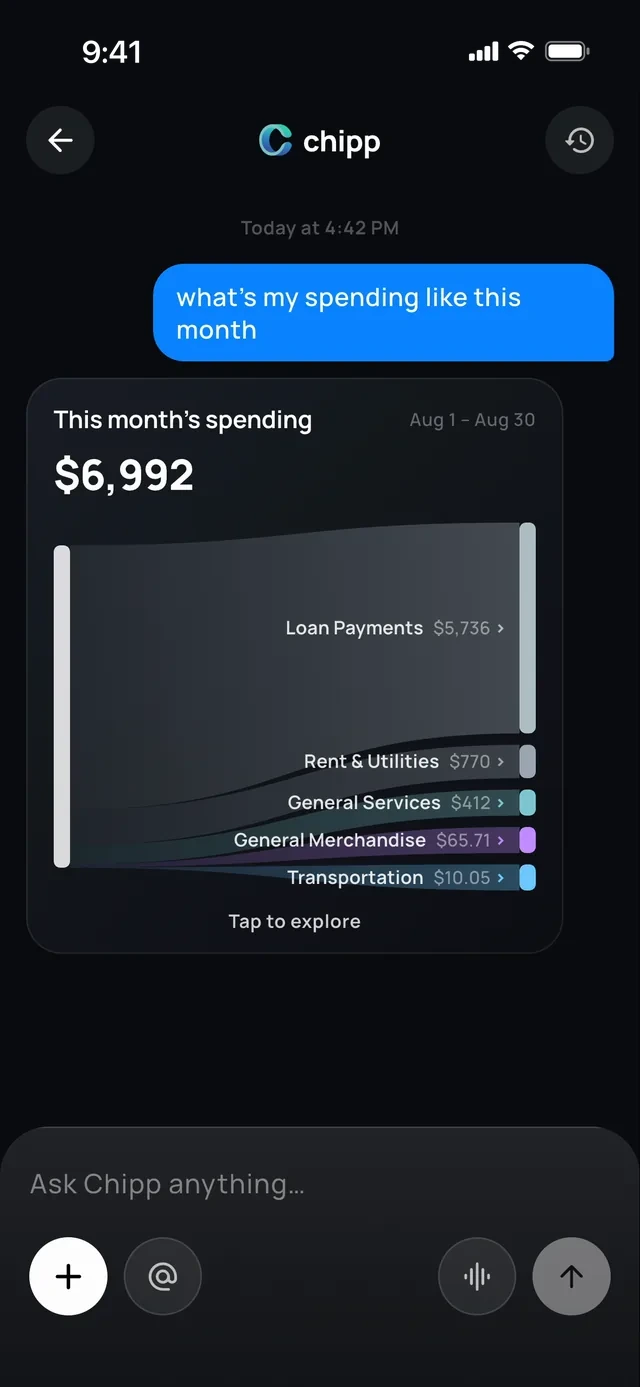
- 1Ask in plain words
- 2The answer is a chart
Chipp in iMessage
Text Chipp like a friend.
Ask who owes you, split a bill or send a reminder.
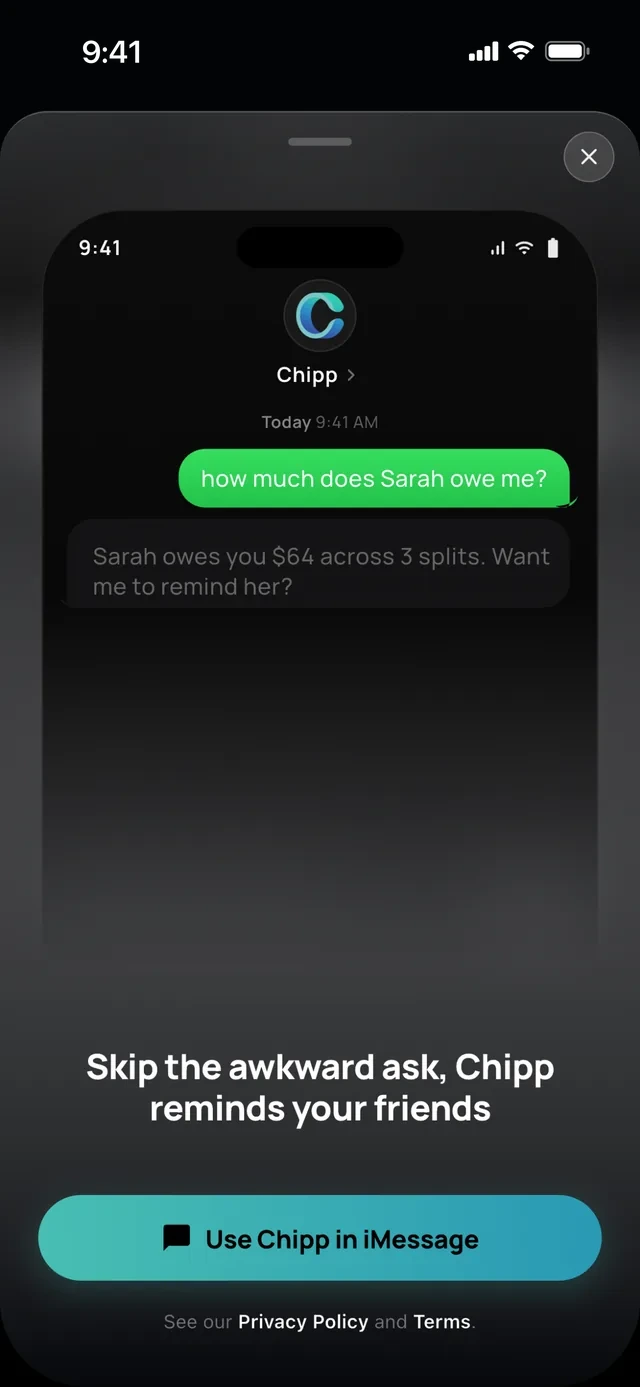
- 1Text it like a friend
- 2Chipp answers, and offers to remind
Actions
It does the work too.
Chipp drafts the expense, creates the group, pulls a trip's charges from your card or lines up reminders. You confirm every step.
- 1One sentence
- 2Chipp writes the expense
- 3You confirm
Mentions
Mention anything with @.
Tag friends, groups, cards and bank accounts to pull them into your question.
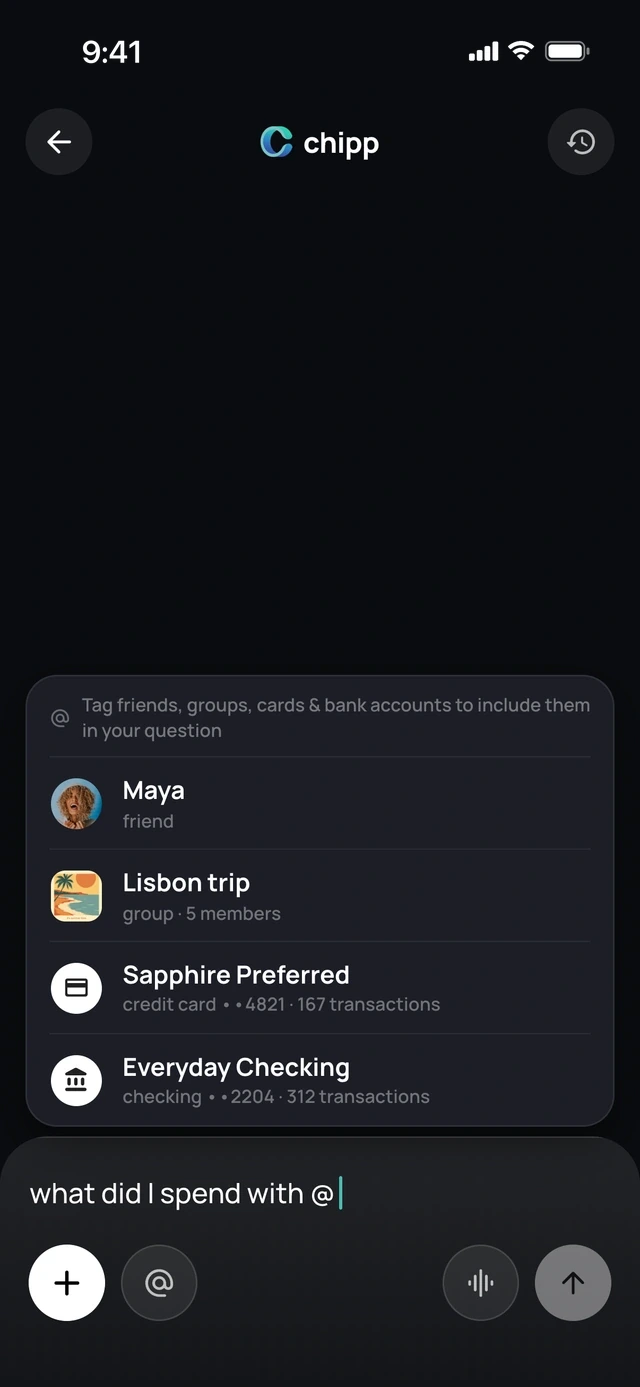
- 1Type @
- 2Pick a friend, group or card
Languages
Any language, typed or spoken.
Ask out loud or type, in the language you think in.
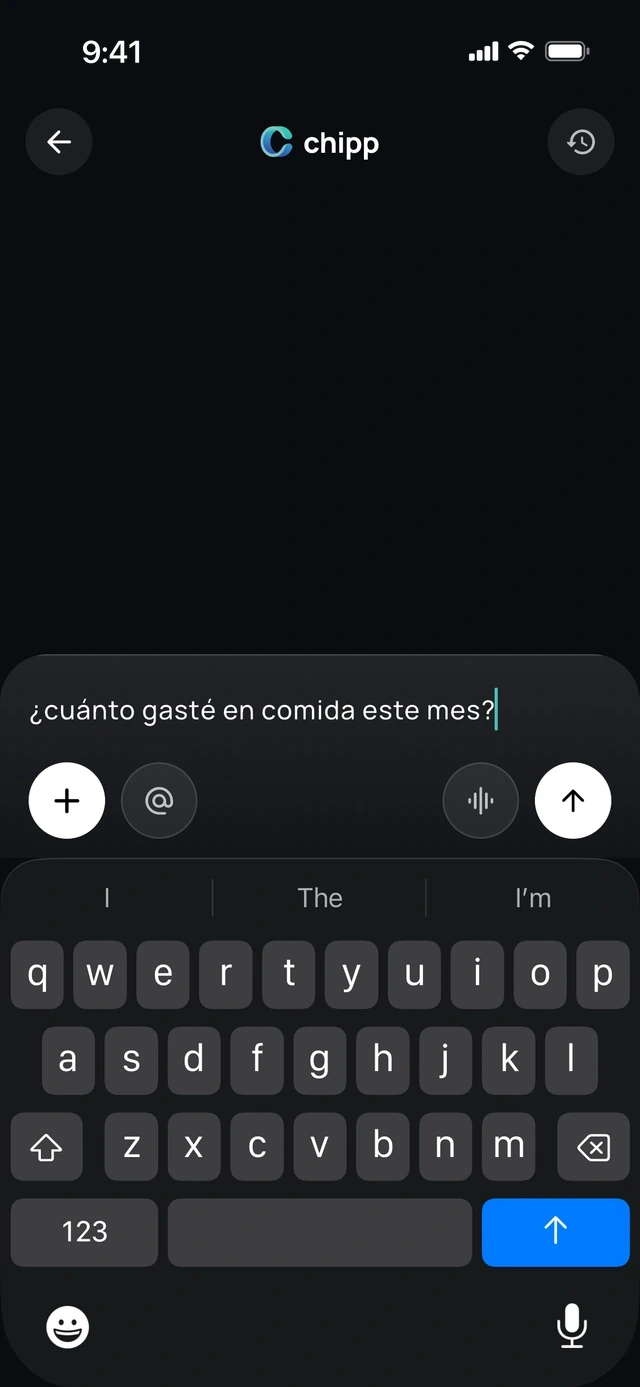
- 1Any language
- 2Typed or spoken
Texts from Chipp
Check-ins by text.
Chipp checks in on your money by text, at most once a day, so you don't have to ask.
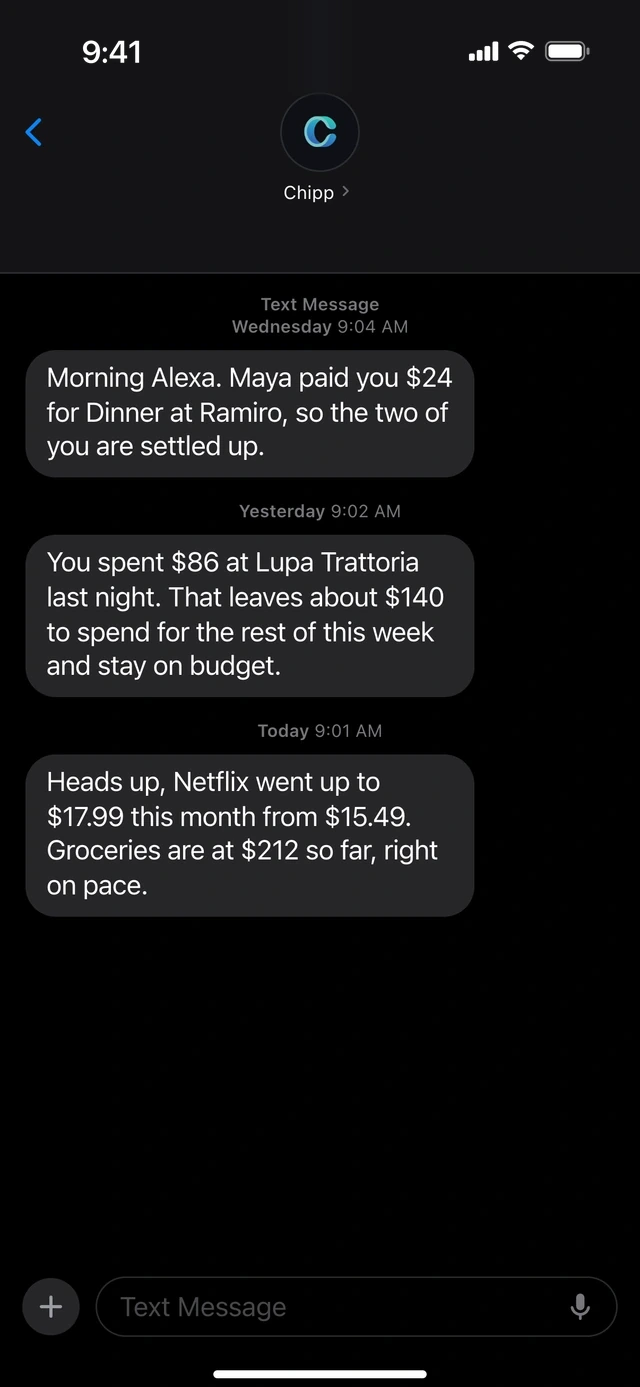
- 1Chipp texts you first
- 2A price went up? It tells you
3 of 6
Get paid back without the awkward ask.
Nudges
One tap reminds everyone.
Everyone who still owes you gets the nudge.
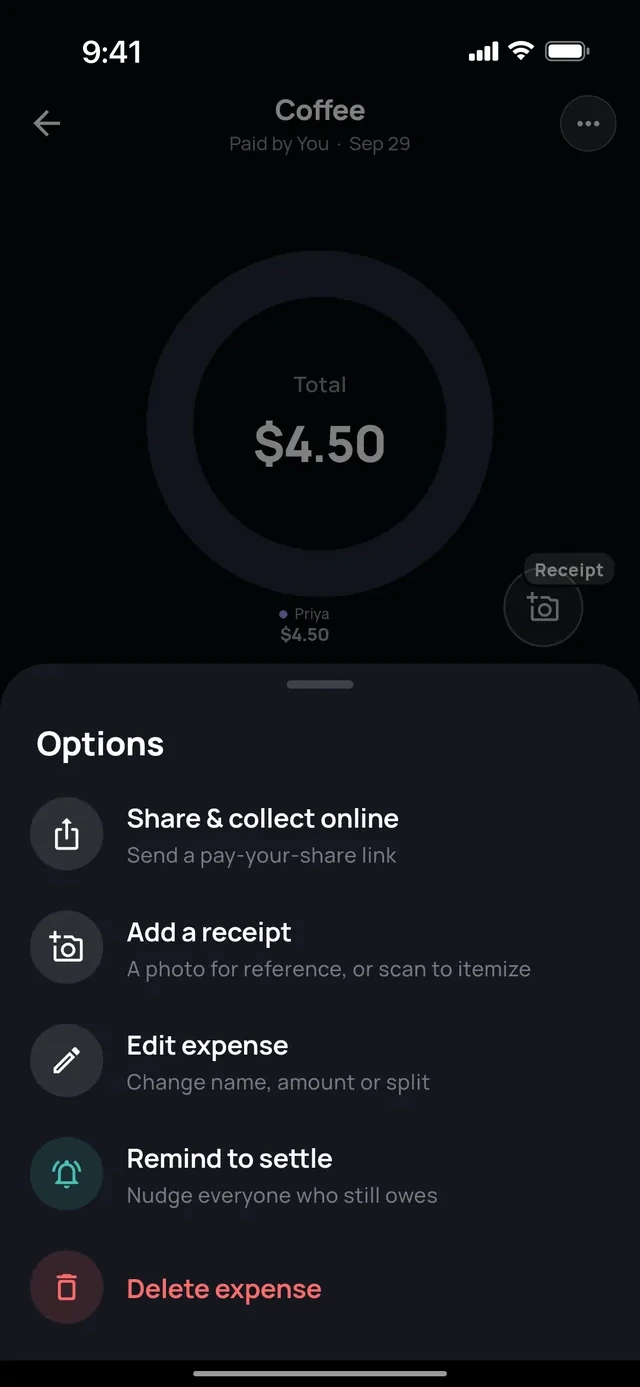
- 1Share a pay link
- 2Or remind everyone
Auto reminders
Reminders that send themselves.
When money has been owed for a few days, Chipp sends the nudge so you don't have to.
- 1Who owes, and for what
- 2One tap reminds all four
Who owes what
See who has paid, live.
Every expense shows who has paid and who still owes.
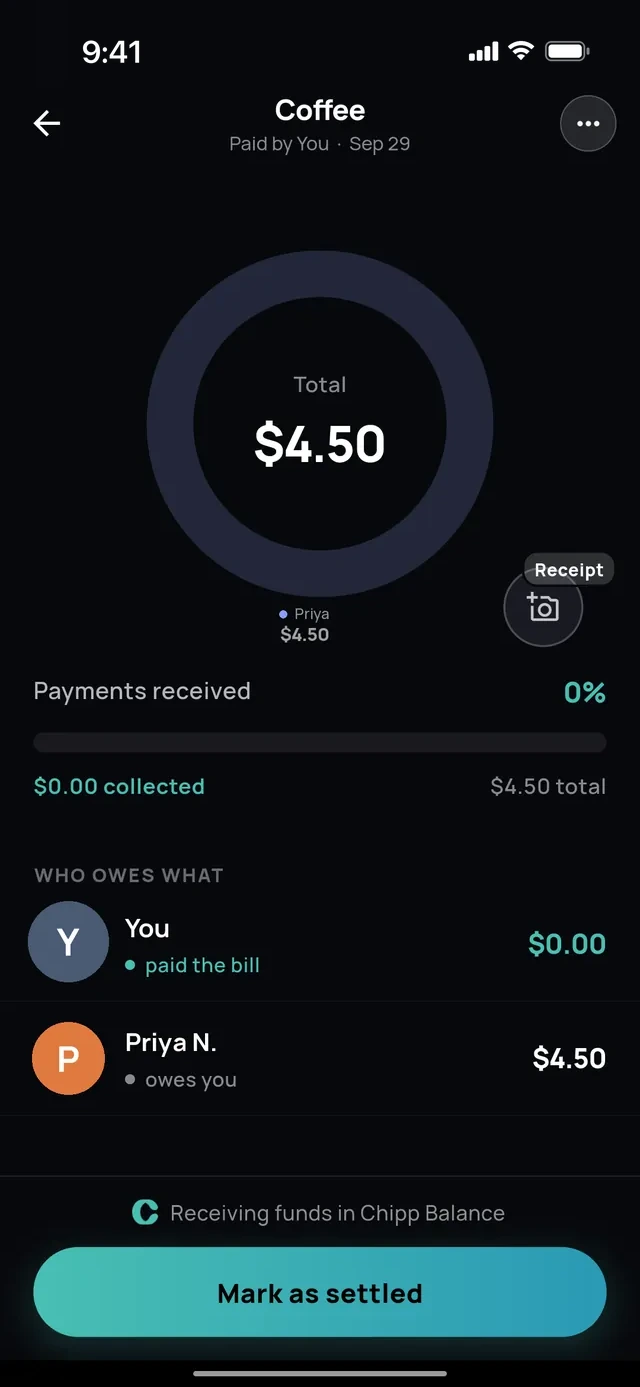
- 1Who has paid
- 2Who still owes
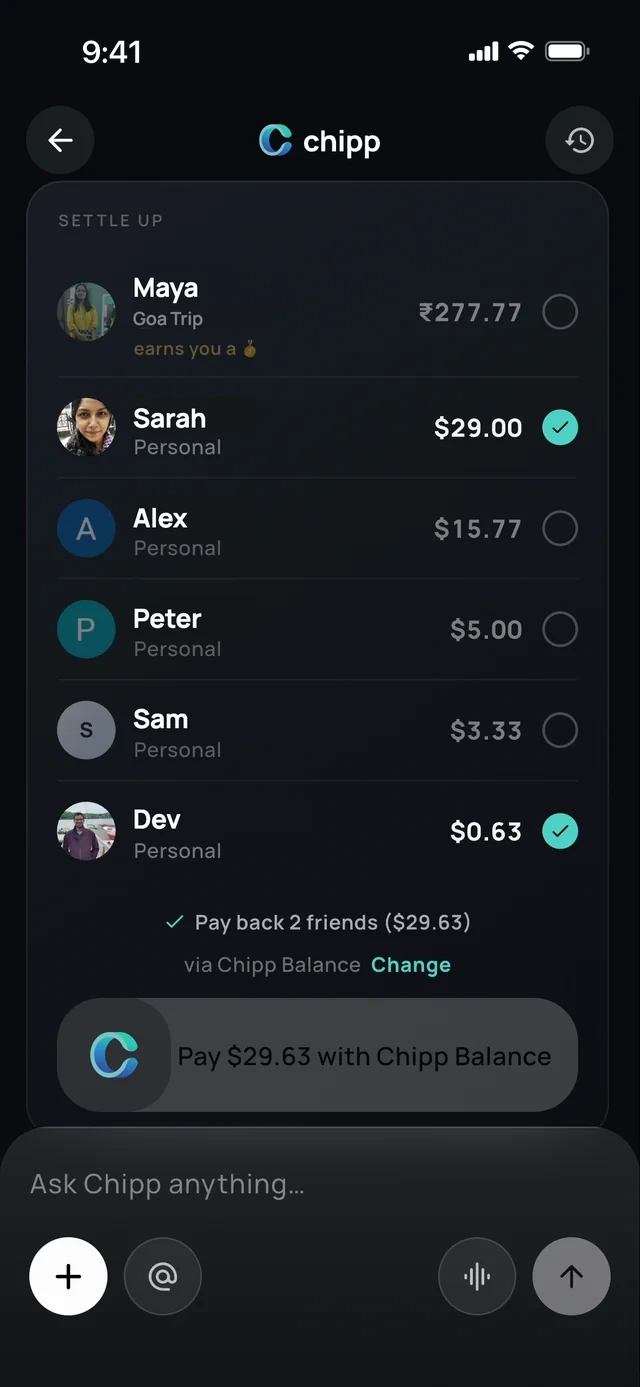
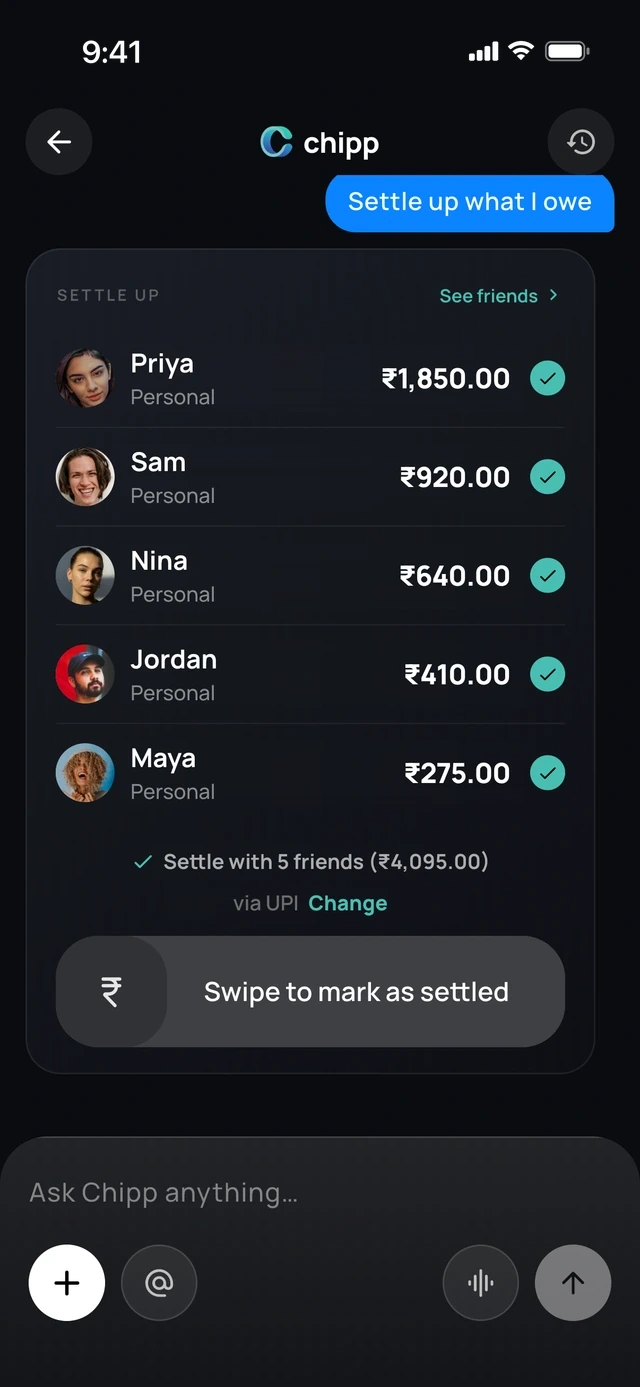
Settle up
Pay everyone back in one swipe.
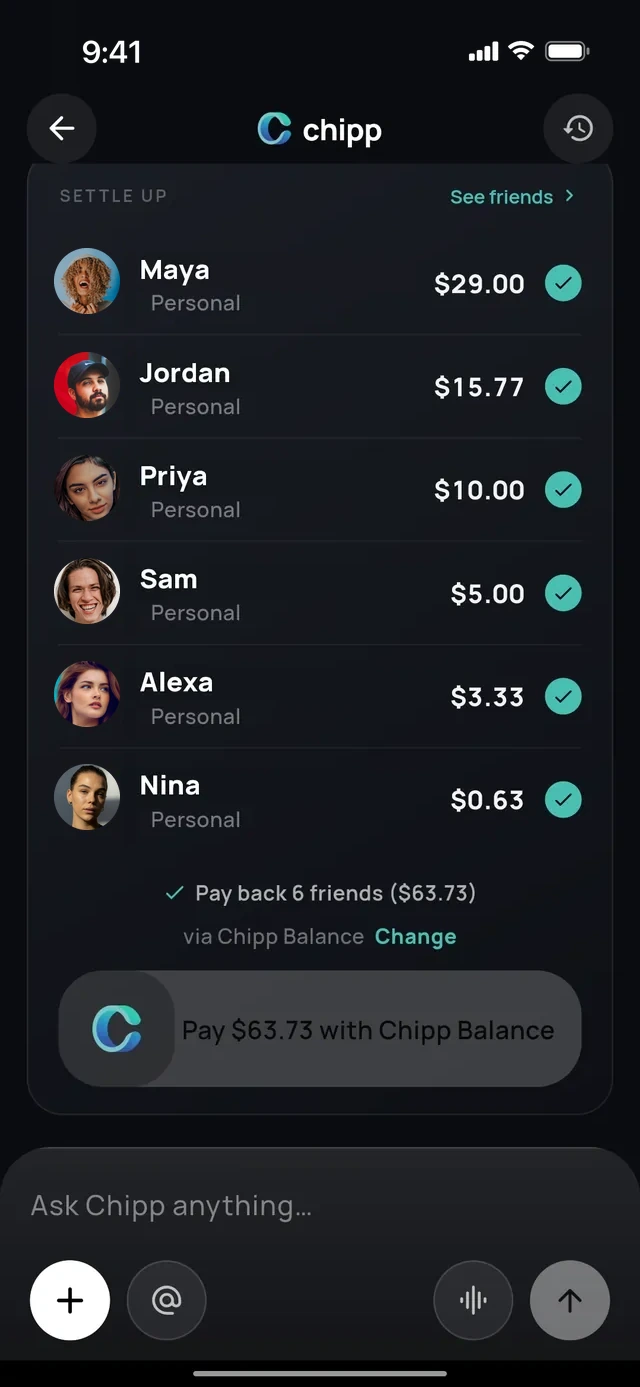
- 1Everyone you owe
- 2One swipe pays them all
No app needed
Share a link or QR code.
Friends claim their items and pay from their browser.
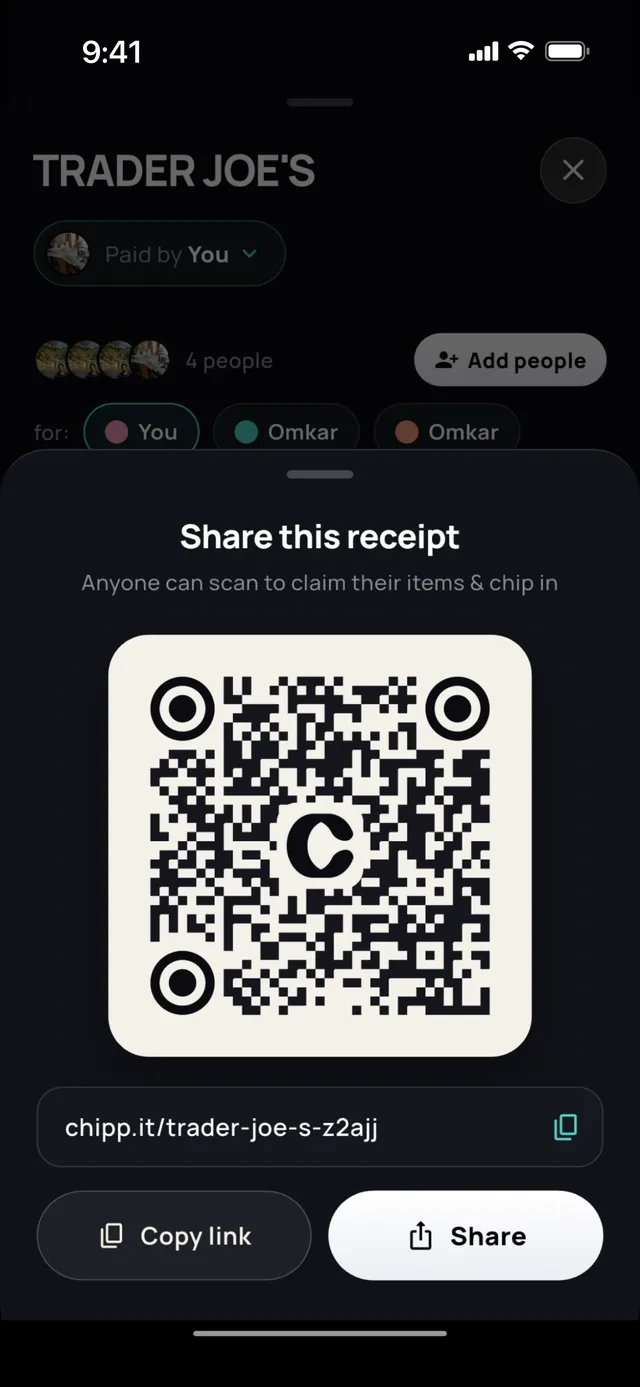
- 1Friends scan this
- 2Or send the link
Every way to pay
Settle any way you like.
Chipp supports the apps you already pay with.
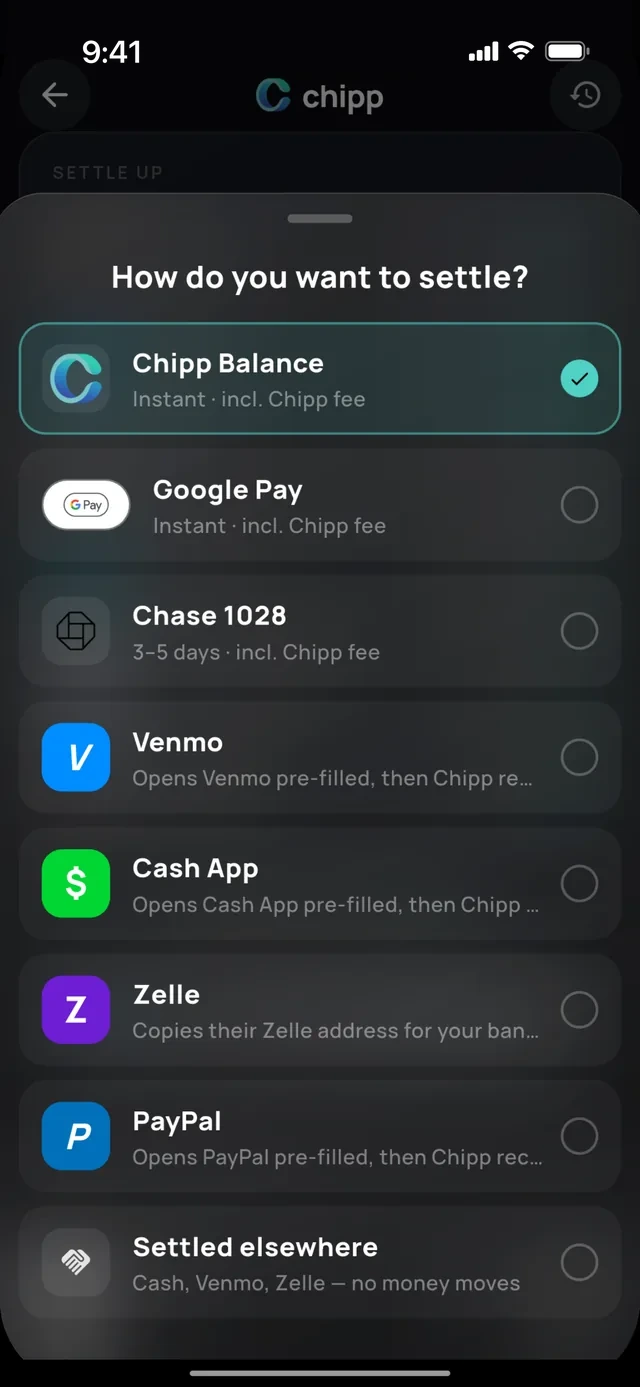
- 1Pay in the app
- 2Or the apps you already use
Cash and other apps
Settled elsewhere.
Paid in cash? Swipe to mark it settled and the balance clears.
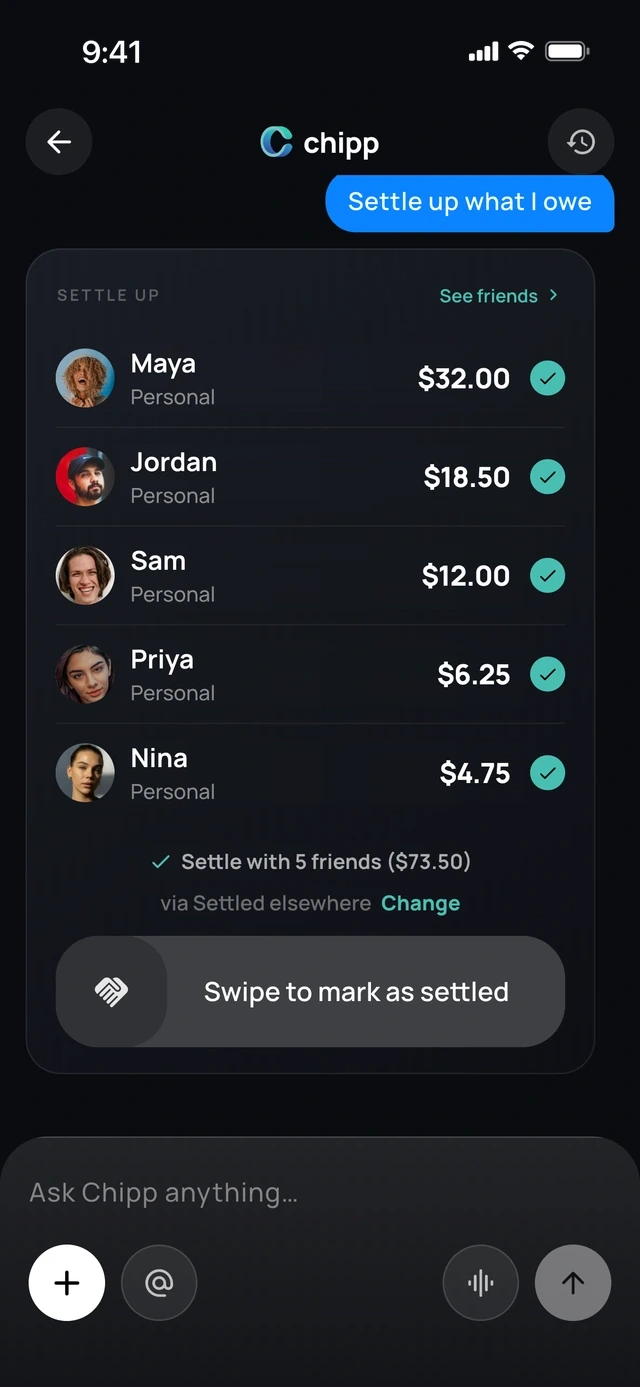
- 1Paid in cash?
- 2Swipe and it clears
Abroad
Local payment apps abroad.
UPI, Pix, PayNow, PromptPay, DuitNow, PayID and Interac, converted at the day's rate.
- 1In their currency
- 2Paid with a local app
4 of 6
Made for trips, roommates and couples.
Groups
One group for the trip or the house.
Or just the two of you.
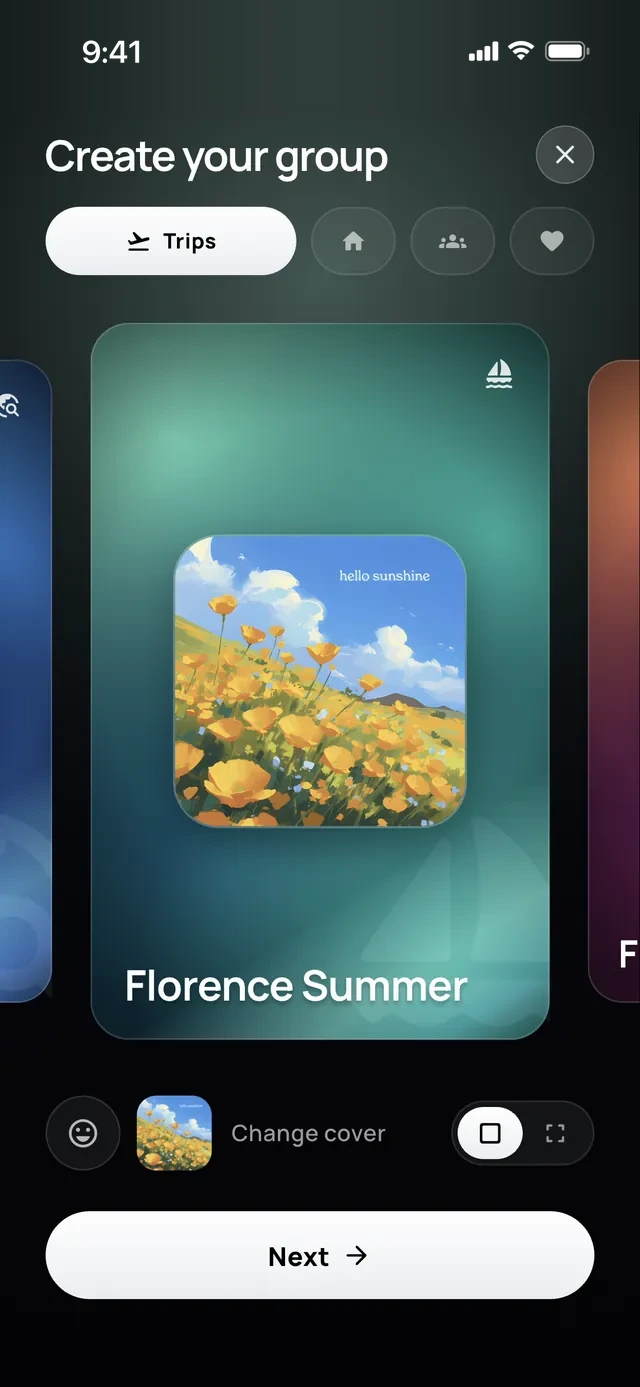
- 1Trip, home or couple
- 2Pick a cover
Pools
Chip in together toward one goal.
Anyone can add money, with or without the app.
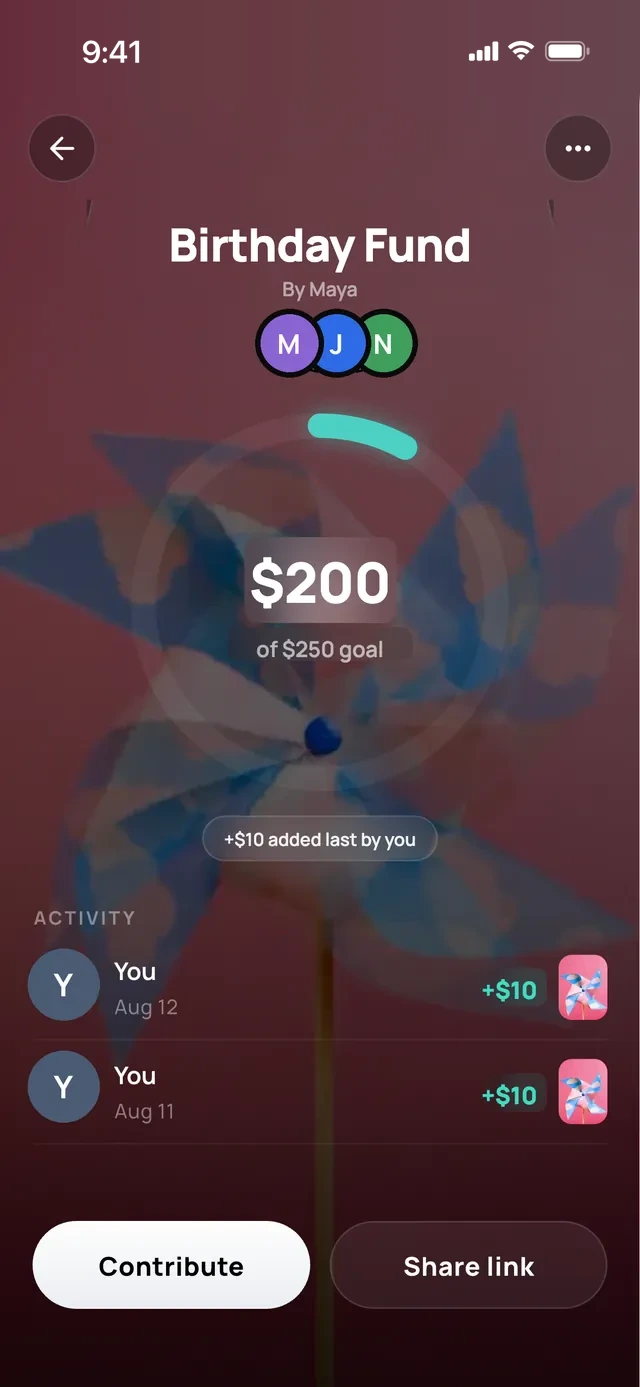
- 1Everyone sees the goal
- 2Chip in
Send money
Pay a friend, pick the vibe.
Choose the vibe it arrives with.
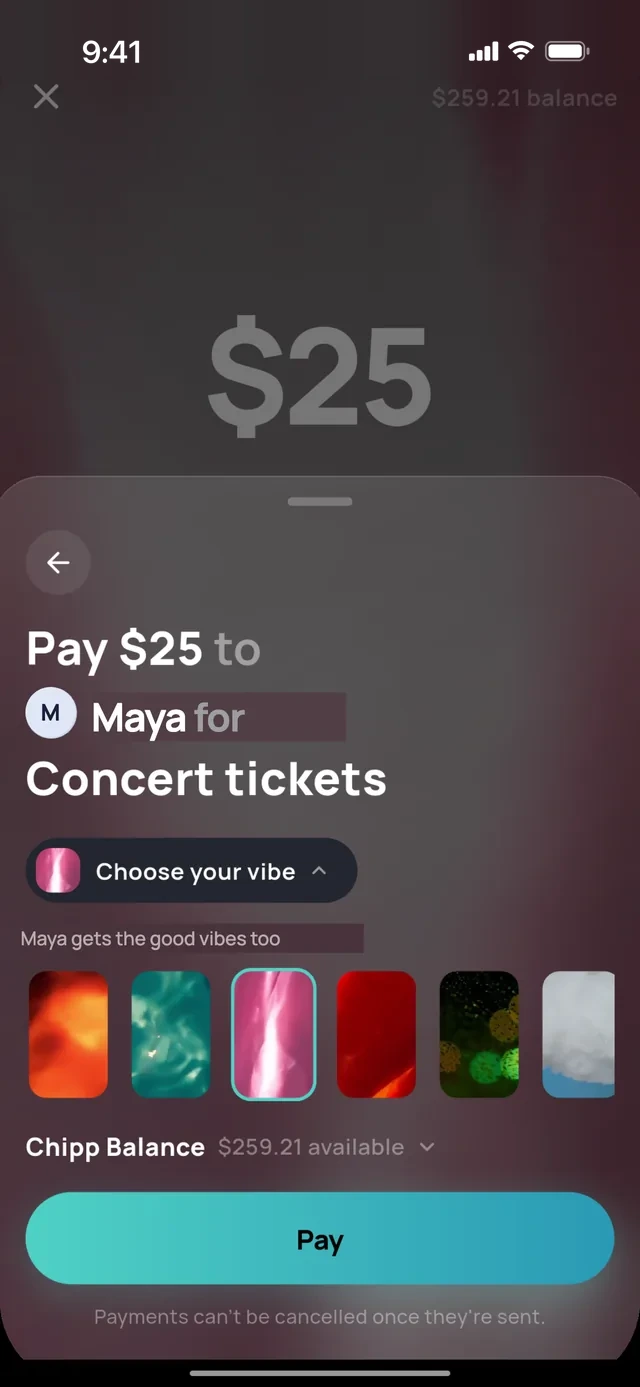
- 1Say what it is for
- 2Pick a vibe
One feed
Group chat.
Expenses, payments and reminders land in one feed, next to the conversation.
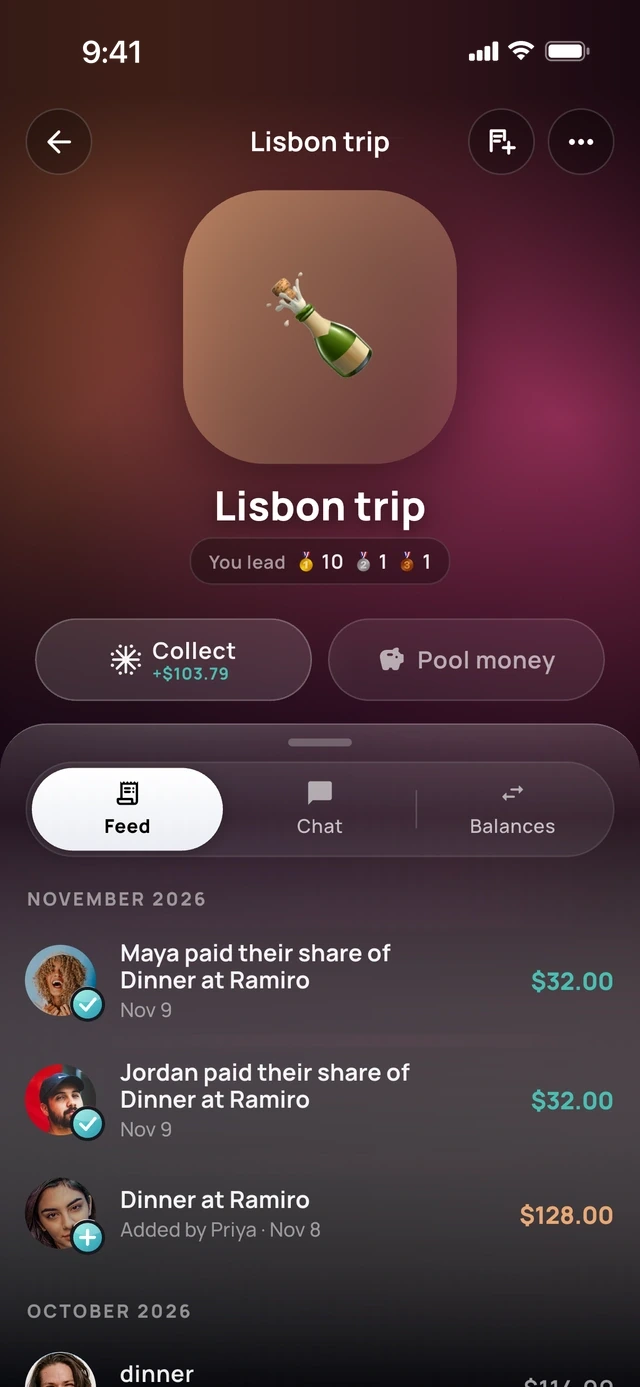
- 1Feed, chat and balances
- 2Payments land here
Switching over
Move from Splitwise.
Bring your groups and balances over from a screenshot or the export file.  Tricount and spreadsheets work too.
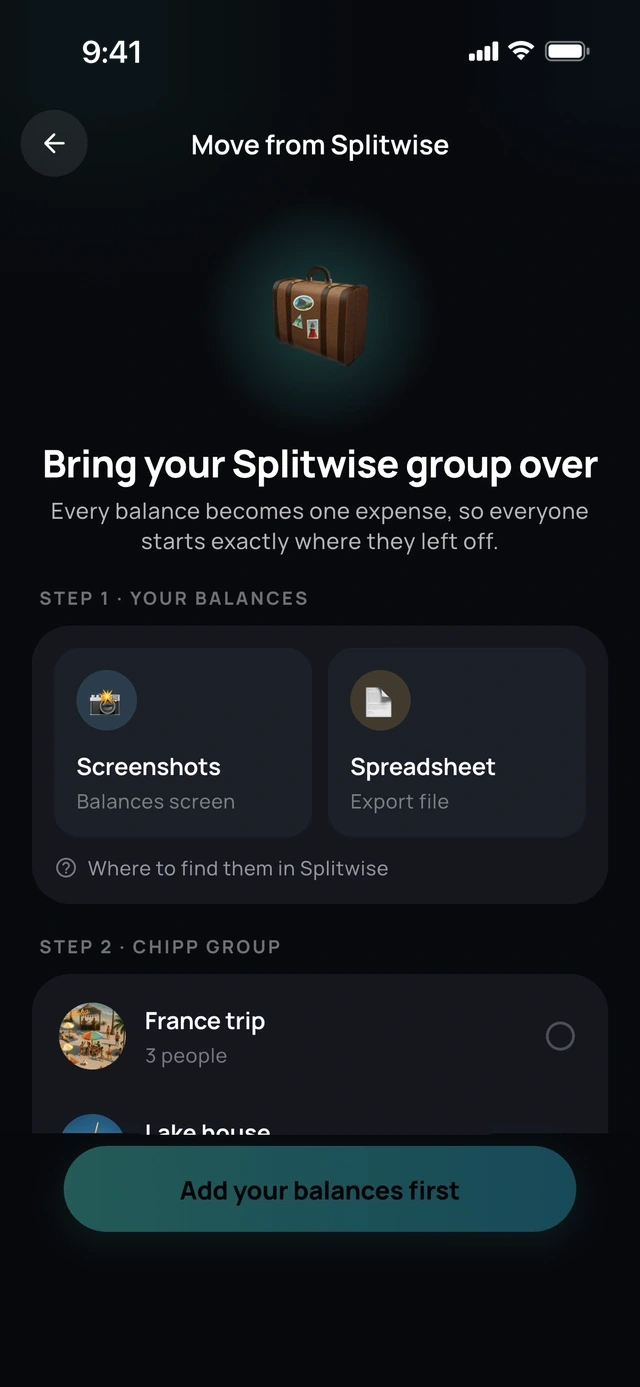
- 1From a screenshot
- 2Or the export file
Nearby
Friends nearby.
Chipp spots friends standing next to you, so adding them takes one tap.
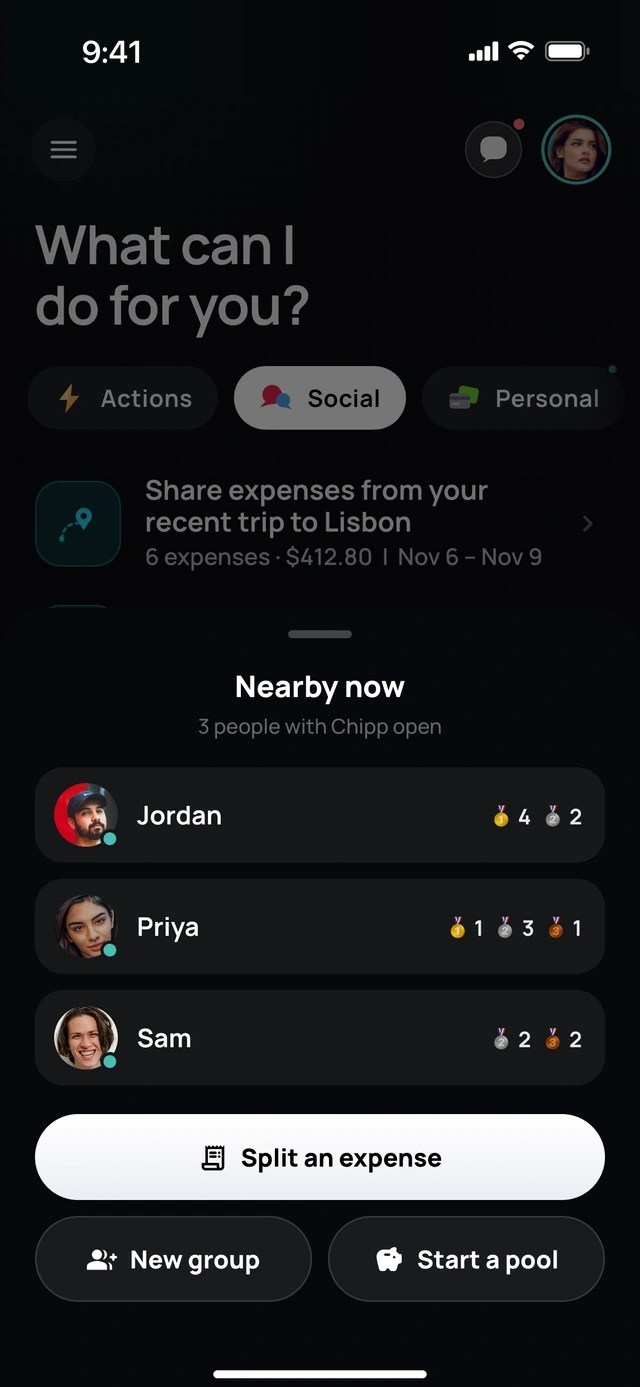
- 1Friends next to you
- 2One tap to split
Invites
Invite with a link.
Not on Chipp yet? They get an invite and a seat saved in the group.
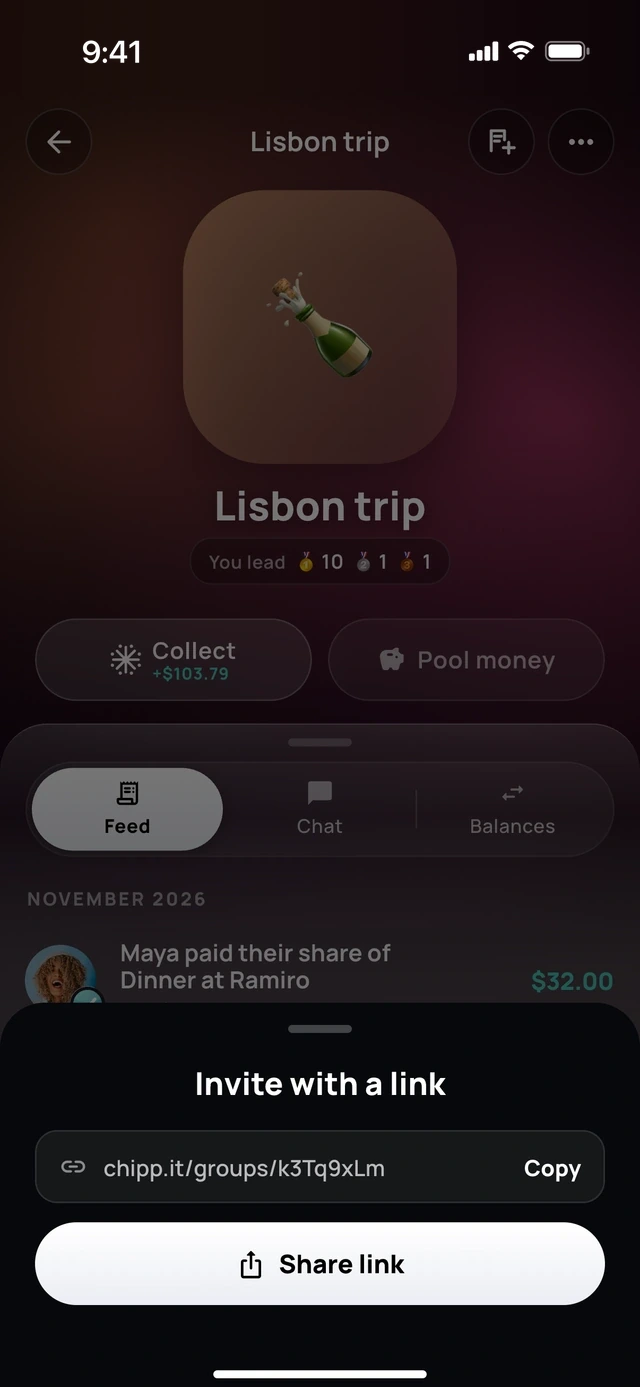
- 1A link to the group
- 2Send it anywhere
Make it yours
Covers and vibes.
Pick a cover for every trip, house and crew, and share the group card.
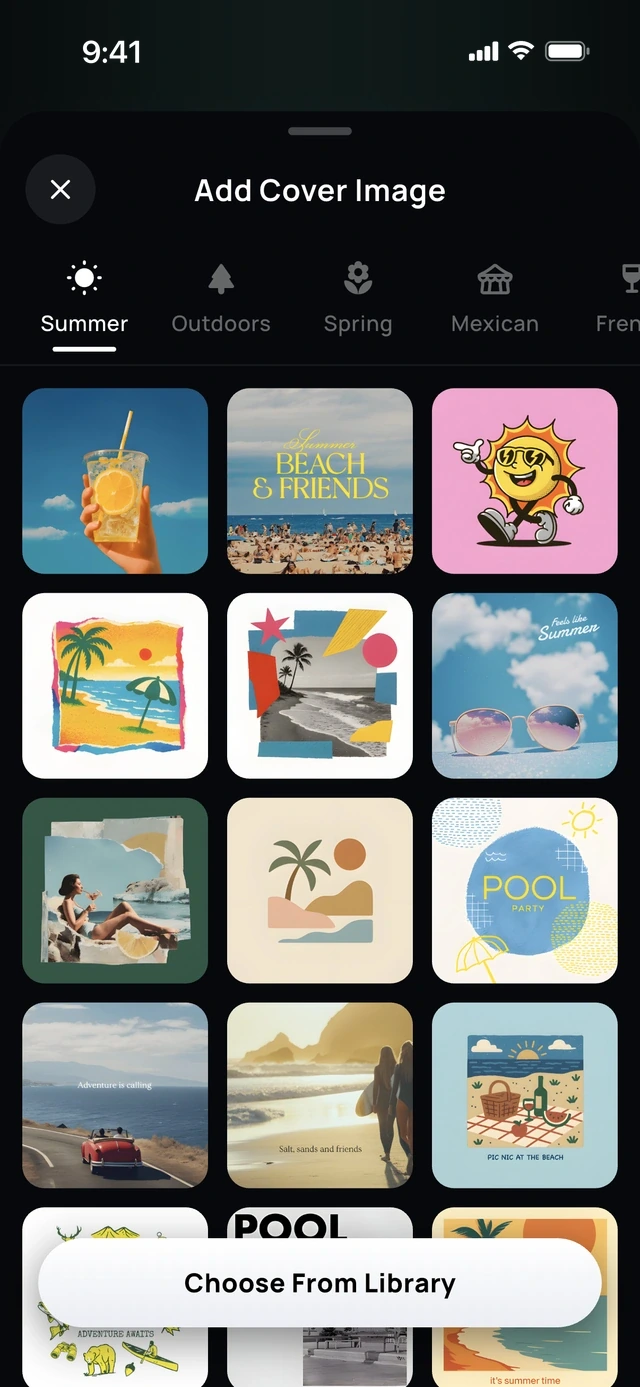
- 1For every kind of group
- 2Pick a cover
For everyone
Chipp+ Circle.
One subscription gives Chipp+ to everyone in the groups you own.
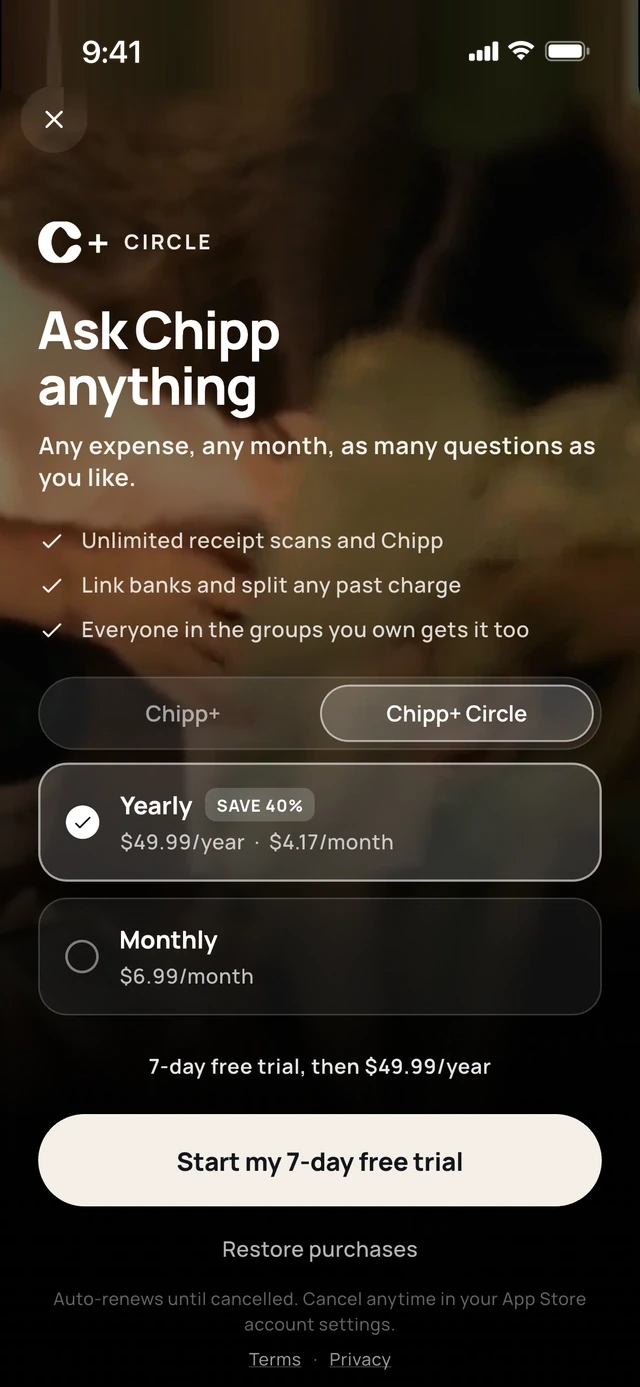
- 1Your groups get it too
- 2One plan covers everyone
5 of 6
Receipts and files, sorted.
Receipt library
Every receipt, saved.
Scanned receipts stay in a searchable library, ready to split or share.
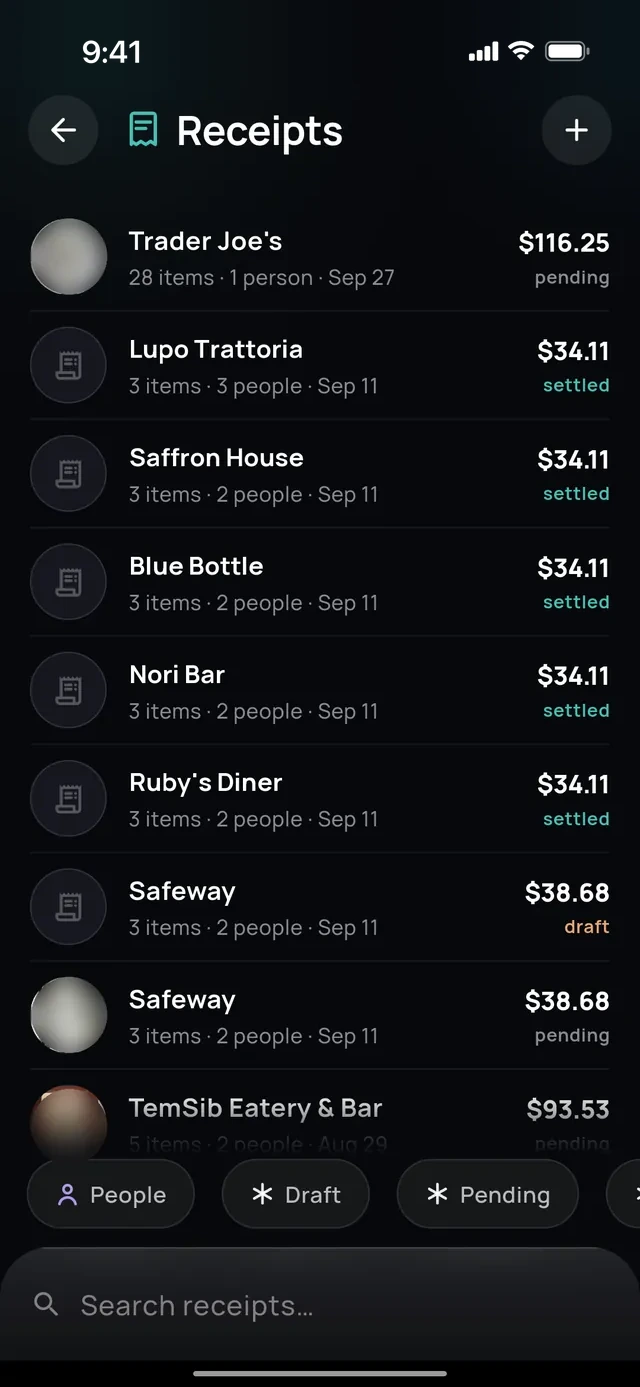
- 1Every receipt kept
- 2Search them all
Files
Photos, PDFs and spreadsheets.
Attach a file and tell Chipp what to do with it.
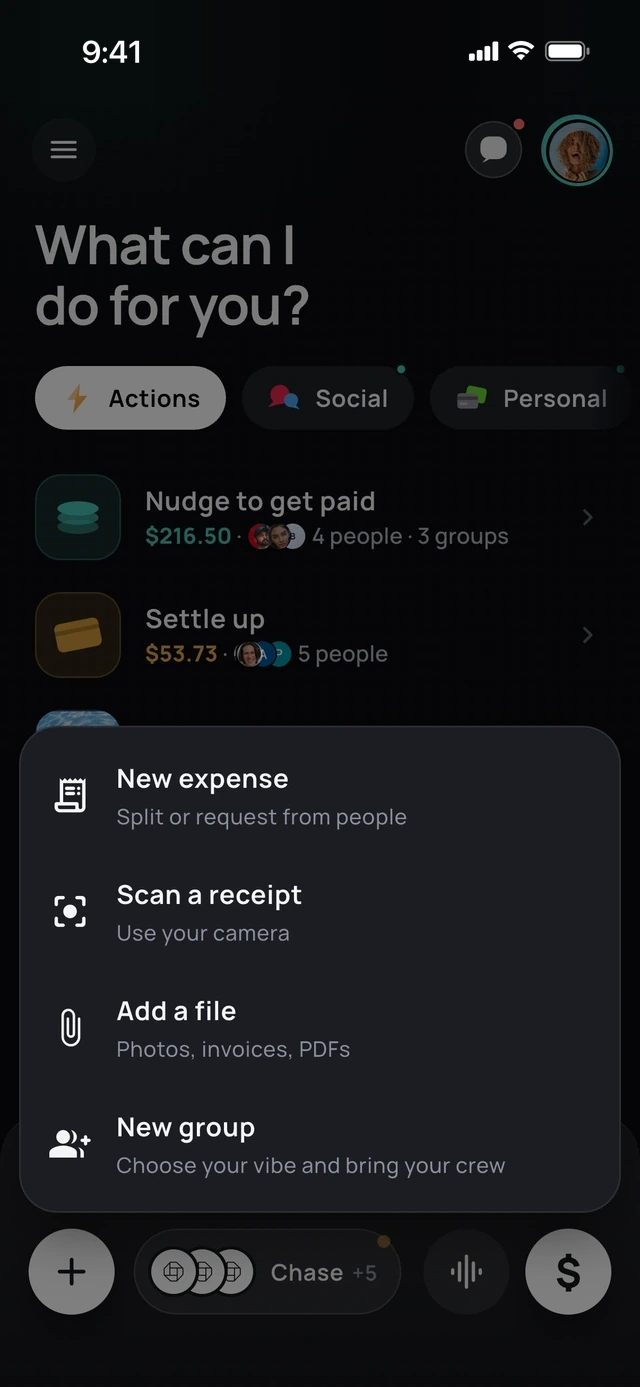
- 1Scan with the camera
- 2Or add photos and PDFs
Itemized by description
Describe who had what.
Say "Sarah had the yellow curry" and Chipp assigns the items for you.
- 1Say who had what
- 2Chipp ticks the dish
6 of 6
Your own money, in the same app.
Budget
A budget you can actually hit.
Needs, wants and savings in one ring.
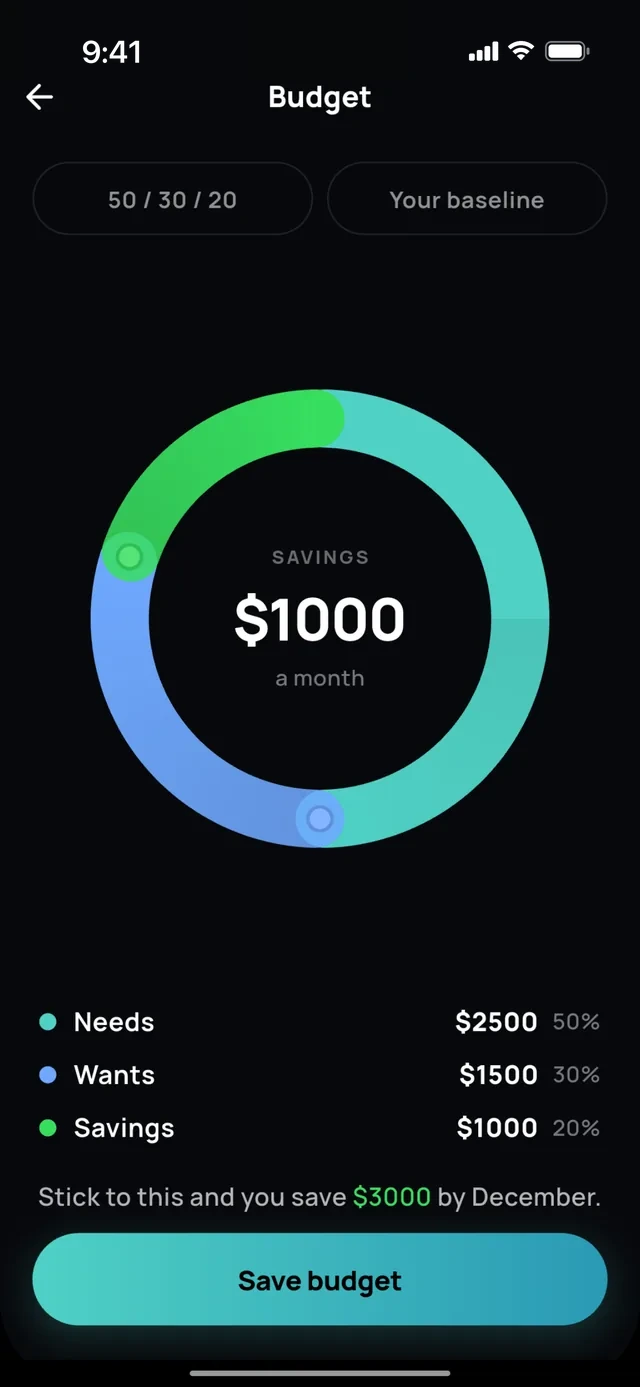
- 1Needs, wants, savings
- 2In one ring
Wallet
Keep a Chipp balance.
Pay friends instantly and send it to your bank.
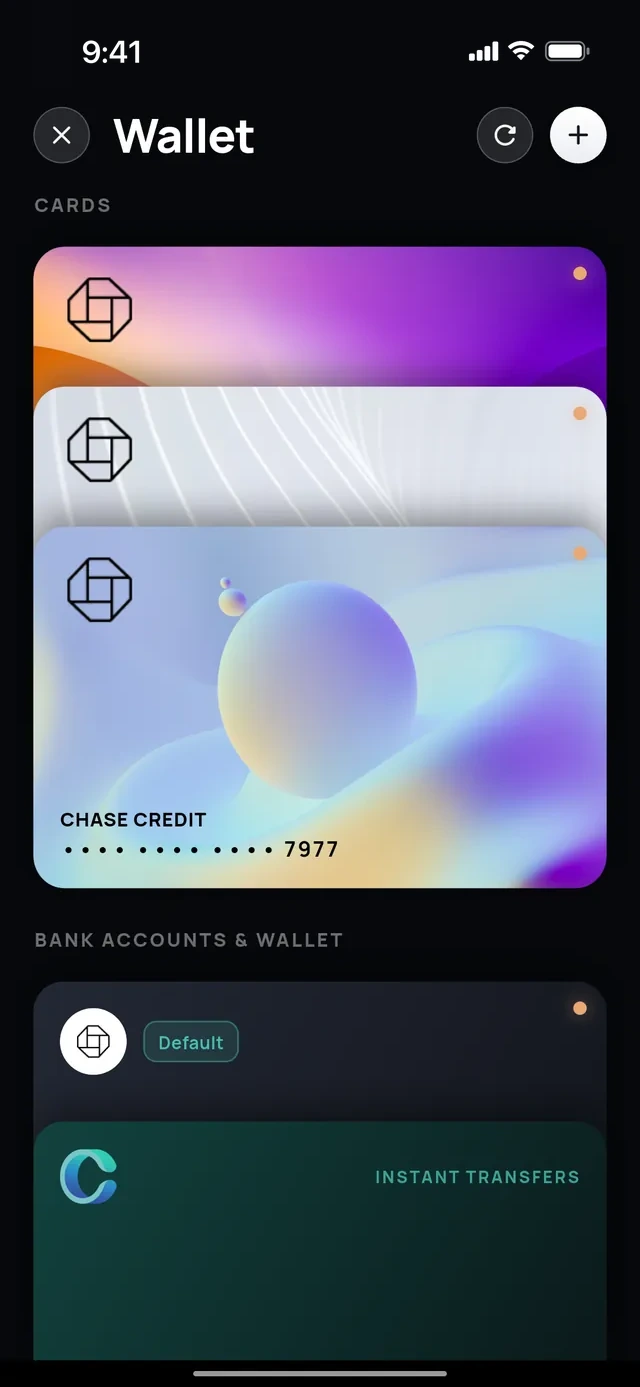
- 1Your cards
- 2Send it to your bank
Banks and cards
Every account in one feed.
Link US banks and cards through Plaid, then search, filter, rename or hide any transaction.
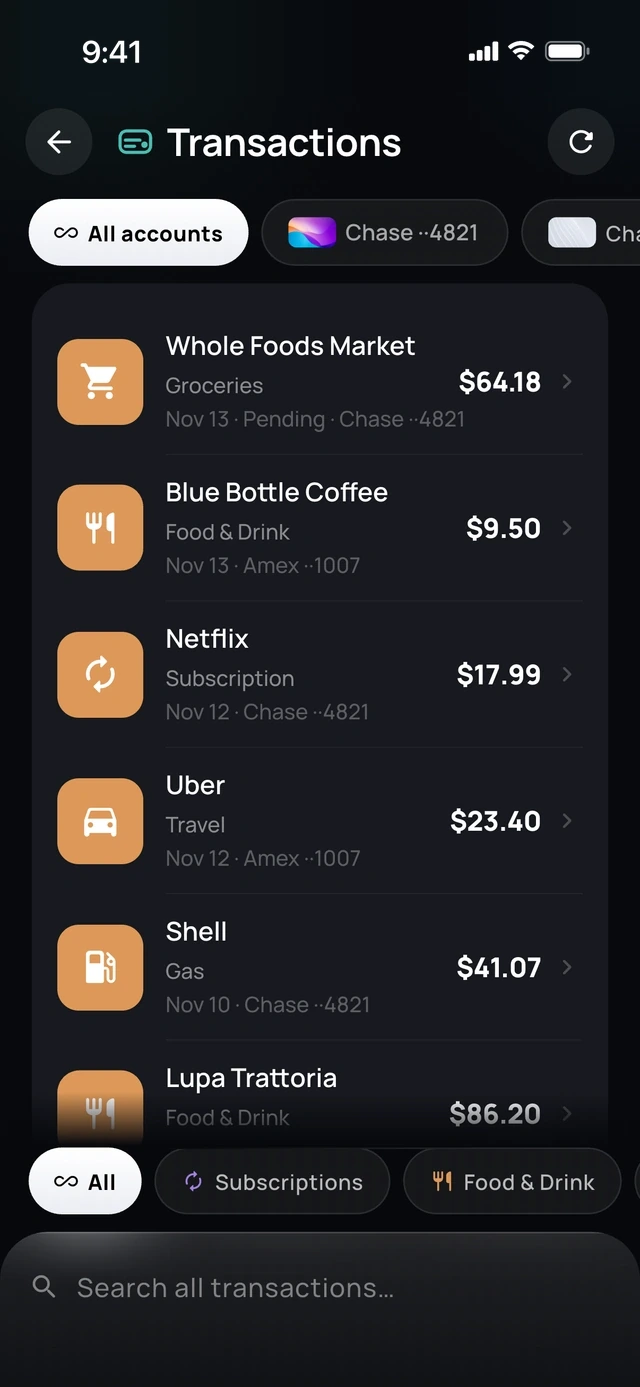
- 1All accounts, one feed
- 2Search everything
Trips
Trip detection.
Chipp notices a trip in your transactions and offers to split it.
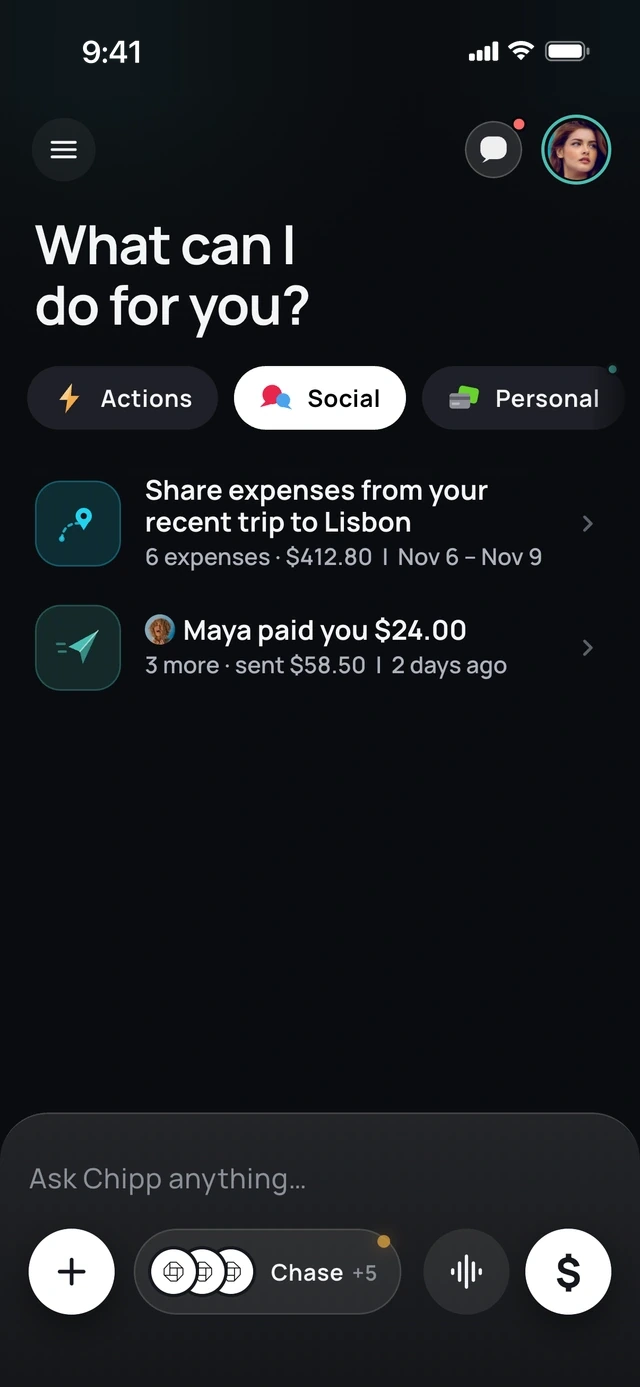
- 1Chipp spotted your trip
- 2And who paid you back
Explore
Spending explorer.
Tap through where the month went, category by category.
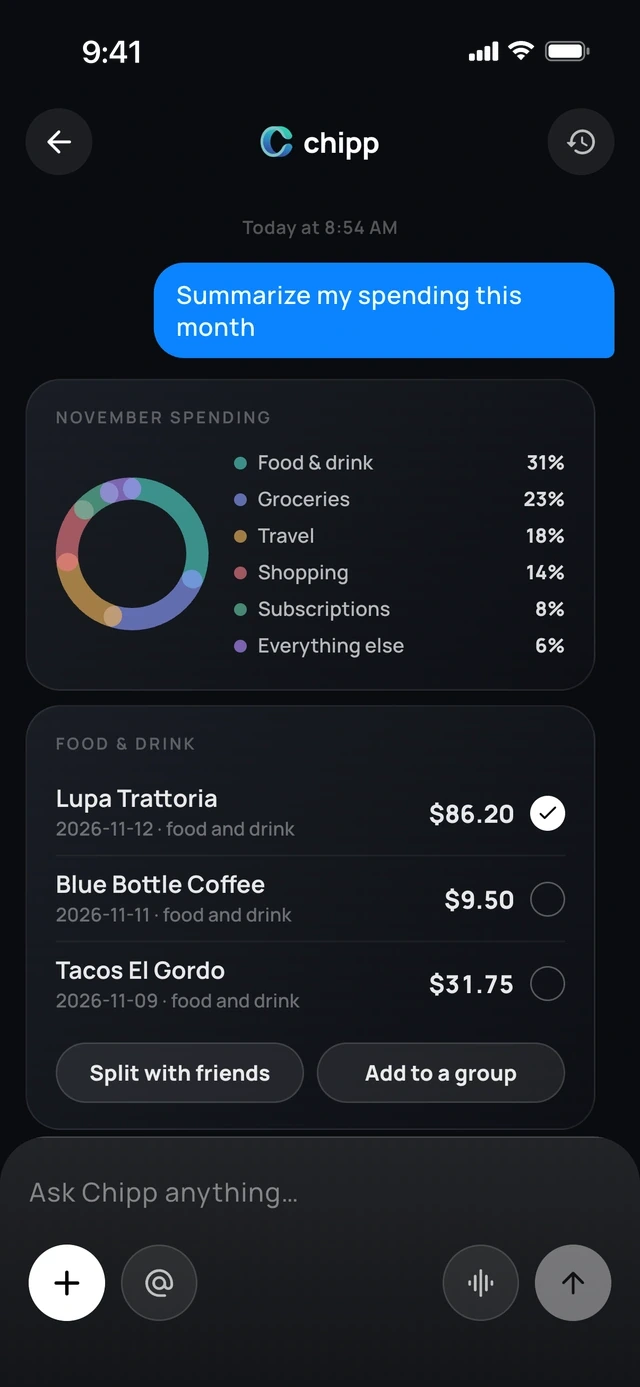
- 1Where the month went
- 2Split any of it
Each month
Monthly look-back.
Planned versus actual, and what you saved.
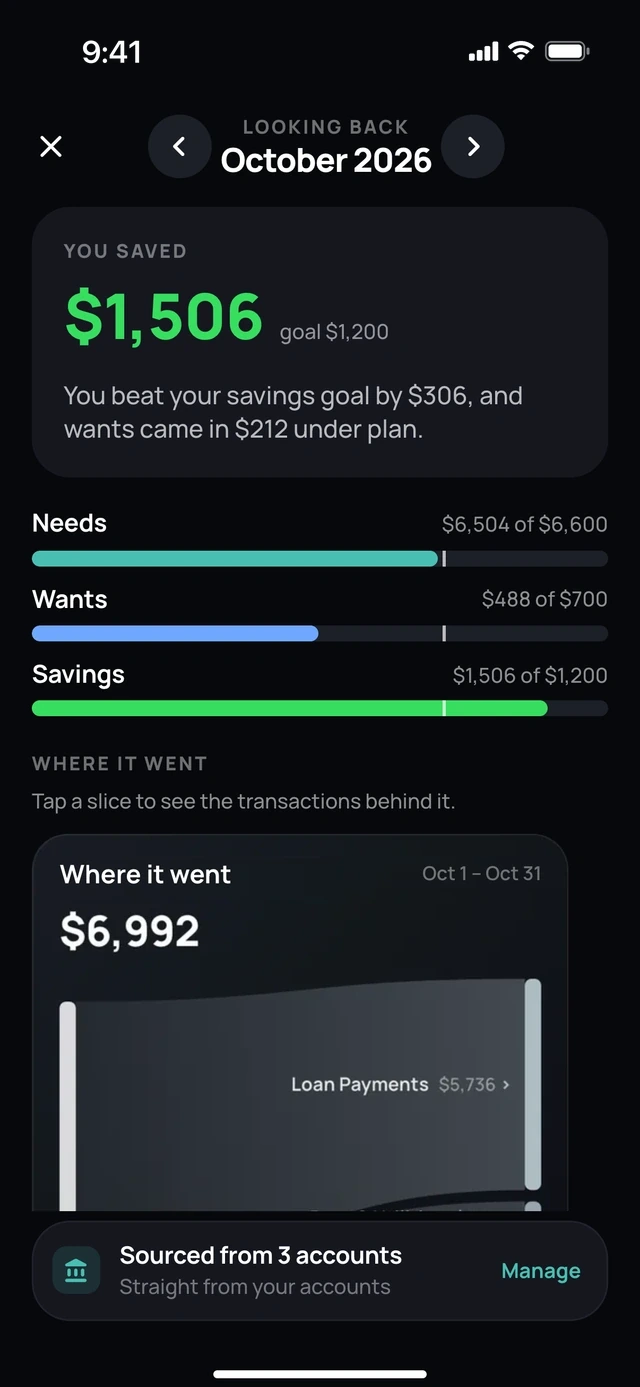
- 1What you saved
- 2Planned against actual
Subscriptions
Subscriptions and savings.
Ask what renews this month, what went up in price or how much you saved last month.
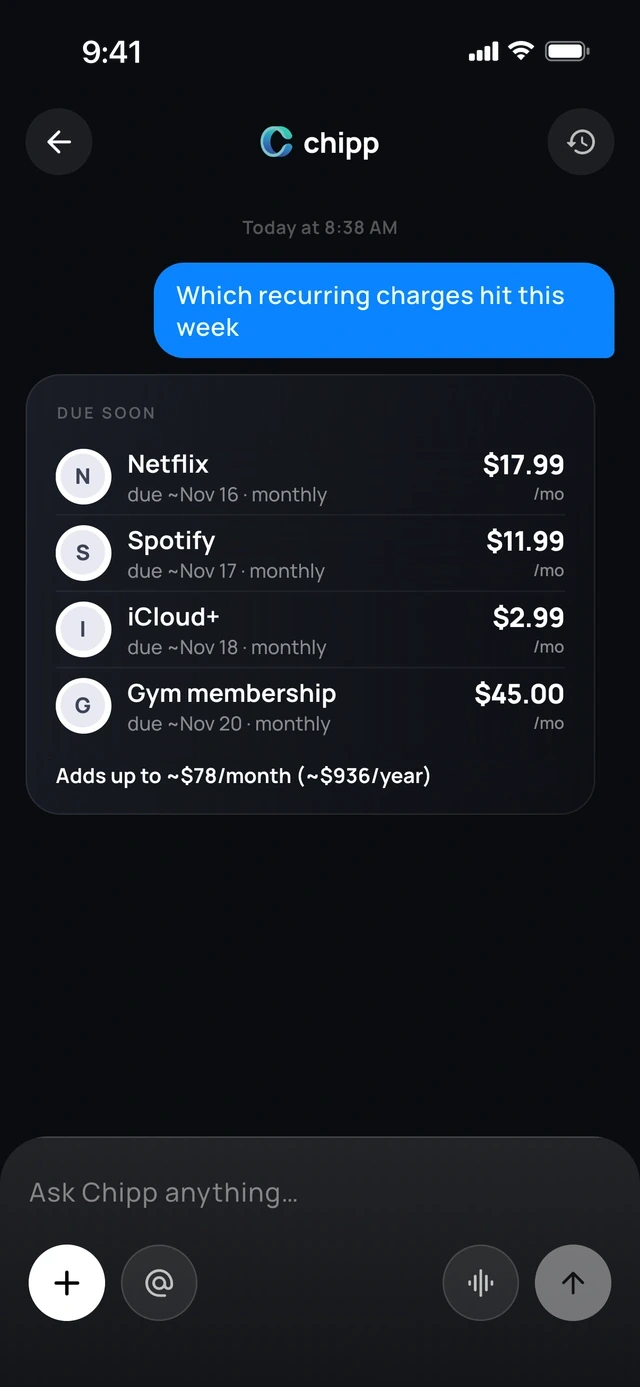
- 1What renews this week
- 2And what it adds up to
On your terms
Budget check-ins.
Daily, weekly or only when you go over. You choose.
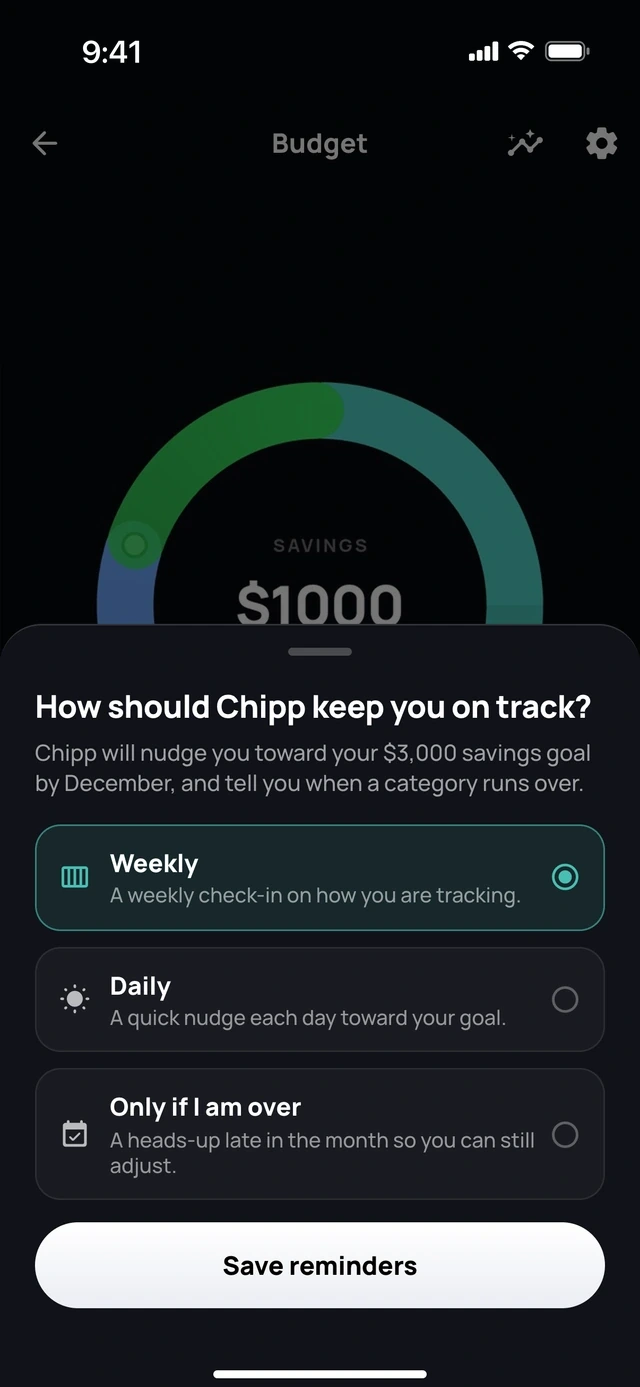
- 1Weekly or daily
- 2Or only when you go over
Private
App Lock.
Face ID or fingerprint before anyone sees your money.
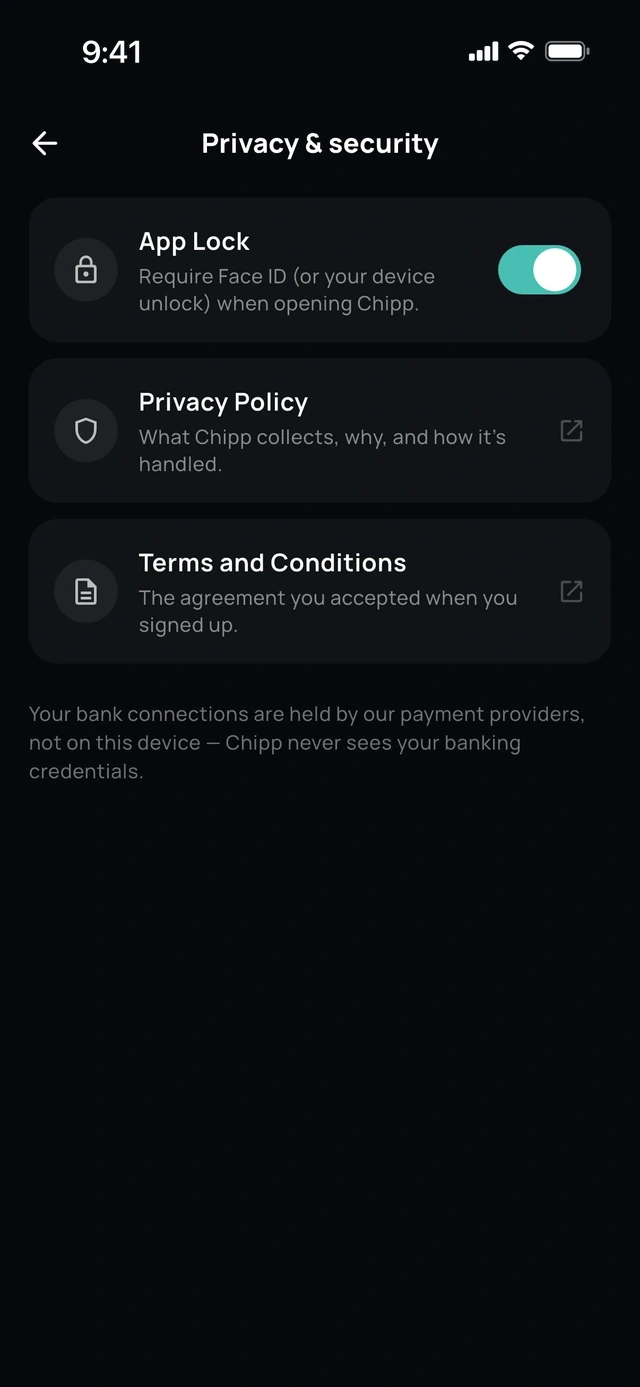
- 1Face ID or fingerprint
Support
Help, built in.
Ask how to do anything in Chipp, or talk to a person.
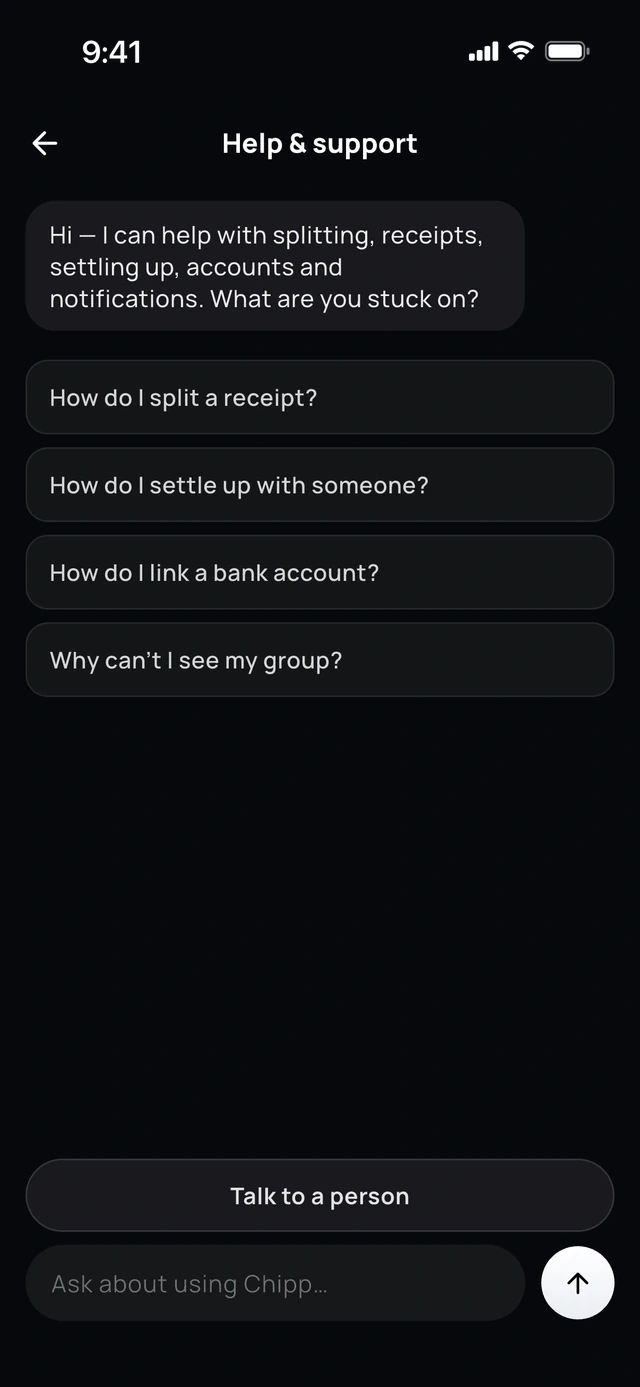
- 1Ask how to do anything
- 2Or talk to a person
Questions people ask
What does chat-first mean in a money app?
The app opens on a conversation, not a dashboard. You say what you want in a sentence or by voice, and the app does it: adds the expense, works out who owes what, sends the reminder. Screens still exist, but you rarely need to hunt through them.
Are chat assistants in finance apps reliable?
It varies. Some companies report most requests resolved without a person, while Klarna restored a human path after quality fell and US regulators have warned about chatbots that go in circles. Look for one that shows its work and lets you confirm.
Does Chipp do anything without asking me?
It drafts and you confirm. An expense, a group or a payment is only created after you approve it. Reminders for money owed to you can go out automatically after a few days, and you can also send them yourself.
Where do the Chipp numbers come from?
From Chipp's own usage records between late August and November 20, 2026, with test accounts left out. They are small counts from an early product. The cost of an answer is our estimate at published prices, since Chipp does not record tokens per answer.
Sources
Facts about other apps were checked against these pages on the date above. Plans and prices change, so check the app itself before you decide.
- Bank of America newsroom: Erica passes 3 billion interactions (August 2025)
- Intuit: virtual team of agents, paid 5 days faster (July 2025)
- Stripe: Instant Checkout in a chat (September 2025)
- Cash App: Moneybot (November 2025)
- Revolut: in-app assistant launch (April 2026)
- eMarketer: Rocket Money launches its assistant (August 2026)
- bunq: share of requests resolved by its assistant
- Chime: how its assistants resolve member requests
- Nubank case study: 55% of first-line inquiries resolved
- Stanford HAI, 2025 index report: cost of a fixed quality of answer
- US Consumer Financial Protection Bureau: chatbots in consumer finance (June 2023)
- Customer Experience Dive: Klarna's assistant and customer service costs (2024)
- Bloomberg: Klarna turns back to real people for customer service (May 2025)
- Gartner survey: 64% would prefer companies not use it for customer service (July 2024)
- PayPal and YouGov: US adults are owed $926 on average (July 2024)
- LendingTree survey on money owed by friends and family (2021)
- Bankrate and YouGov lending survey (2021)