A shared expenses spreadsheet that works.
Five columns are enough. Here is the layout, a worked month for three people, and when an app saves you the upkeep.
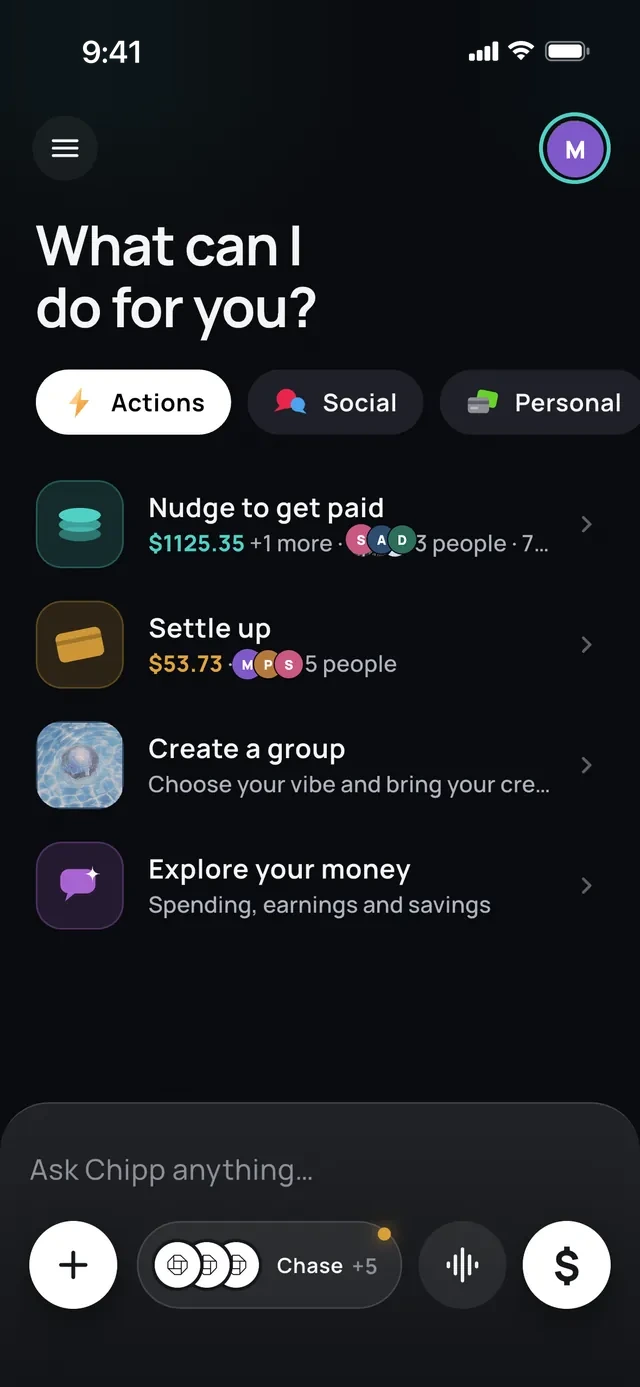

Five columns are enough
Keep it this small and people will keep filling it in. Add one row for every shared cost.
How to track shared expenses →- 1Date. When it was paid
- 2What. Rent, groceries, internet
- 3Amount. The full cost
- 4Paid by. One name
- 5Split between. Everyone, or the names who share it
A month for three people
Ana paid $1,200 rent, Ben paid $90 internet and Cy paid $150 for groceries. All three share everything.
Bill split calculator →Who owes whom
Where a spreadsheet is the better choice
A sheet is free, flexible and yours. For some households it is all you need.
- 1A few fixed bills. The same amounts every month
- 2One person keeps it. And everyone trusts the numbers
- 3You want your own layout. Custom columns and formulas
Where it starts to slip
The sheet only knows what someone typed in. The work is remembering, not the math.
Splitting bills 50/50 or by income →- 1Costs get added late, or not at all
- 2Uneven splits need a new formula each time
- 3Nobody is told what they owe
- 4Paying back happens somewhere else
What an app adds
Everyone adds their own costs from their phone. Chipp keeps the balance and sends the reminders for you.
App to split expenses with friends →split $150 groceries with Ana and Ben
Done. $50 each
I'll remind them for you
1 of 6
Add an expense in seconds.
Chat-first interface
A chat-first interface.
Tell Chipp what you paid for. It does the math and reminds everyone for you.
 Chipp
split $84 sushi with Maya and Jo
Done. $28 each
I'll remind them for you
Jo just paid you $28
Receipt scanning
Scan the receipt.
Chipp reads every item and everyone claims their own.
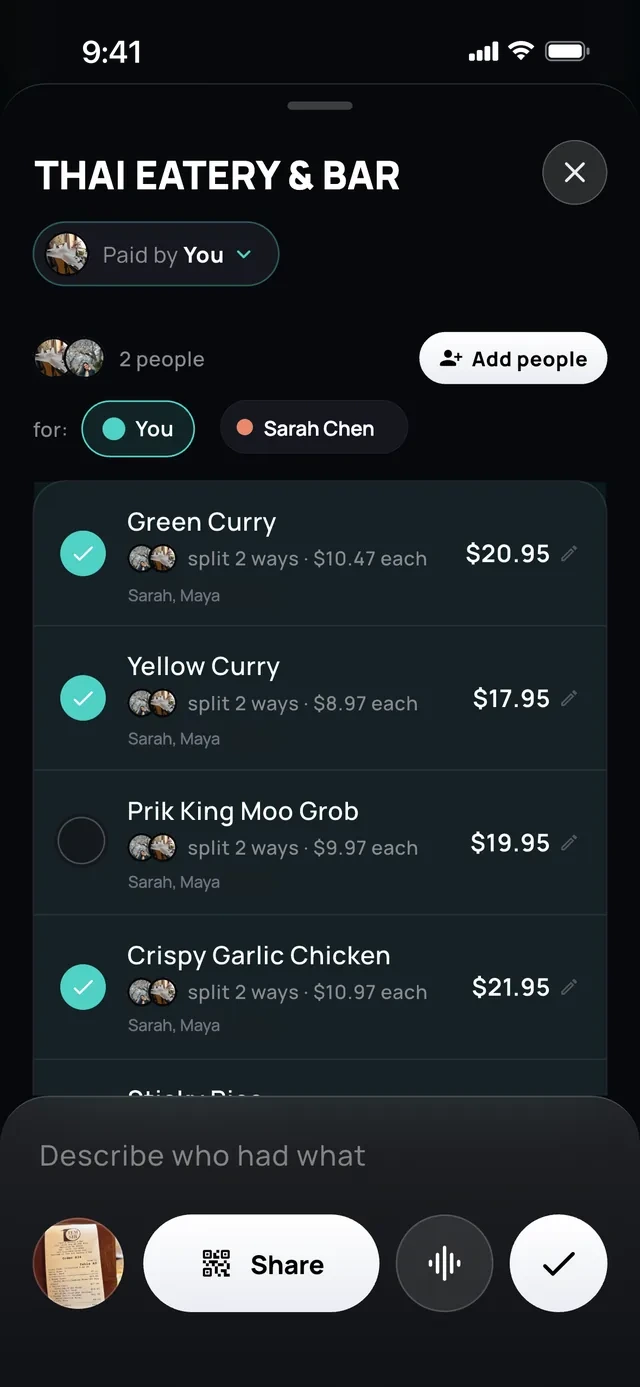
- 1Tap what you had
- 2Or describe who had what
Linked cards
Forgot to add it?
Split it straight from your card transactions.
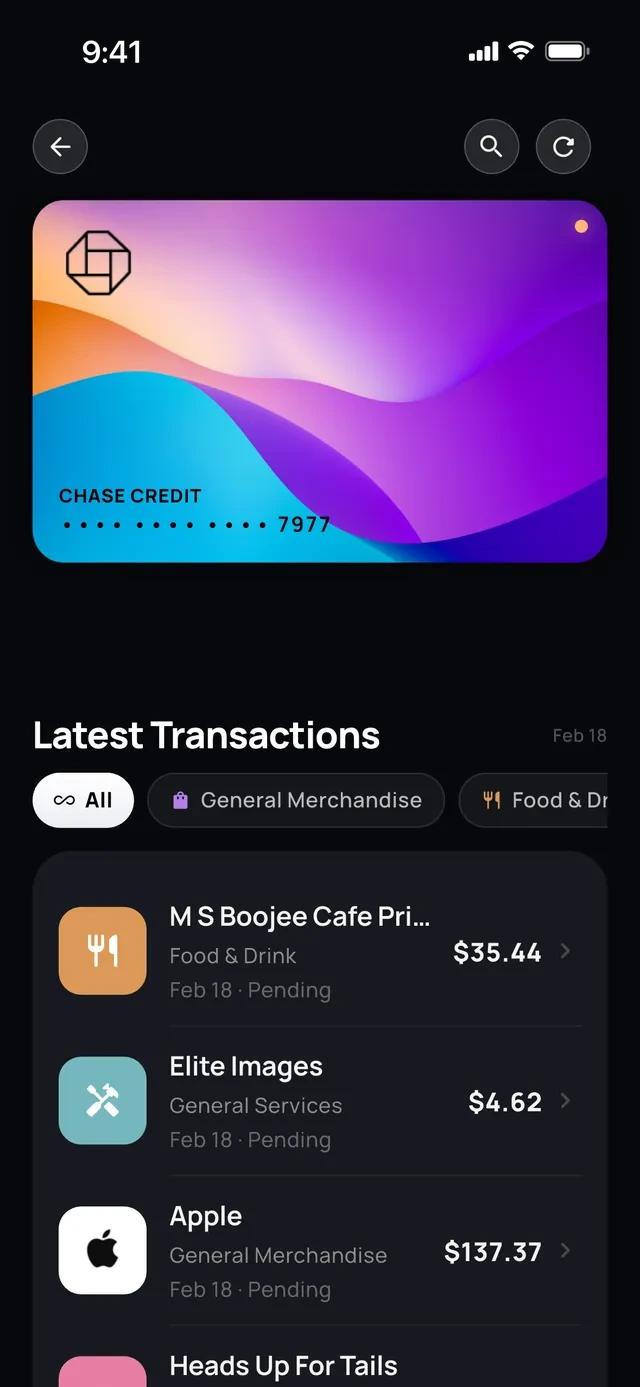
- 1Your card charges
- 2Pick one and split it
Split it your way
Even. Exact. Itemized.
Split equally, by exact amounts or item by item.
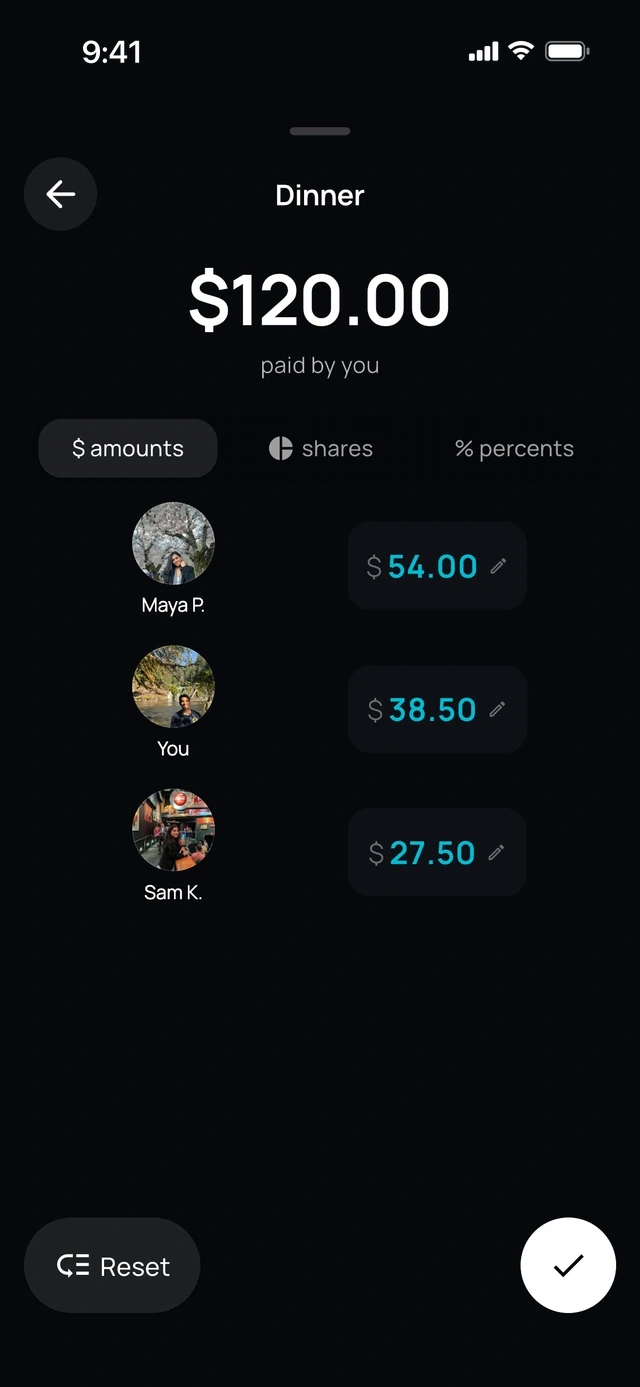
- 1Amounts, shares or percent
- 2Each person's own amount
Any currency
Rupees on the trip, dollars at home.
Split in 104 currencies.
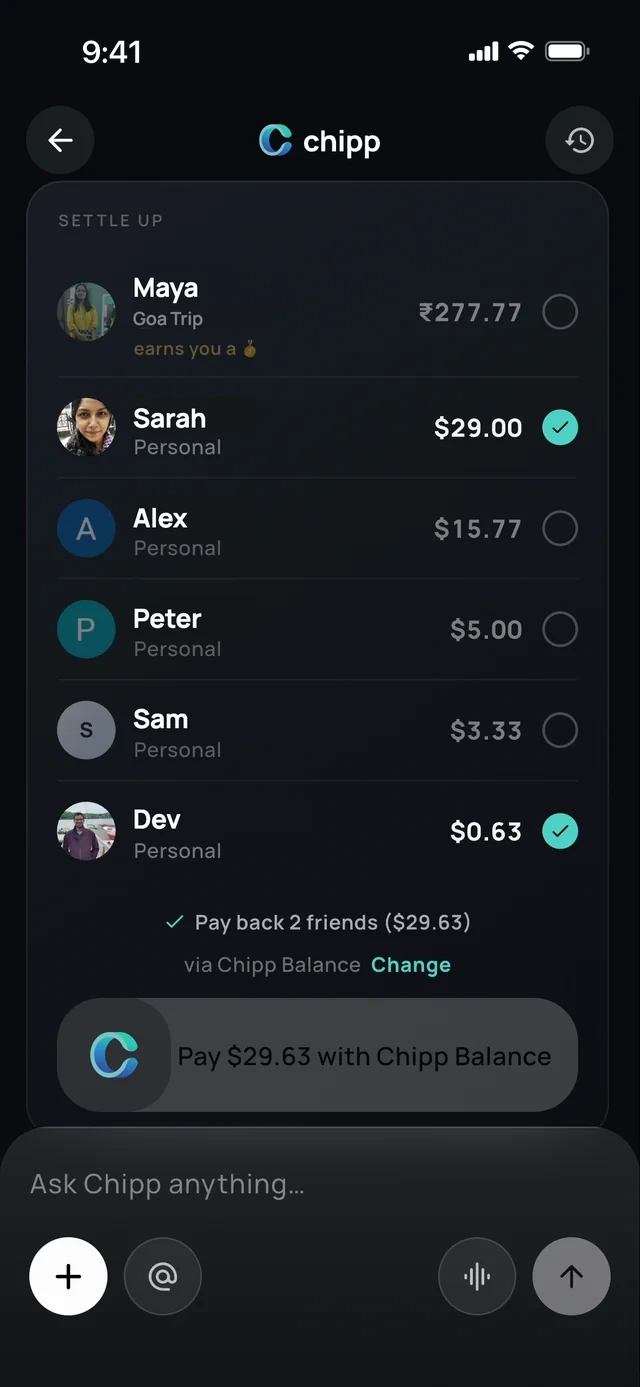
- 1Rupees for the trip
- 2Dollars at home
Recurring, on Chipp+
Set it once and it repeats.
Rent, wifi, the group Netflix.
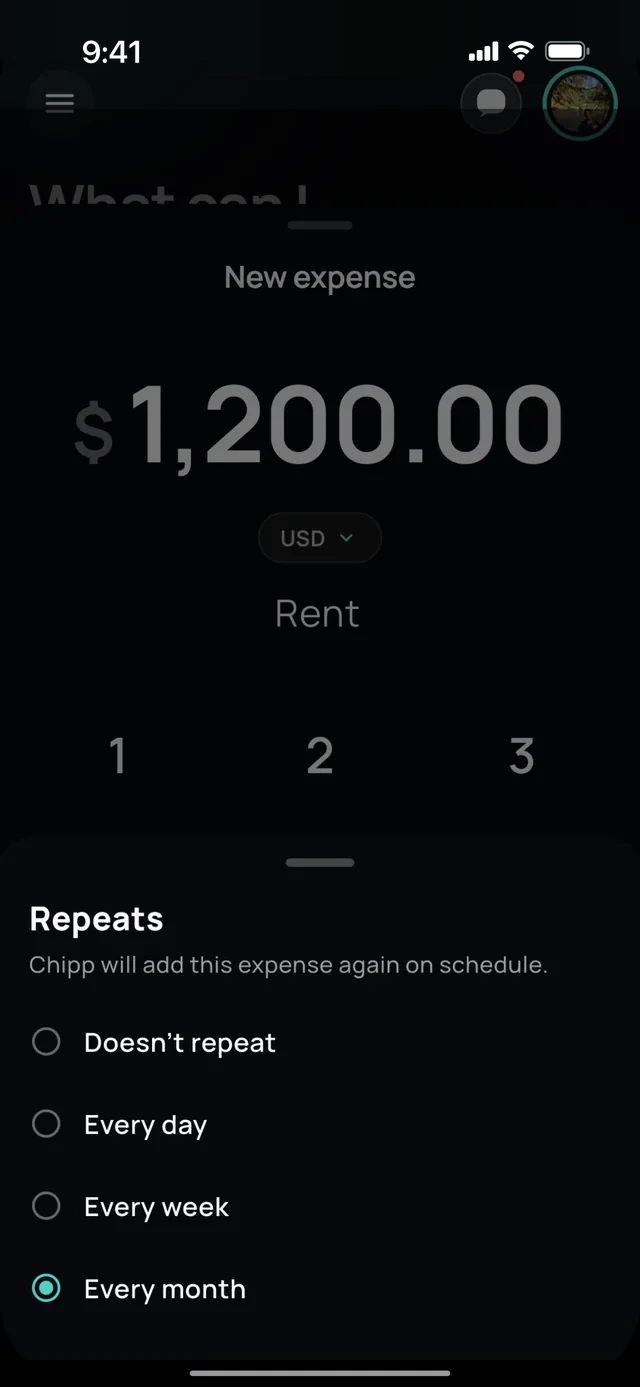
- 1Choose how often
- 2It adds itself each month
2 of 6
Chipp knows your numbers.
Ask Chipp
Ask about your spending.
Get the answer with a chart.
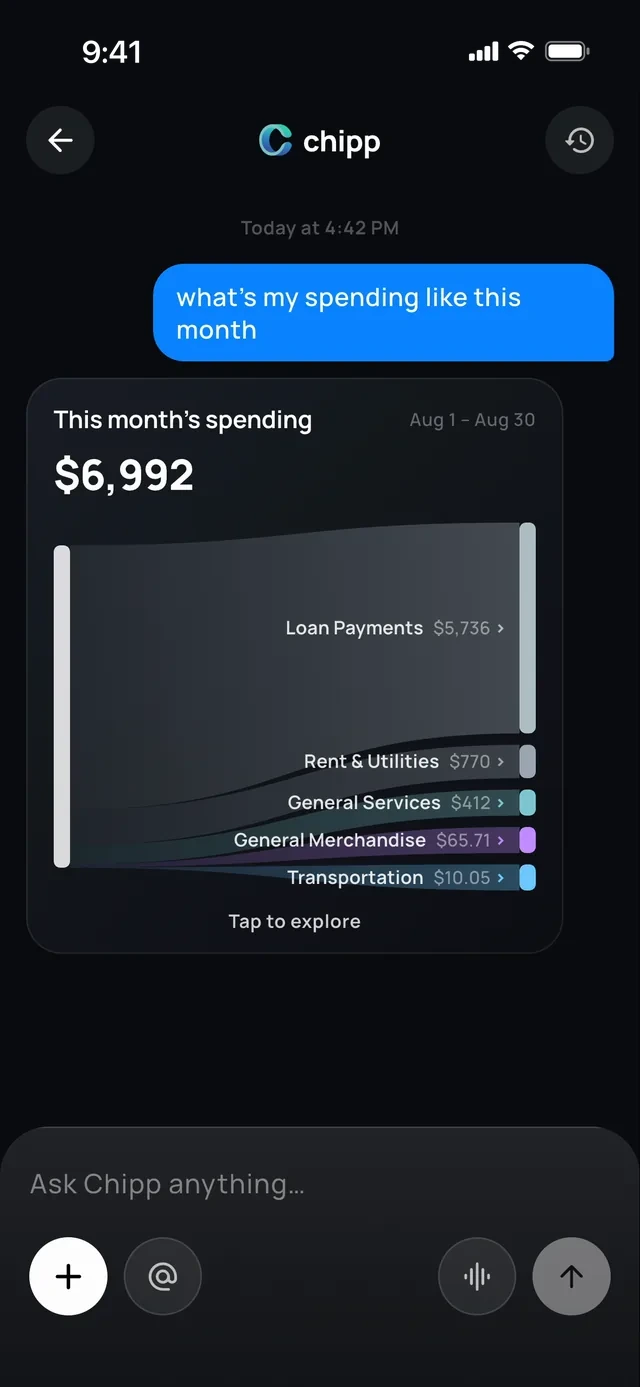
- 1Ask in plain words
- 2The answer is a chart
Chipp in iMessage
Text Chipp like a friend.
Ask who owes you, split a bill or send a reminder.
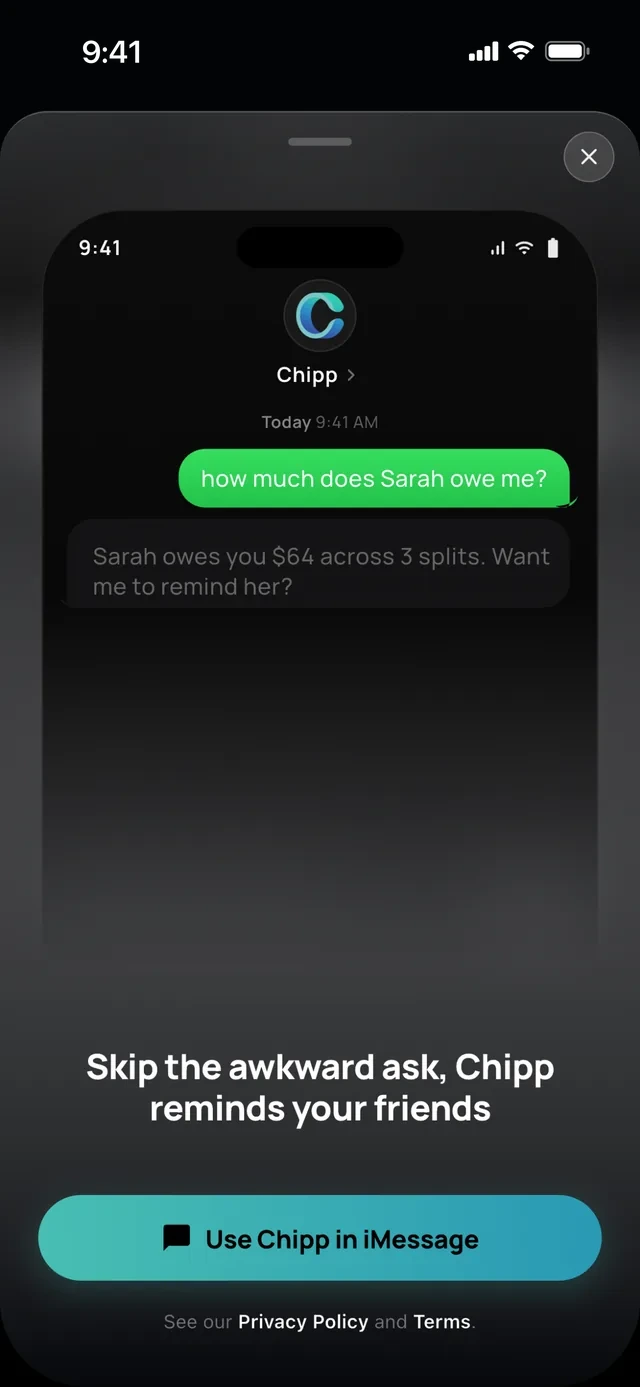
- 1Text it like a friend
- 2Chipp answers, and offers to remind
Actions
It does the work too.
Chipp drafts the expense, creates the group, pulls a trip's charges from your card or lines up reminders. You confirm every step.
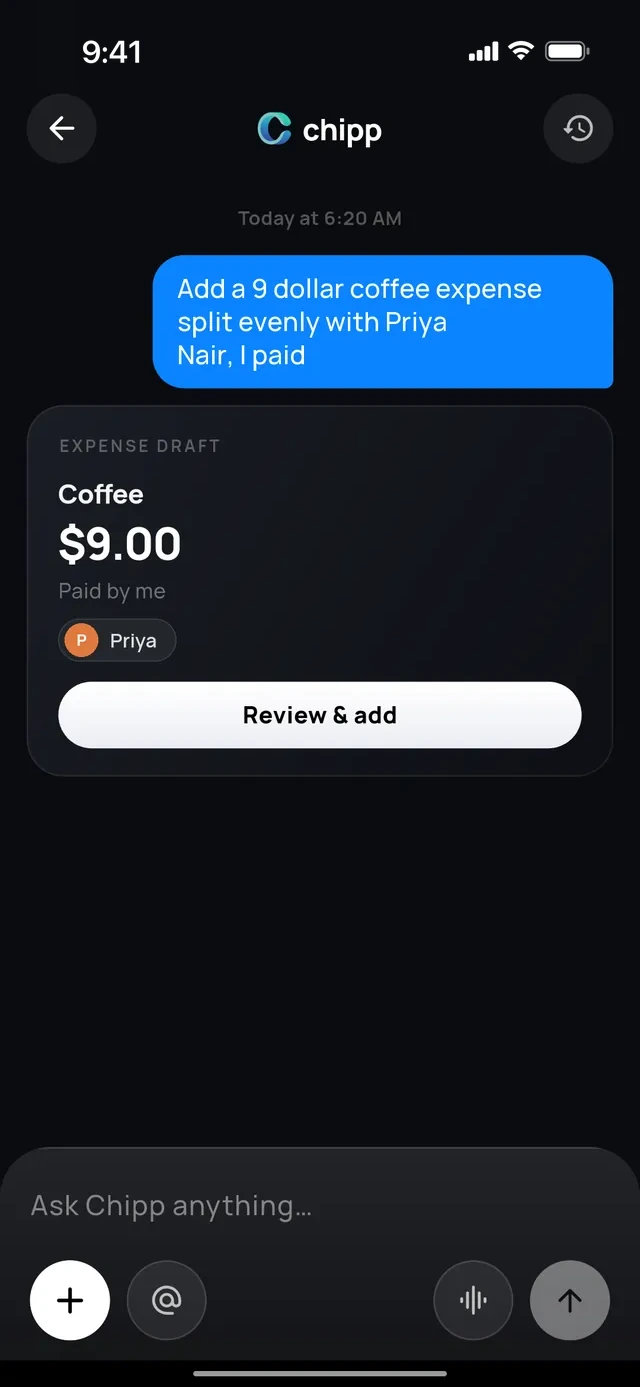
- 1One sentence
- 2Chipp writes the expense
- 3You confirm
Mentions
Mention anything with @.
Tag friends, groups, cards and bank accounts to pull them into your question.
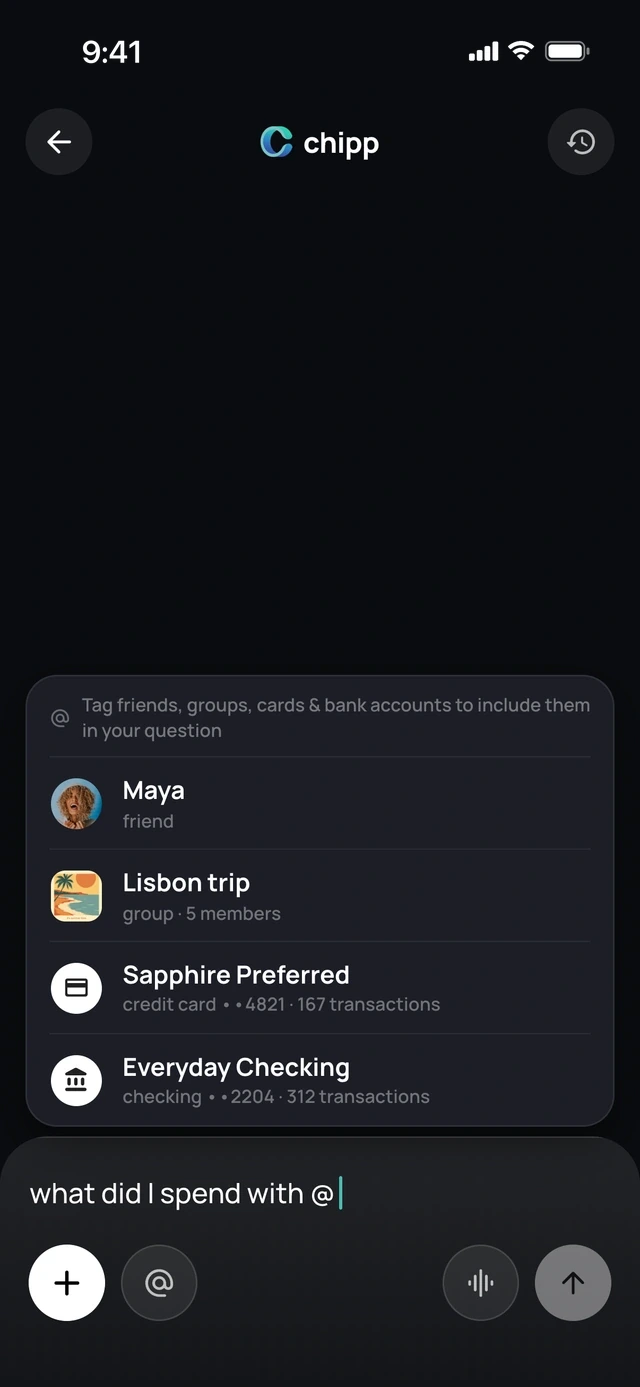
- 1Type @
- 2Pick a friend, group or card
Languages
Any language, typed or spoken.
Ask out loud or type, in the language you think in.
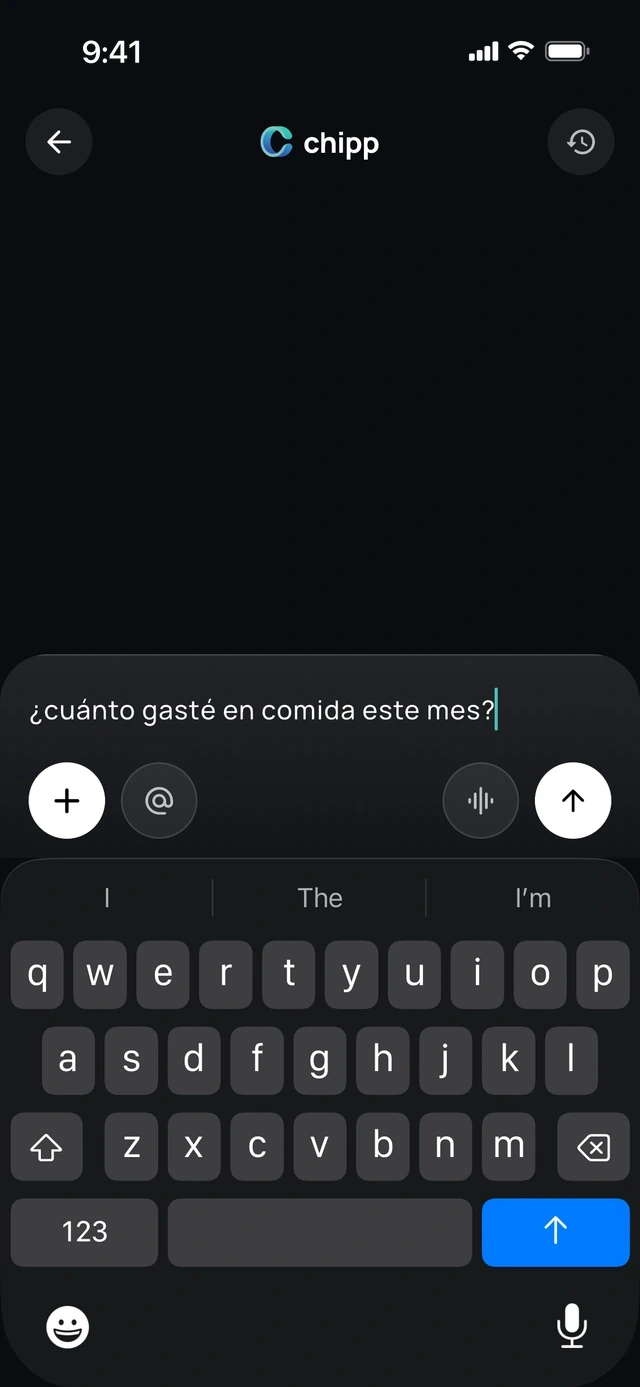
- 1Any language
- 2Typed or spoken
Texts from Chipp
Check-ins by text.
Chipp checks in on your money by text, at most once a day, so you don't have to ask.
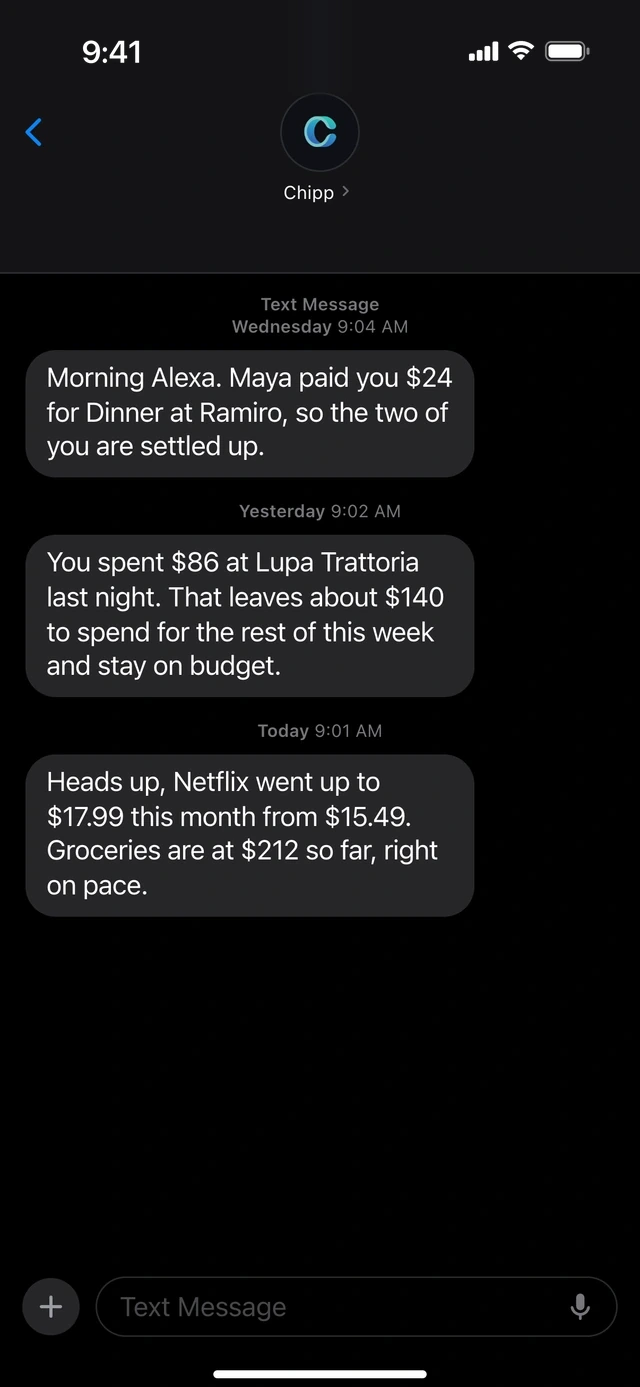
- 1Chipp texts you first
- 2A price went up? It tells you
3 of 6
Get paid back without the awkward ask.
Nudges
One tap reminds everyone.
Everyone who still owes you gets the nudge.
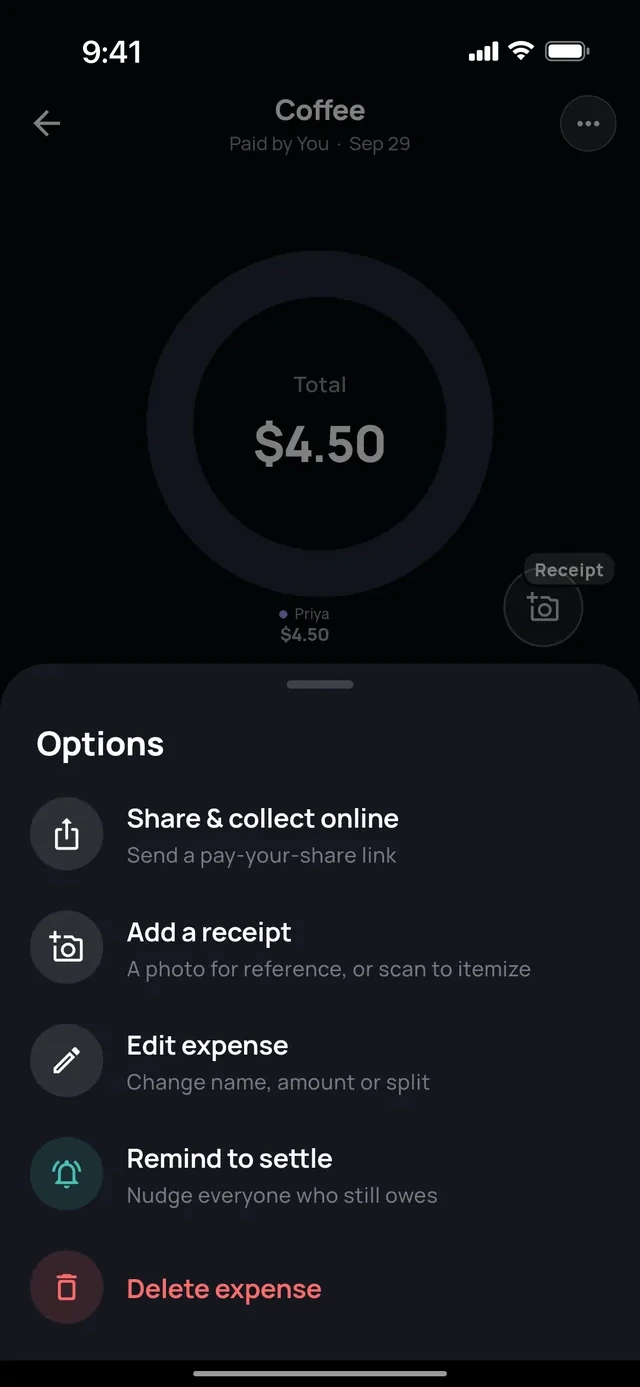
- 1Share a pay link
- 2Or remind everyone
Auto reminders
Reminders that send themselves.
When money has been owed for a few days, Chipp sends the nudge so you don't have to.
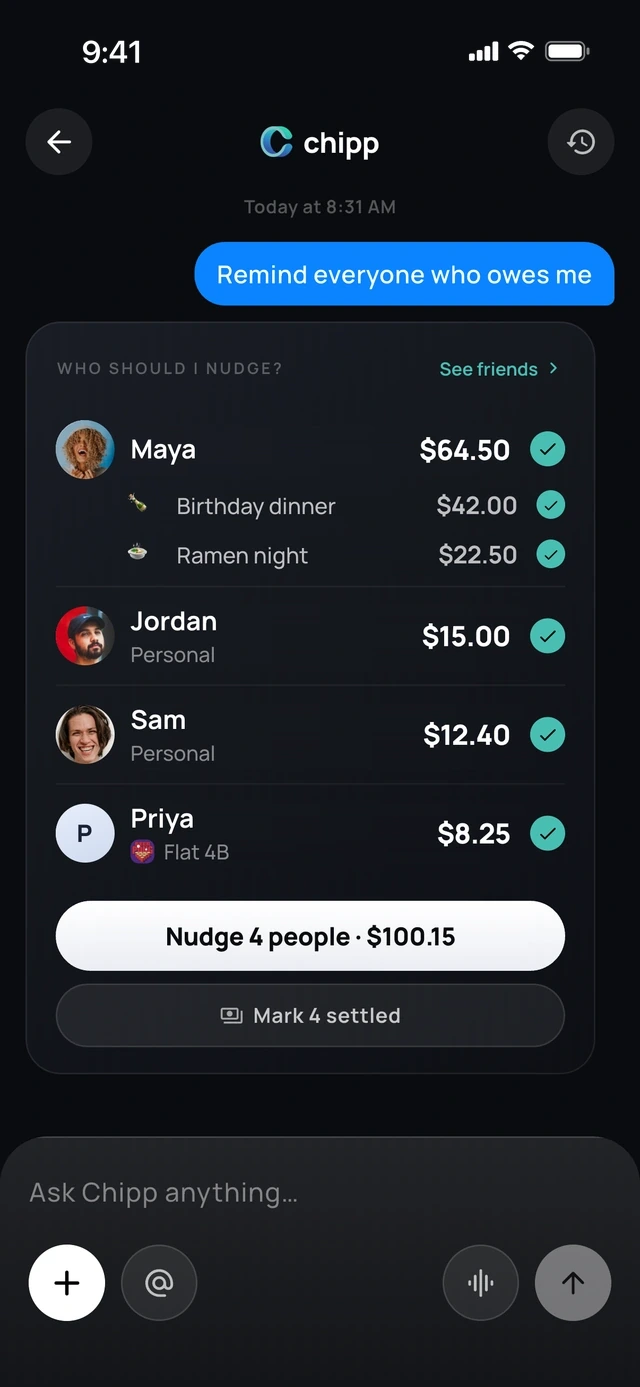
- 1Who owes, and for what
- 2One tap reminds all four
Who owes what
See who has paid, live.
Every expense shows who has paid and who still owes.
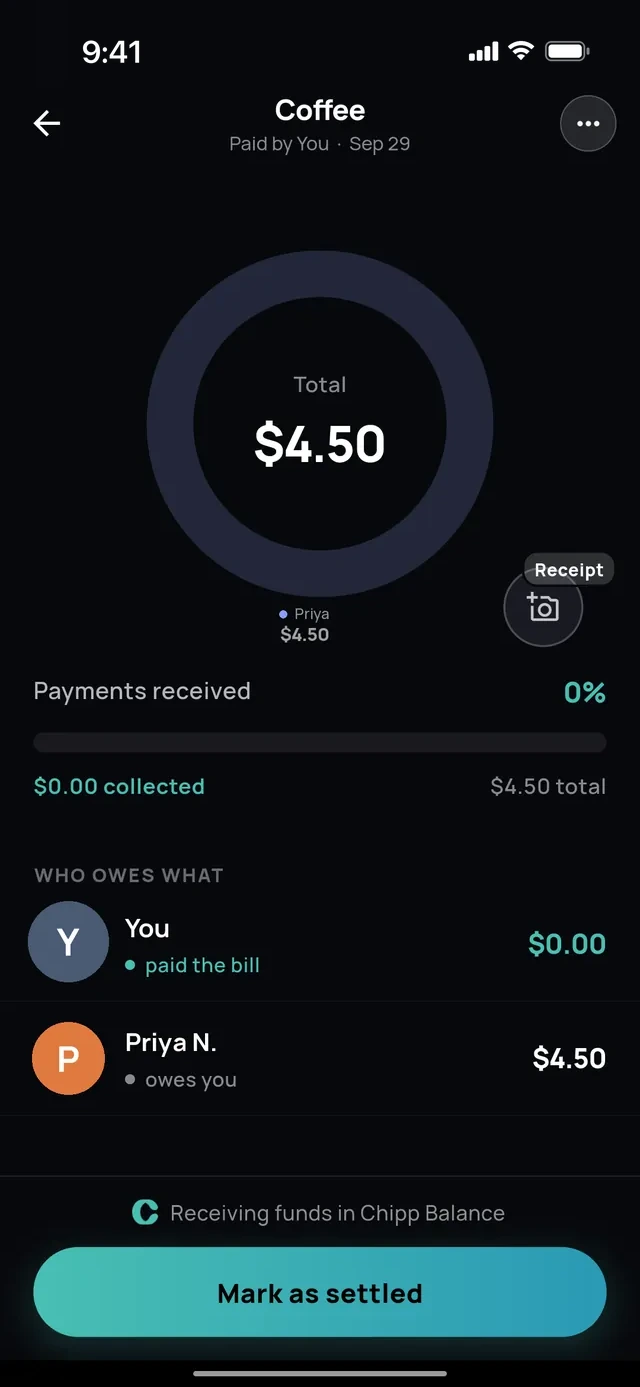
- 1Who has paid
- 2Who still owes
Settle up
Pay everyone back in one swipe.
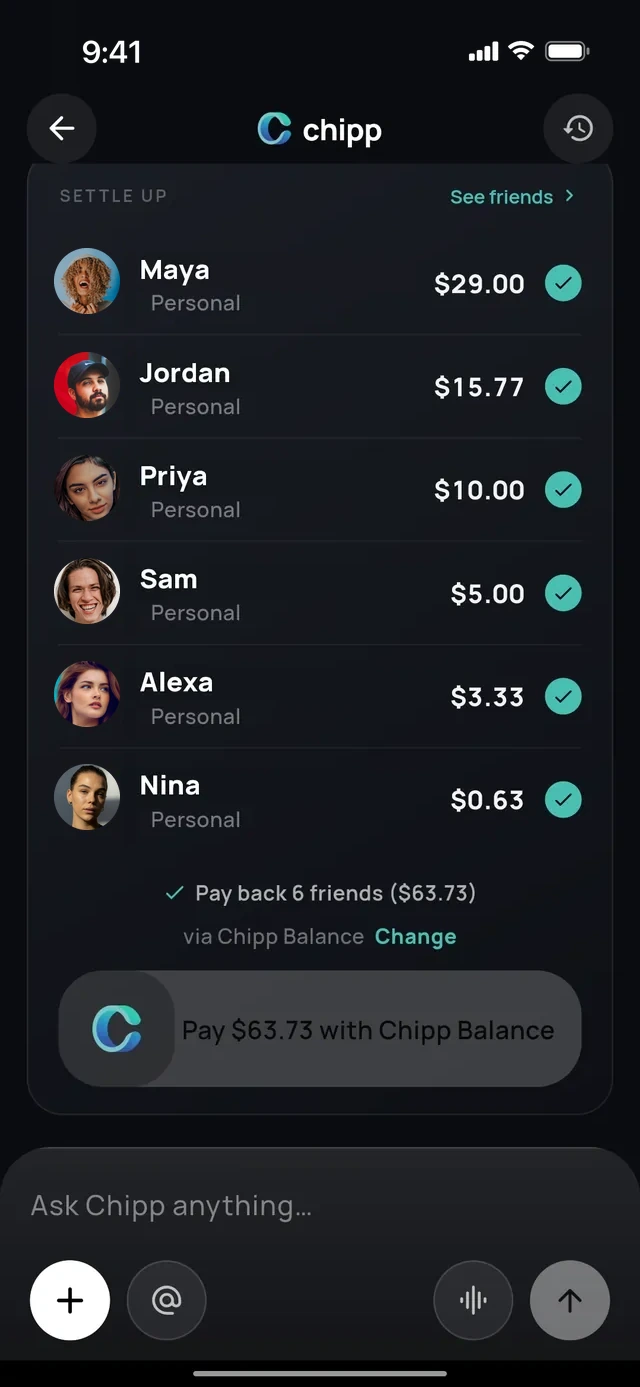
- 1Everyone you owe
- 2One swipe pays them all
No app needed
Share a link or QR code.
Friends claim their items and pay from their browser.
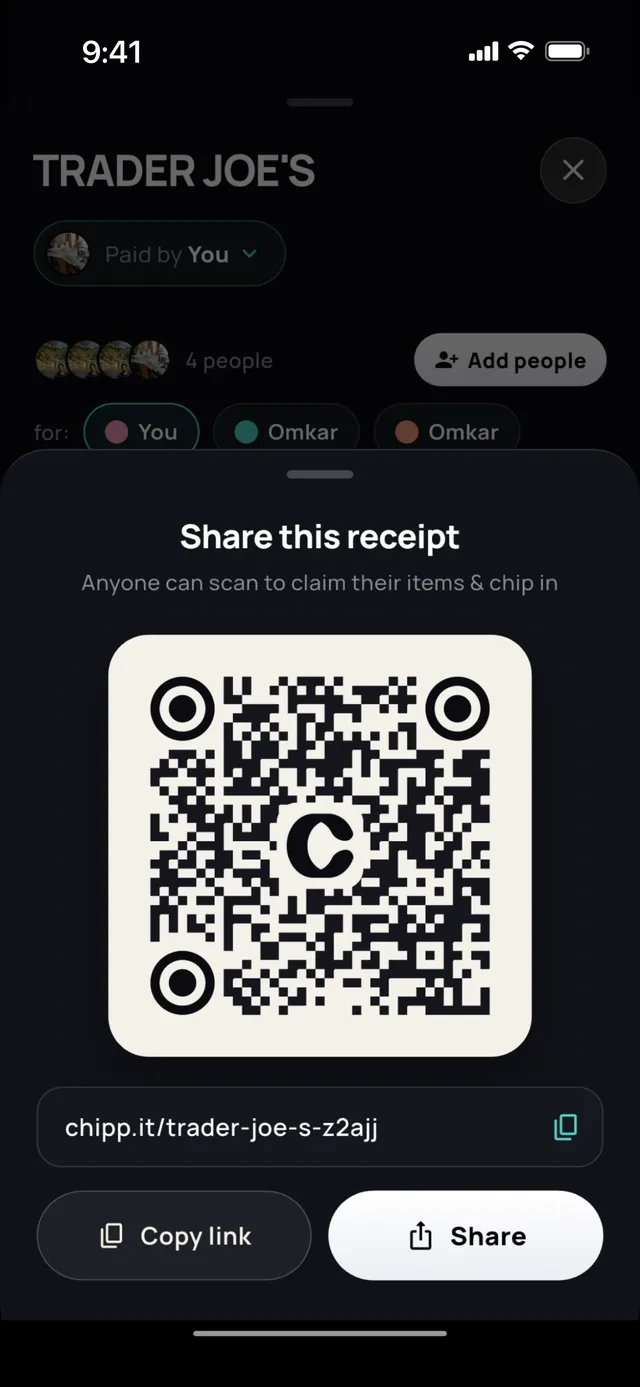
- 1Friends scan this
- 2Or send the link
Every way to pay
Settle any way you like.
Chipp supports the apps you already pay with.
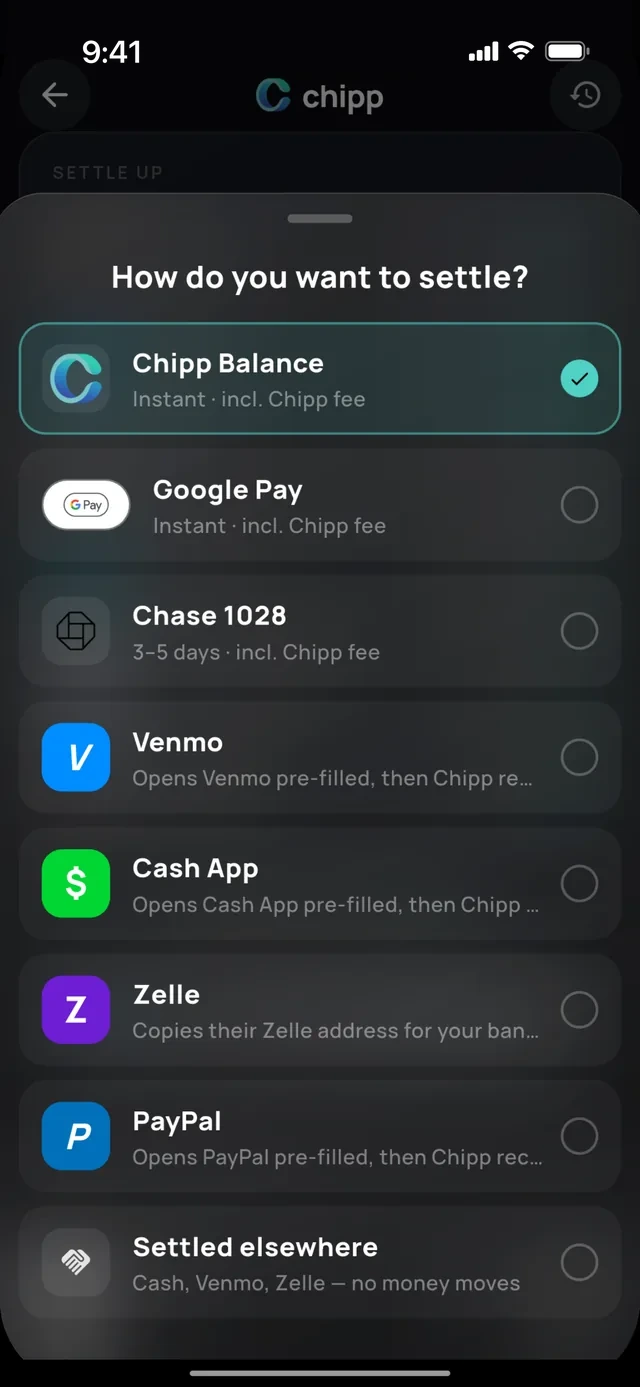
- 1Pay in the app
- 2Or the apps you already use
Cash and other apps
Settled elsewhere.
Paid in cash? Swipe to mark it settled and the balance clears.
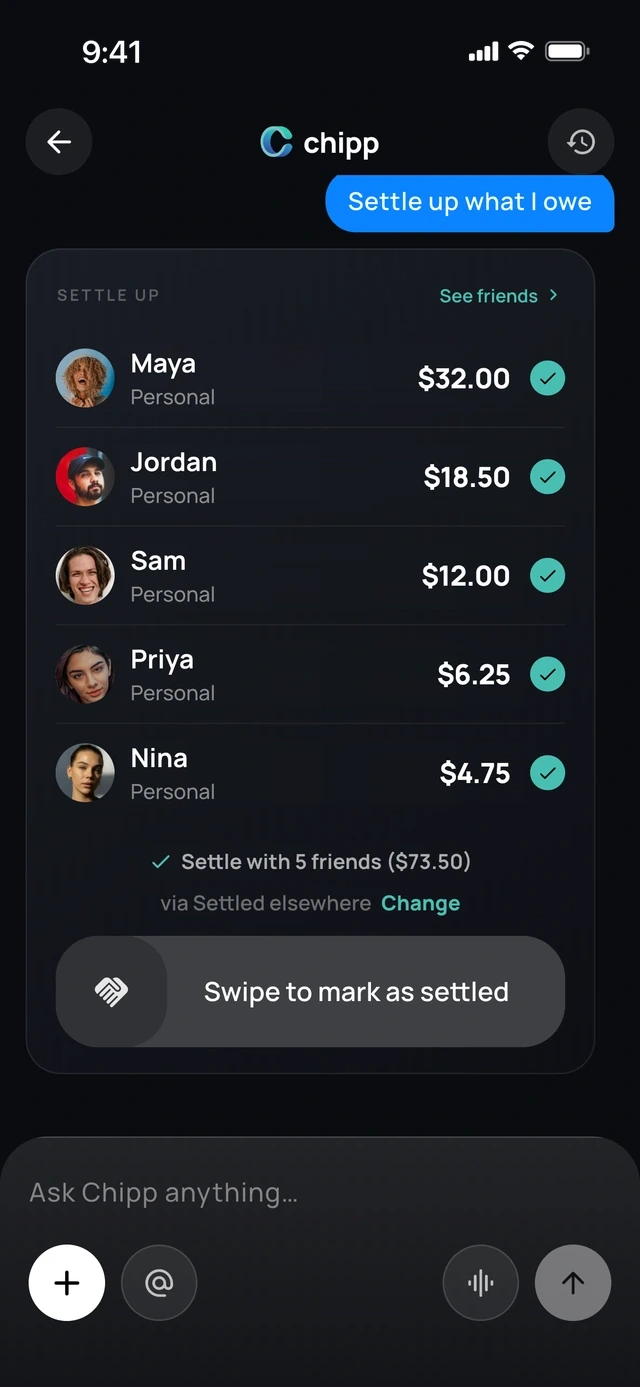
- 1Paid in cash?
- 2Swipe and it clears
Abroad
Local payment apps abroad.
UPI, Pix, PayNow, PromptPay, DuitNow, PayID and Interac, converted at the day's rate.
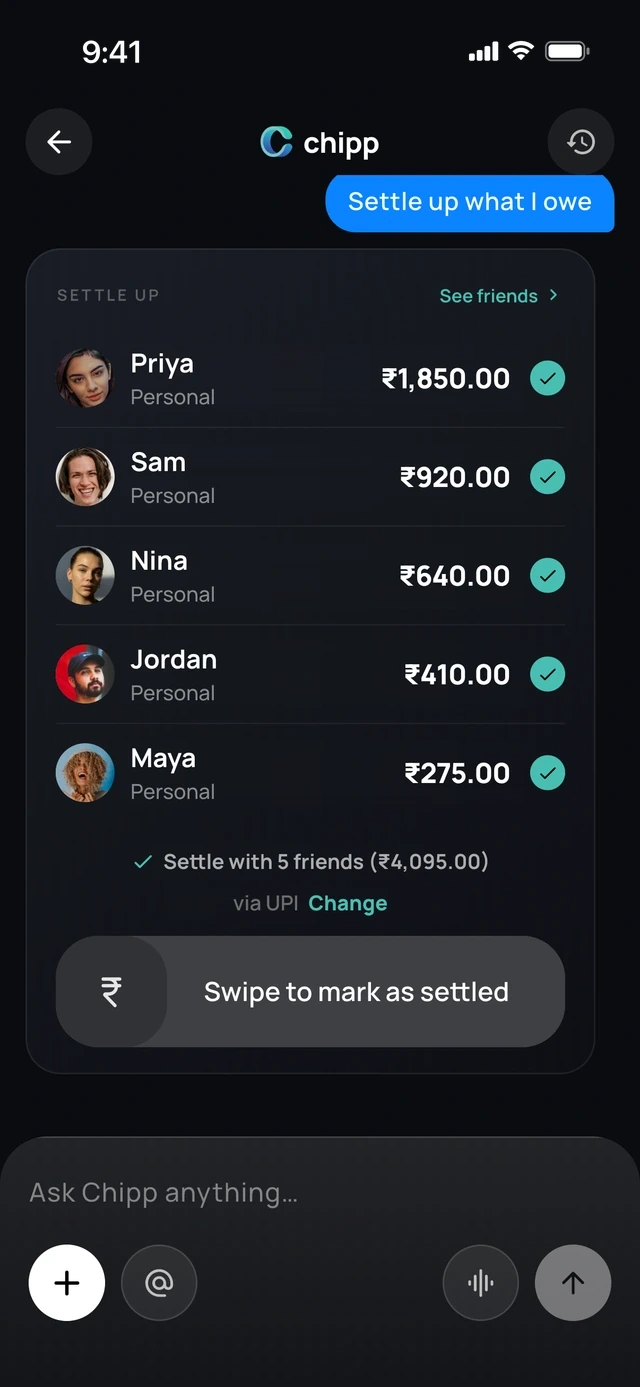
- 1In their currency
- 2Paid with a local app
4 of 6
Made for trips, roommates and couples.
Groups
One group for the trip or the house.
Or just the two of you.
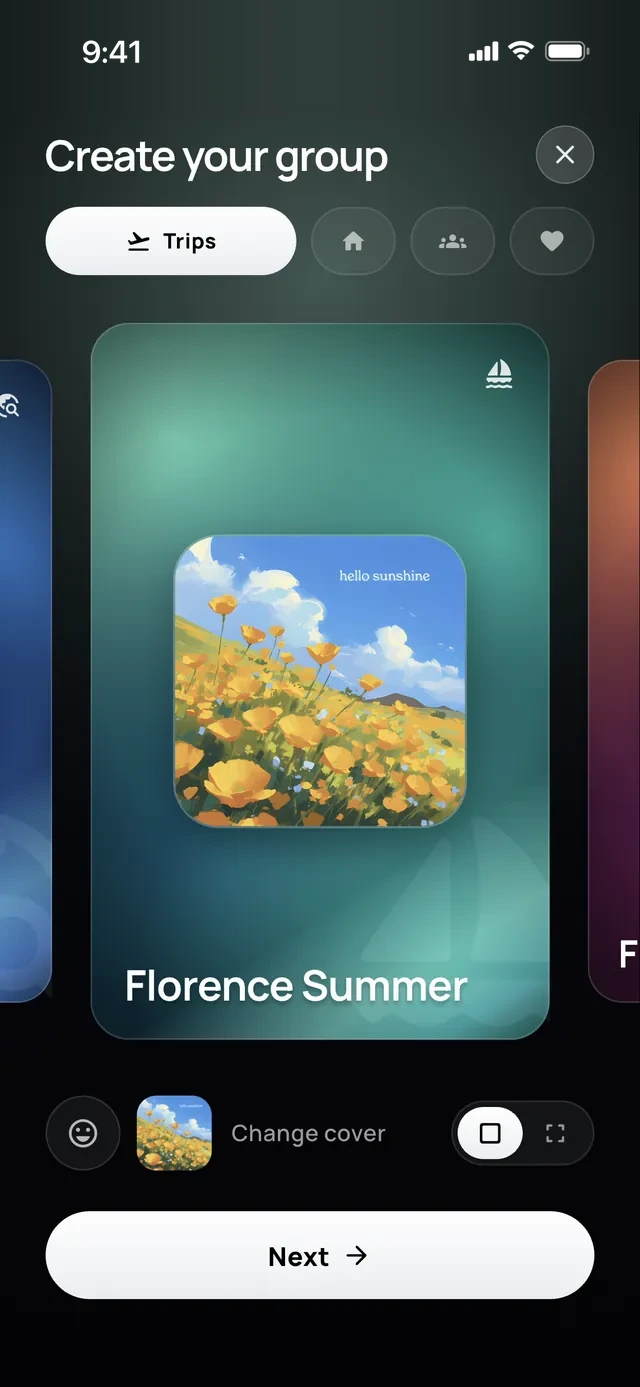
- 1Trip, home or couple
- 2Pick a cover
Pools
Chip in together toward one goal.
Anyone can add money, with or without the app.
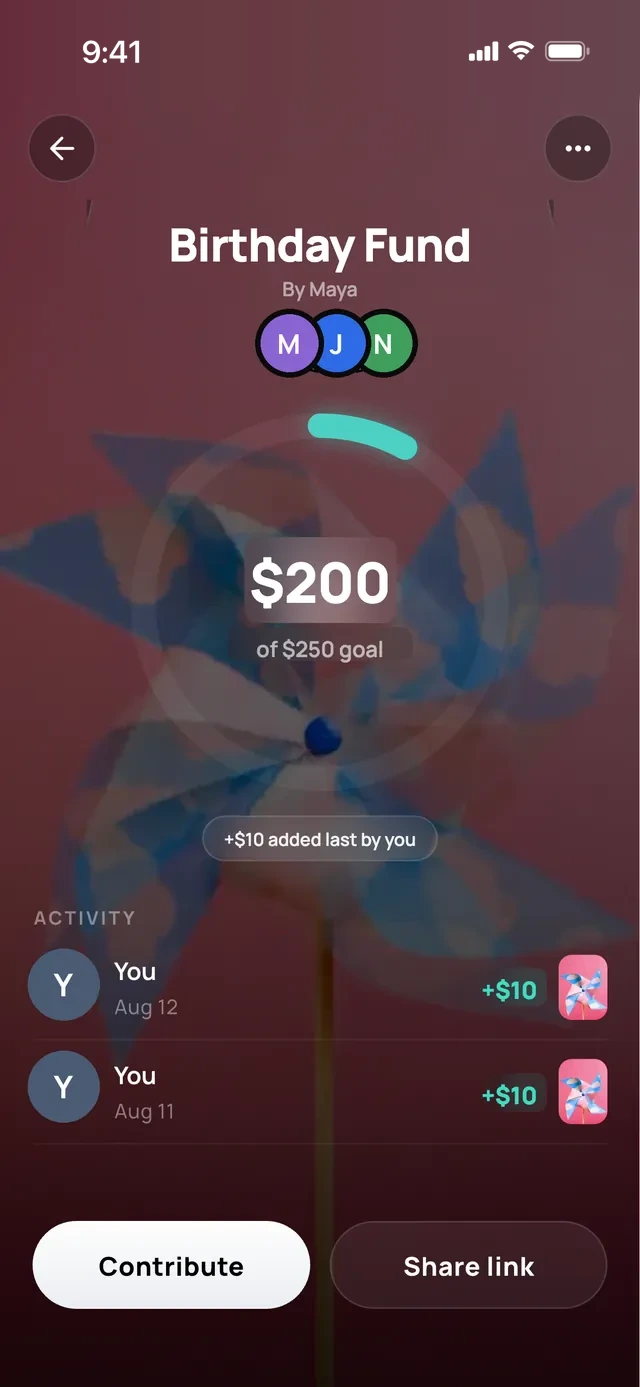
- 1Everyone sees the goal
- 2Chip in
Send money
Pay a friend, pick the vibe.
Choose the vibe it arrives with.
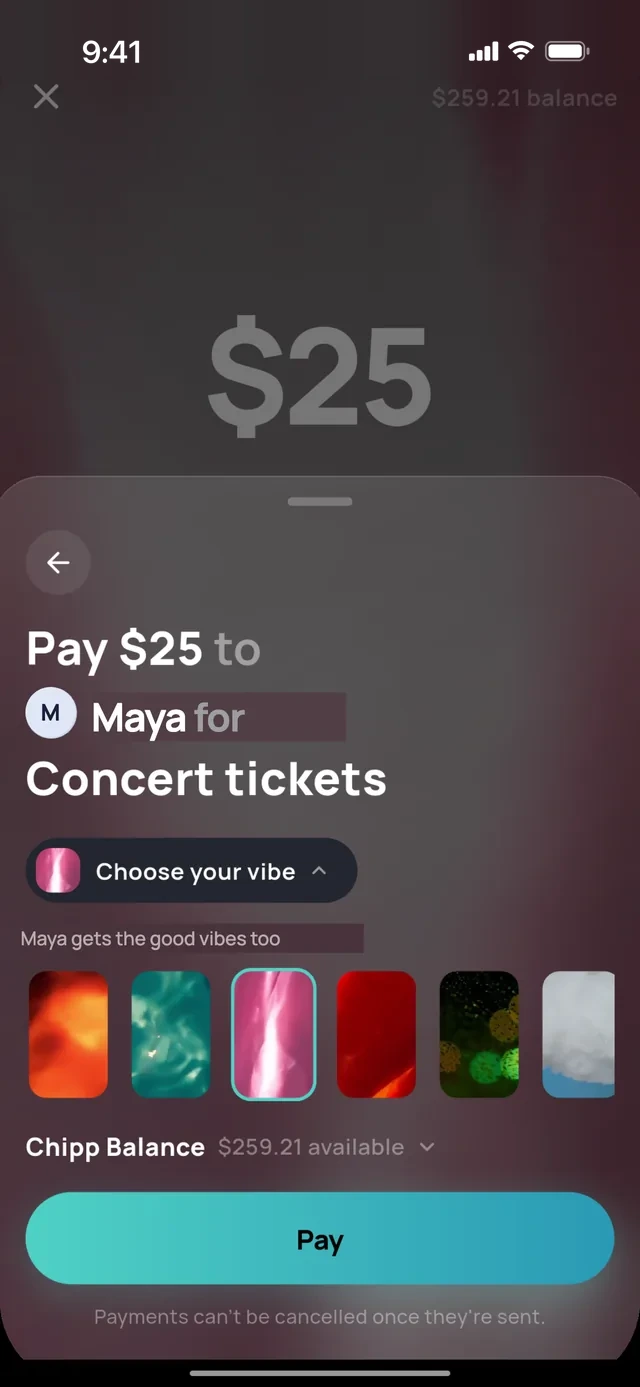
- 1Say what it is for
- 2Pick a vibe
One feed
Group chat.
Expenses, payments and reminders land in one feed, next to the conversation.
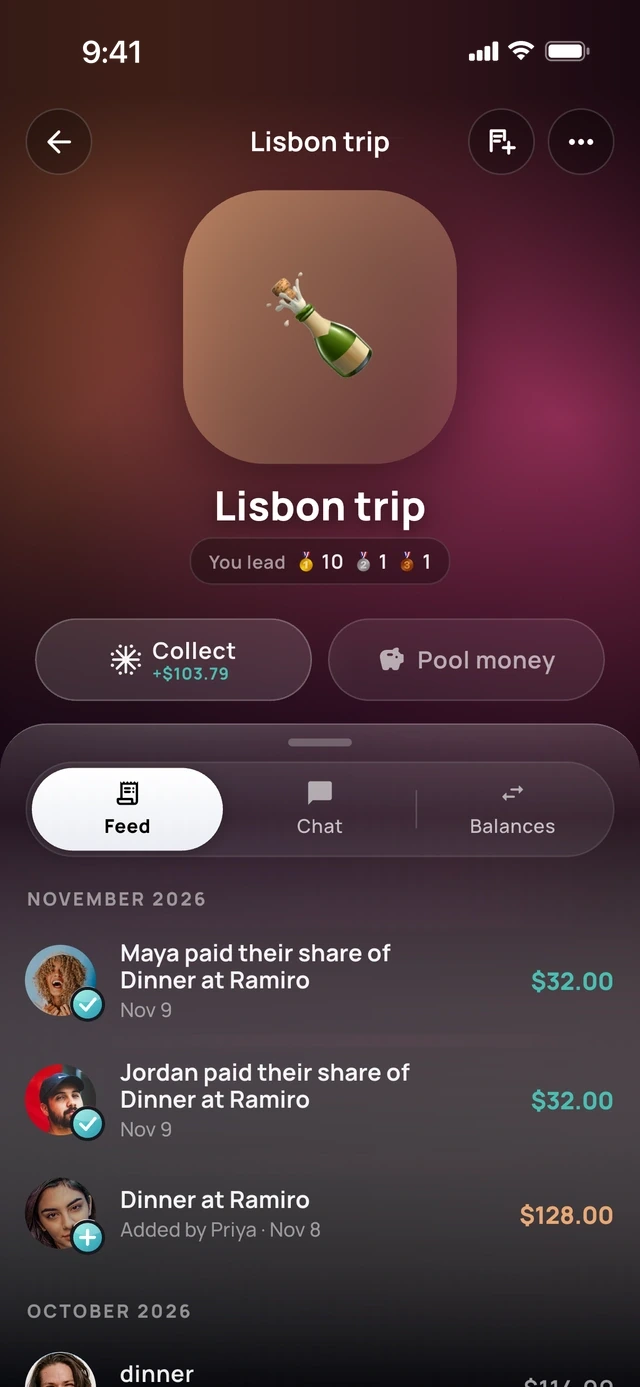
- 1Feed, chat and balances
- 2Payments land here
Switching over
Move from Splitwise.
Bring your groups and balances over from a screenshot or the export file.  Tricount and spreadsheets work too.
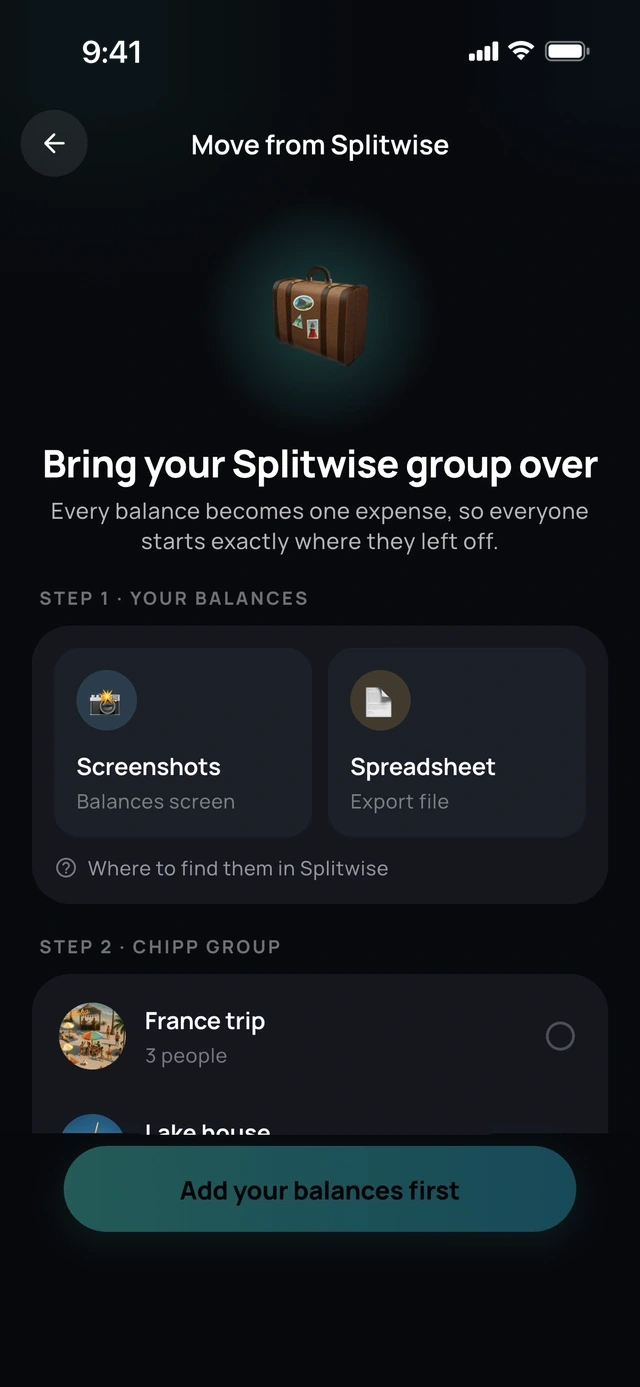
- 1From a screenshot
- 2Or the export file
Nearby
Friends nearby.
Chipp spots friends standing next to you, so adding them takes one tap.
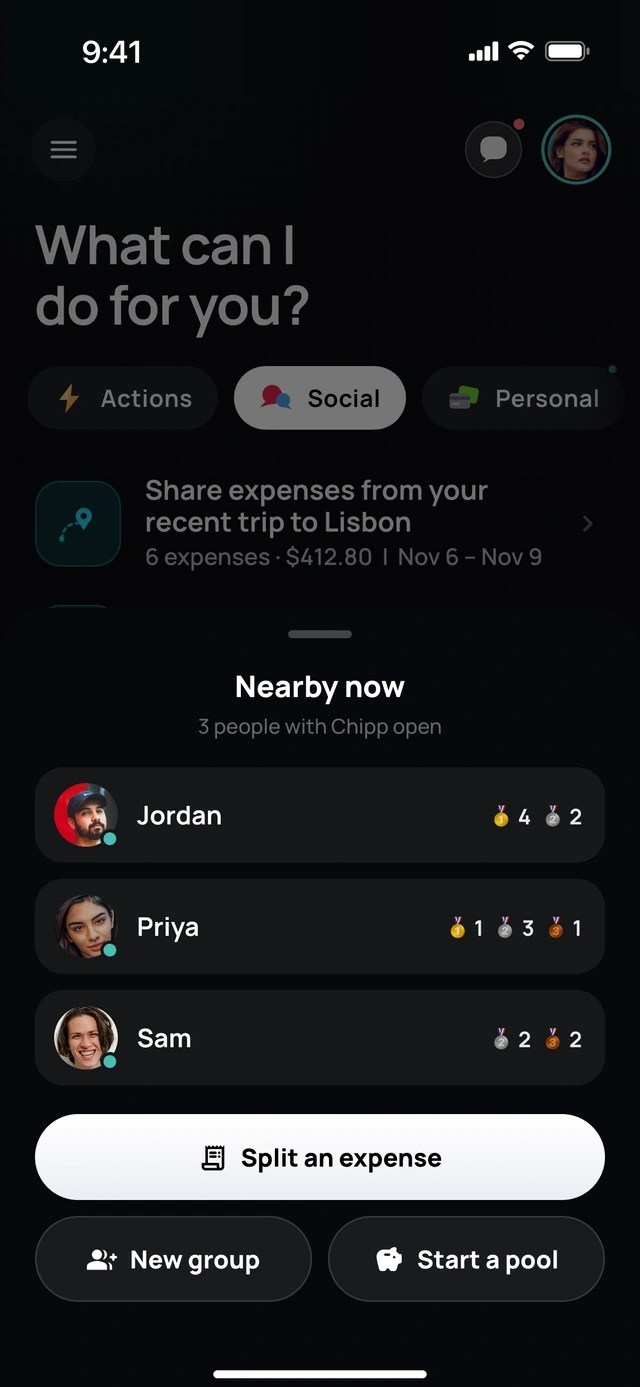
- 1Friends next to you
- 2One tap to split
Invites
Invite with a link.
Not on Chipp yet? They get an invite and a seat saved in the group.
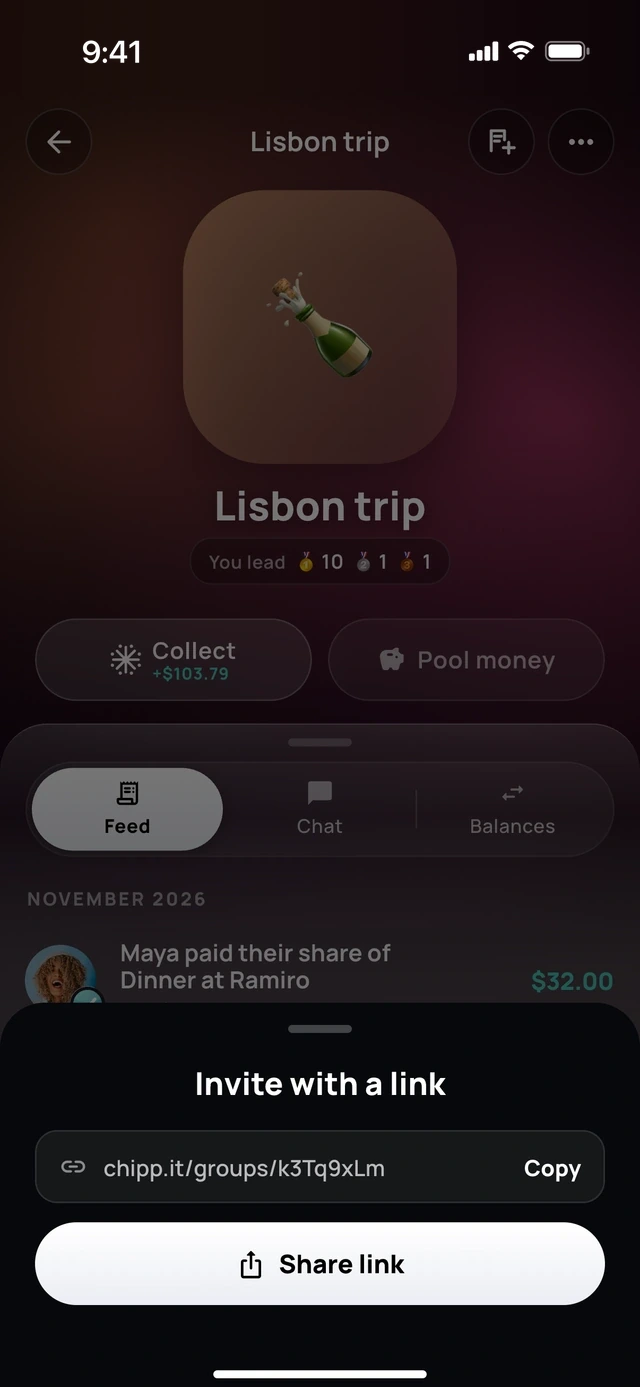
- 1A link to the group
- 2Send it anywhere
Make it yours
Covers and vibes.
Pick a cover for every trip, house and crew, and share the group card.
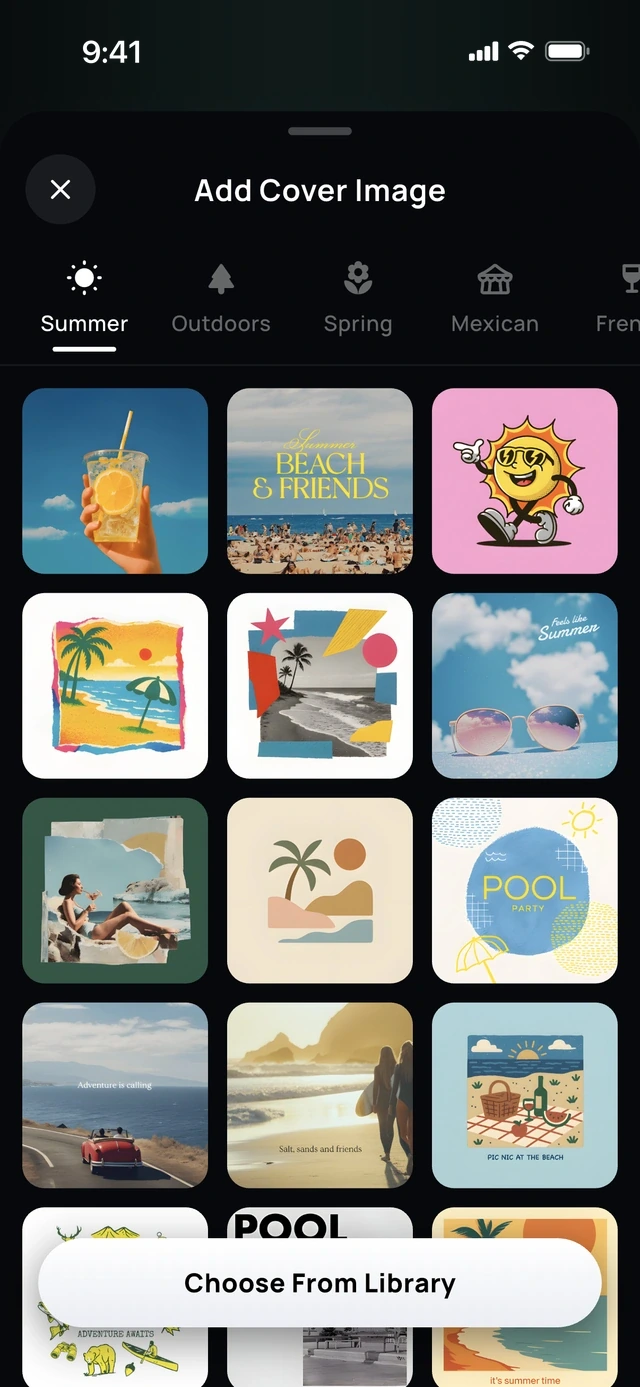
- 1For every kind of group
- 2Pick a cover
For everyone
Chipp+ Circle.
One subscription gives Chipp+ to everyone in the groups you own.
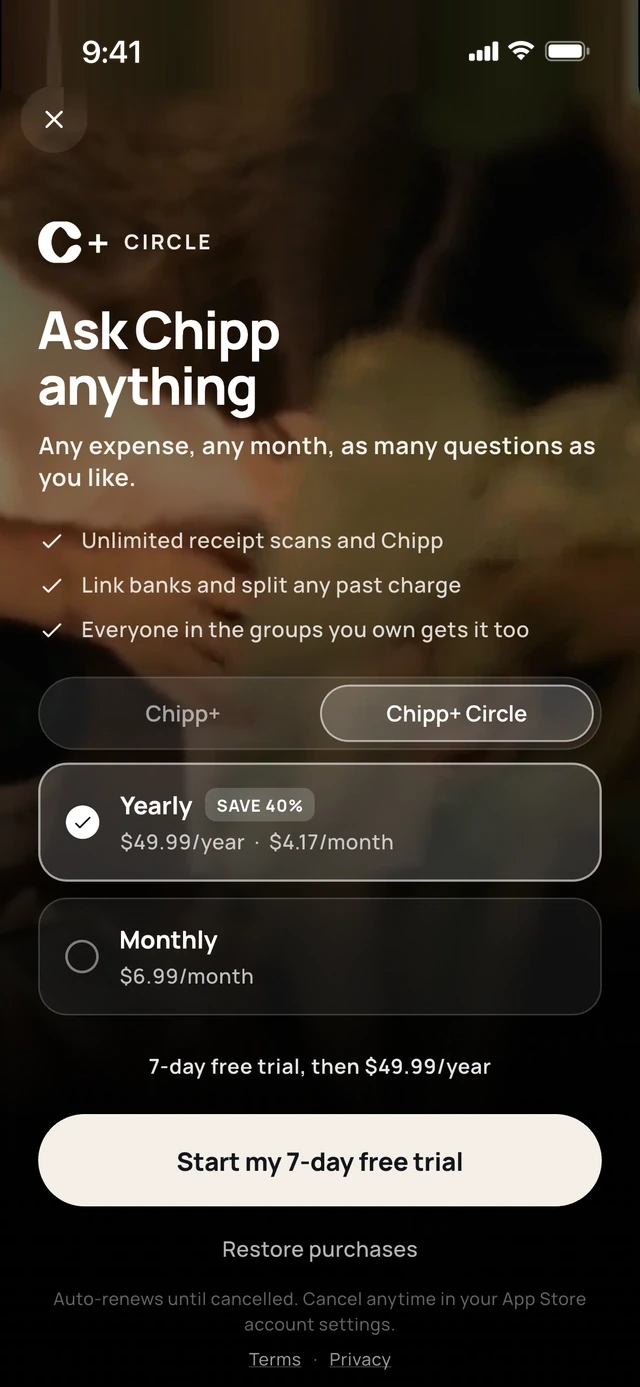
- 1Your groups get it too
- 2One plan covers everyone
5 of 6
Receipts and files, sorted.
Receipt library
Every receipt, saved.
Scanned receipts stay in a searchable library, ready to split or share.
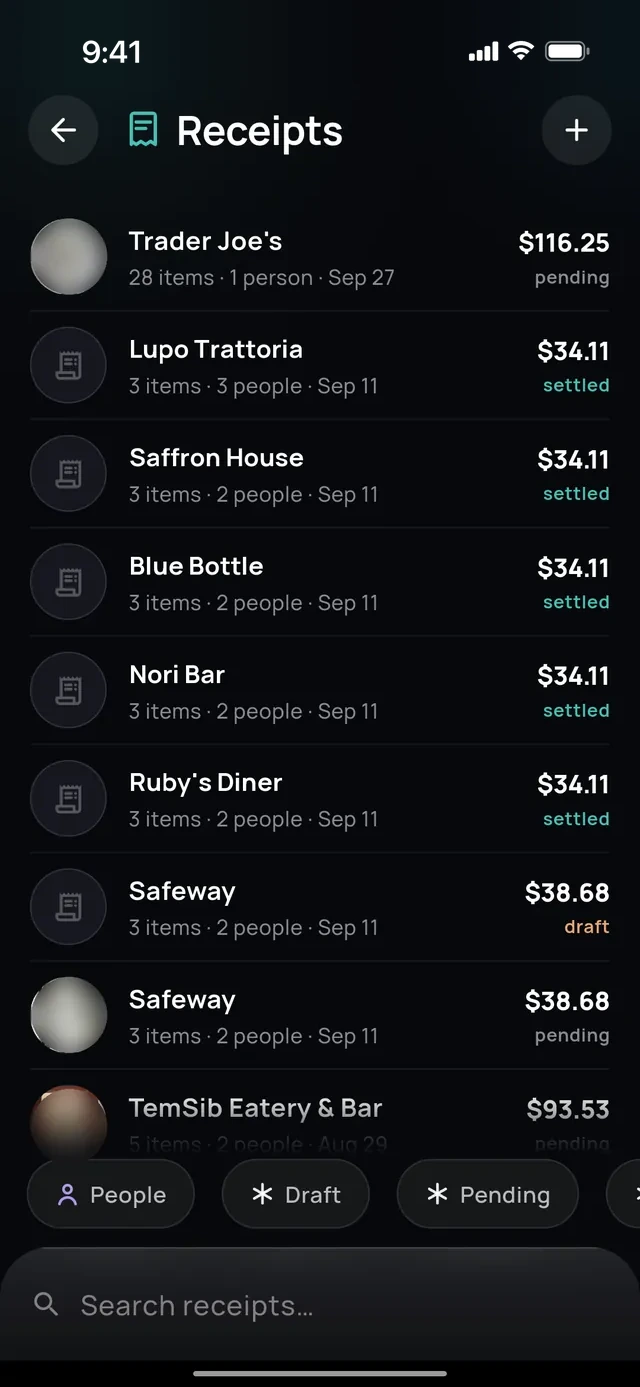
- 1Every receipt kept
- 2Search them all
Files
Photos, PDFs and spreadsheets.
Attach a file and tell Chipp what to do with it.
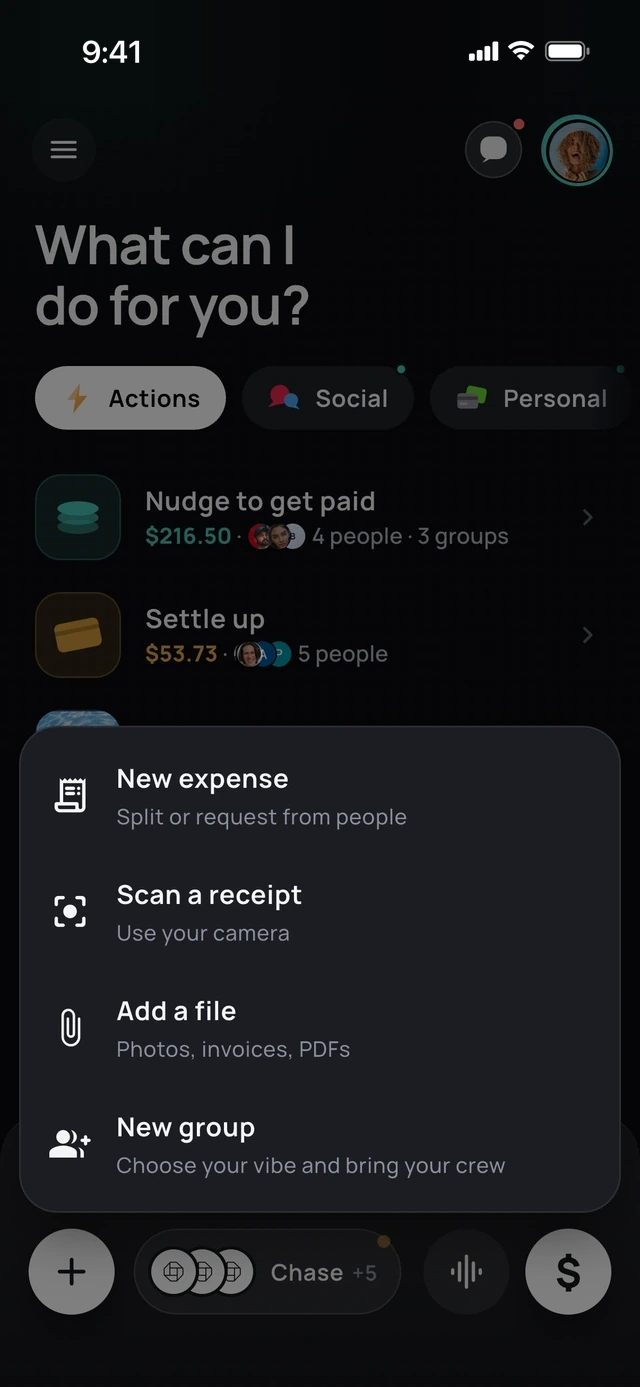
- 1Scan with the camera
- 2Or add photos and PDFs
Itemized by description
Describe who had what.
Say "Sarah had the yellow curry" and Chipp assigns the items for you.
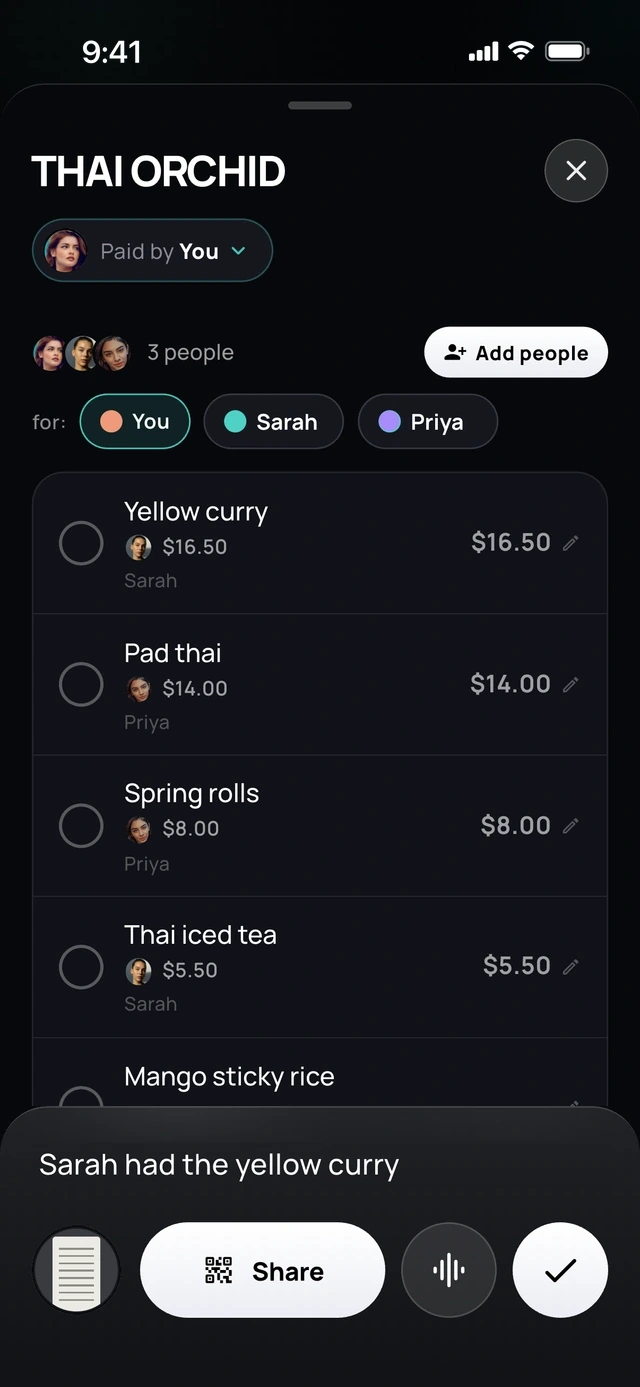
- 1Say who had what
- 2Chipp ticks the dish
6 of 6
Your own money, in the same app.
Budget
A budget you can actually hit.
Needs, wants and savings in one ring.
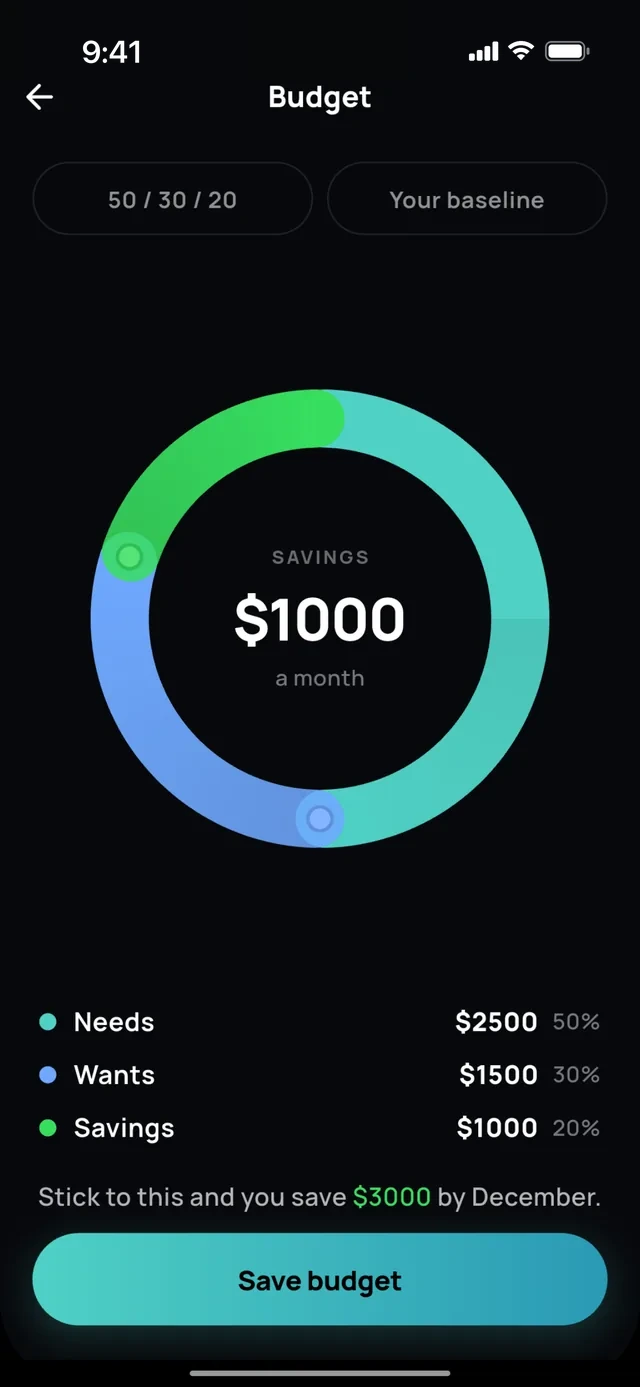
- 1Needs, wants, savings
- 2In one ring
Wallet
Keep a Chipp balance.
Pay friends instantly and send it to your bank.
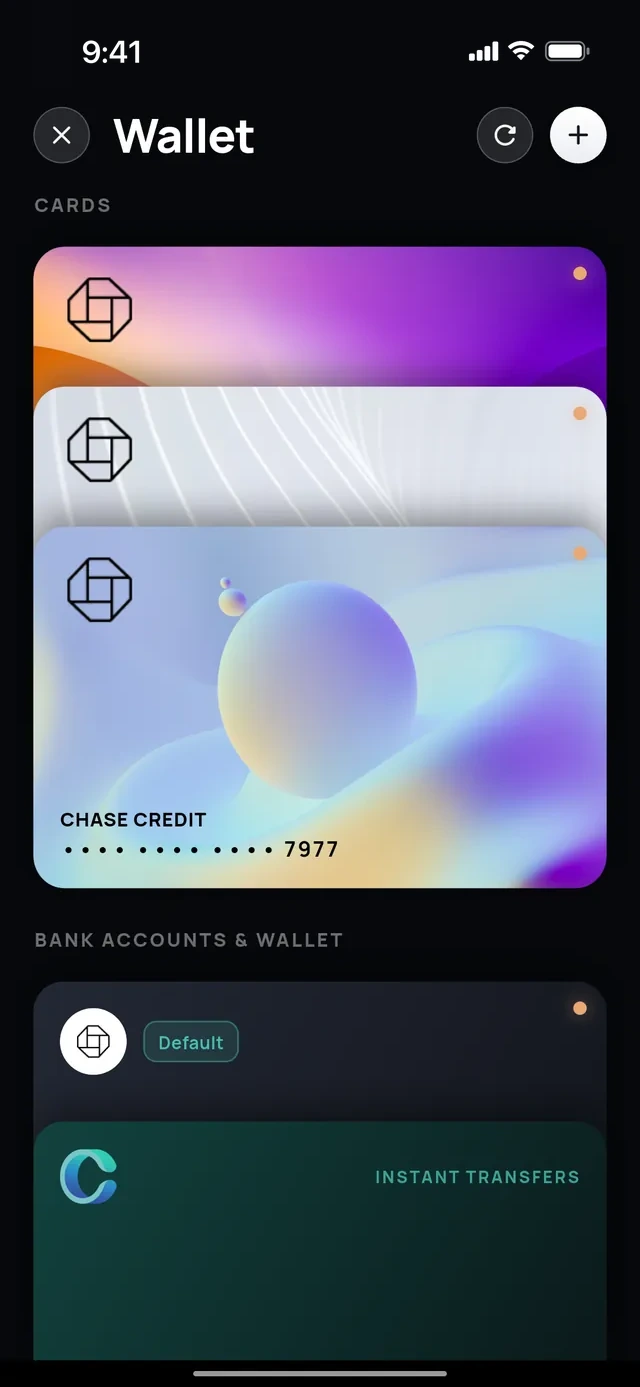
- 1Your cards
- 2Send it to your bank
Banks and cards
Every account in one feed.
Link US banks and cards through Plaid, then search, filter, rename or hide any transaction.
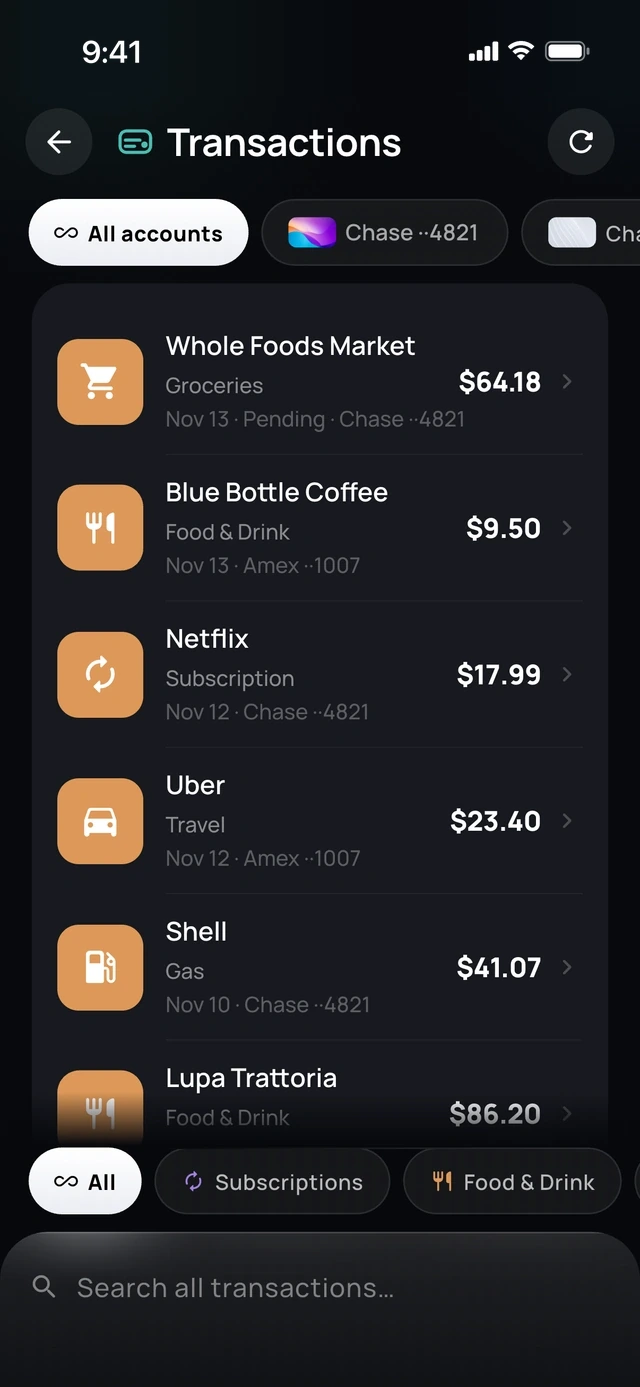
- 1All accounts, one feed
- 2Search everything
Trips
Trip detection.
Chipp notices a trip in your transactions and offers to split it.
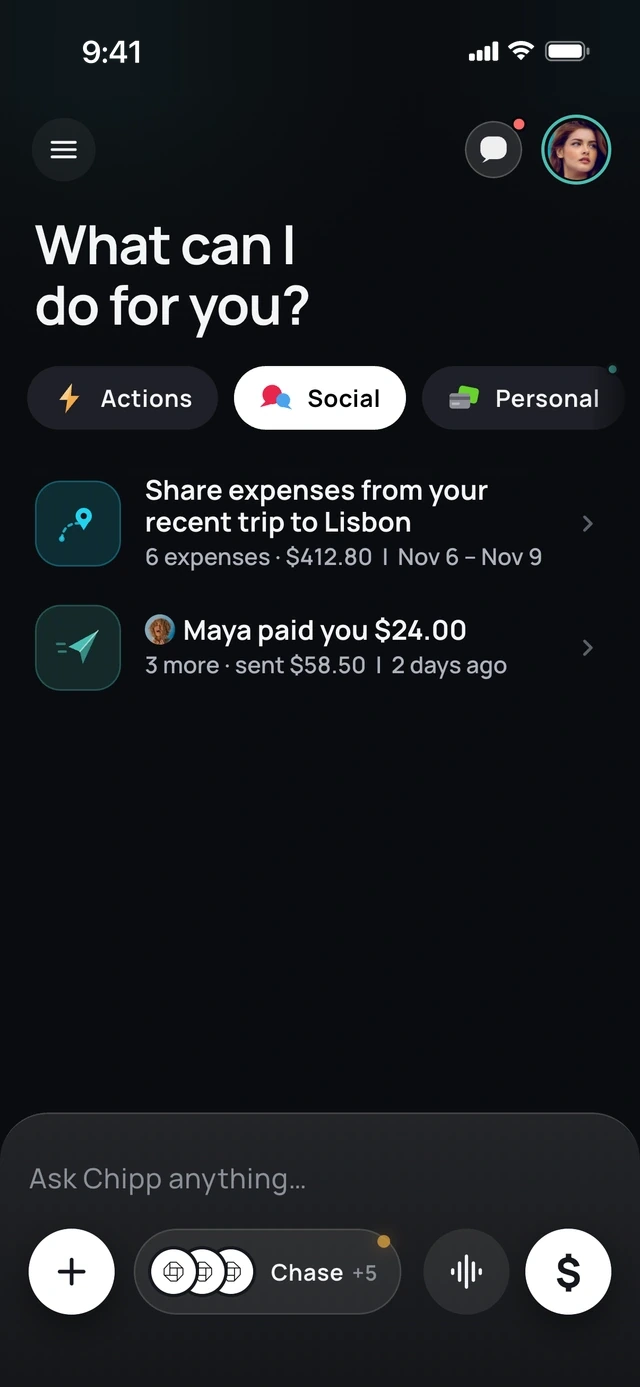
- 1Chipp spotted your trip
- 2And who paid you back
Explore
Spending explorer.
Tap through where the month went, category by category.
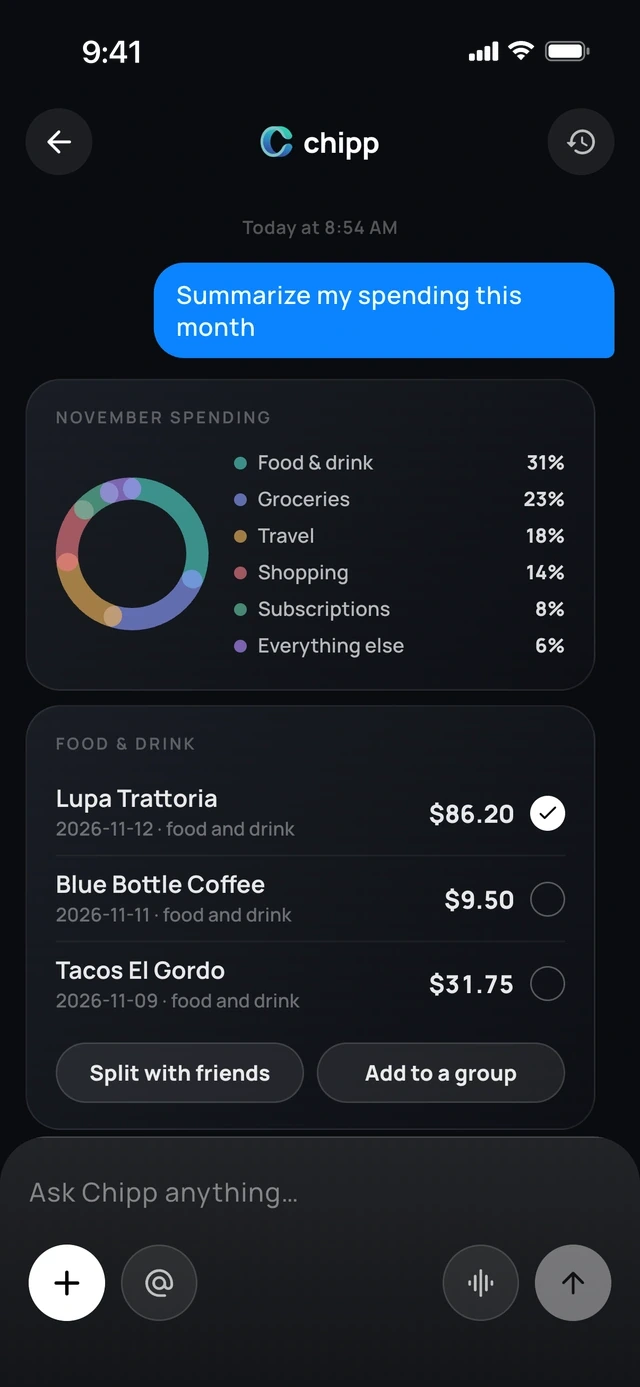
- 1Where the month went
- 2Split any of it
Each month
Monthly look-back.
Planned versus actual, and what you saved.
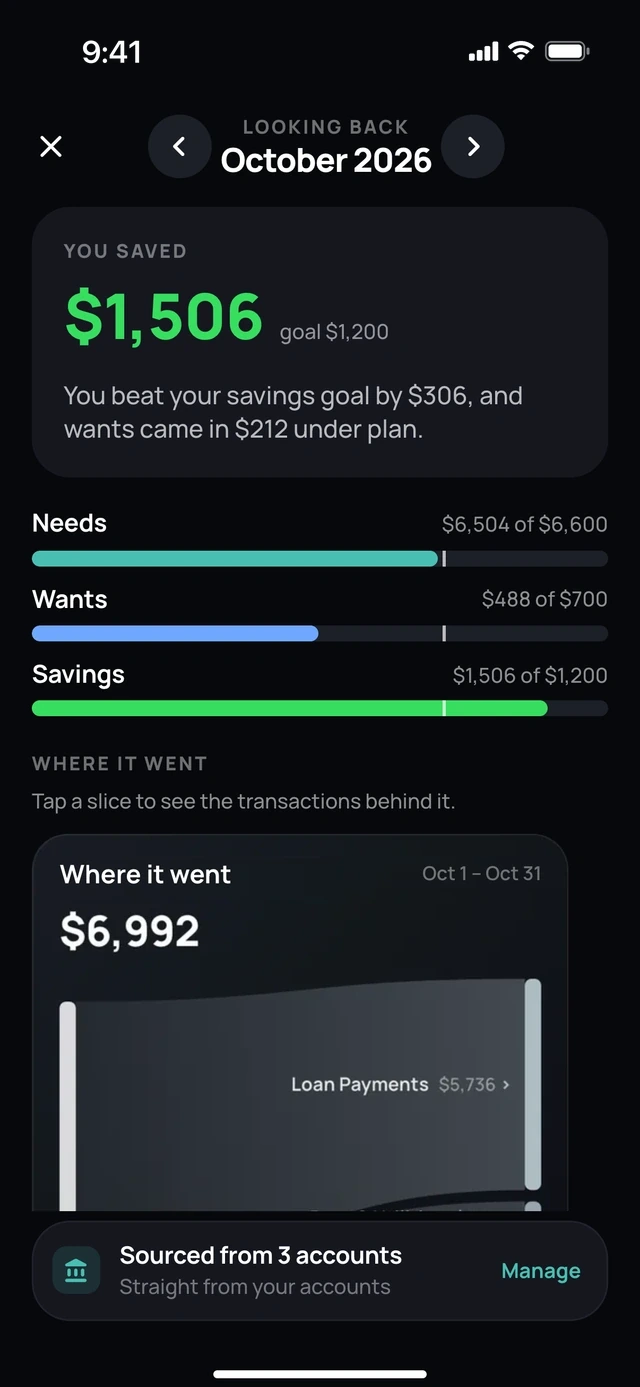
- 1What you saved
- 2Planned against actual
Subscriptions
Subscriptions and savings.
Ask what renews this month, what went up in price or how much you saved last month.
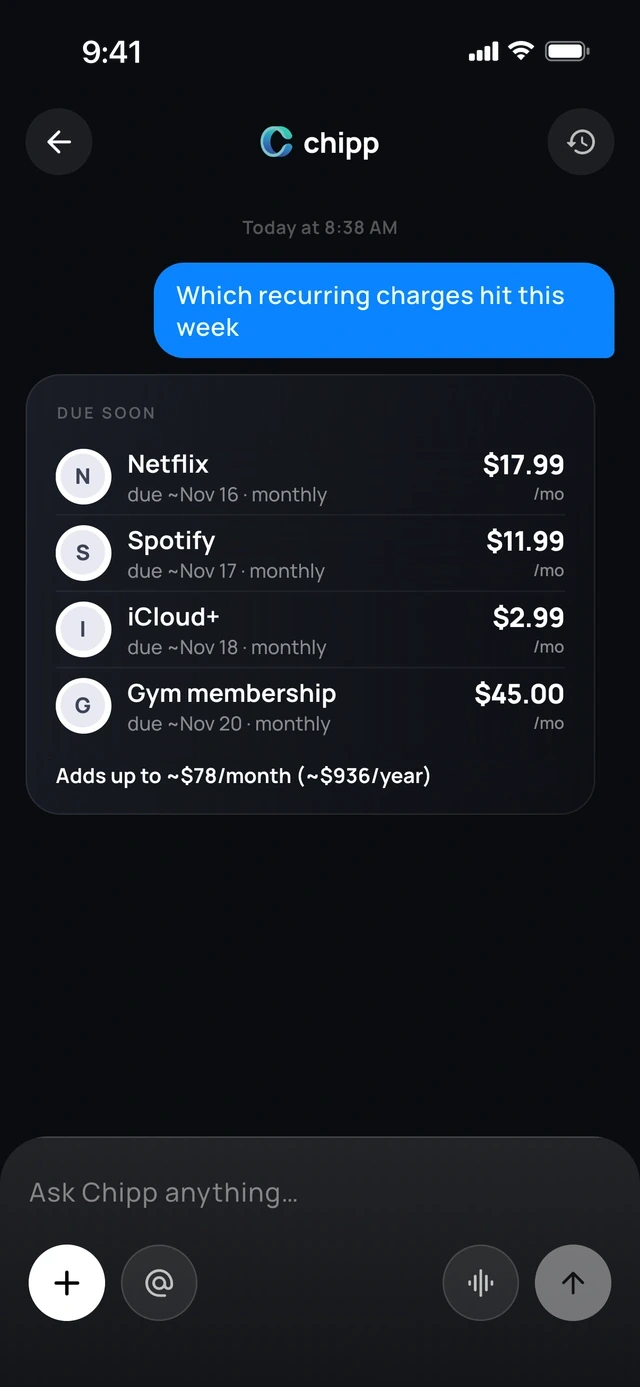
- 1What renews this week
- 2And what it adds up to
On your terms
Budget check-ins.
Daily, weekly or only when you go over. You choose.
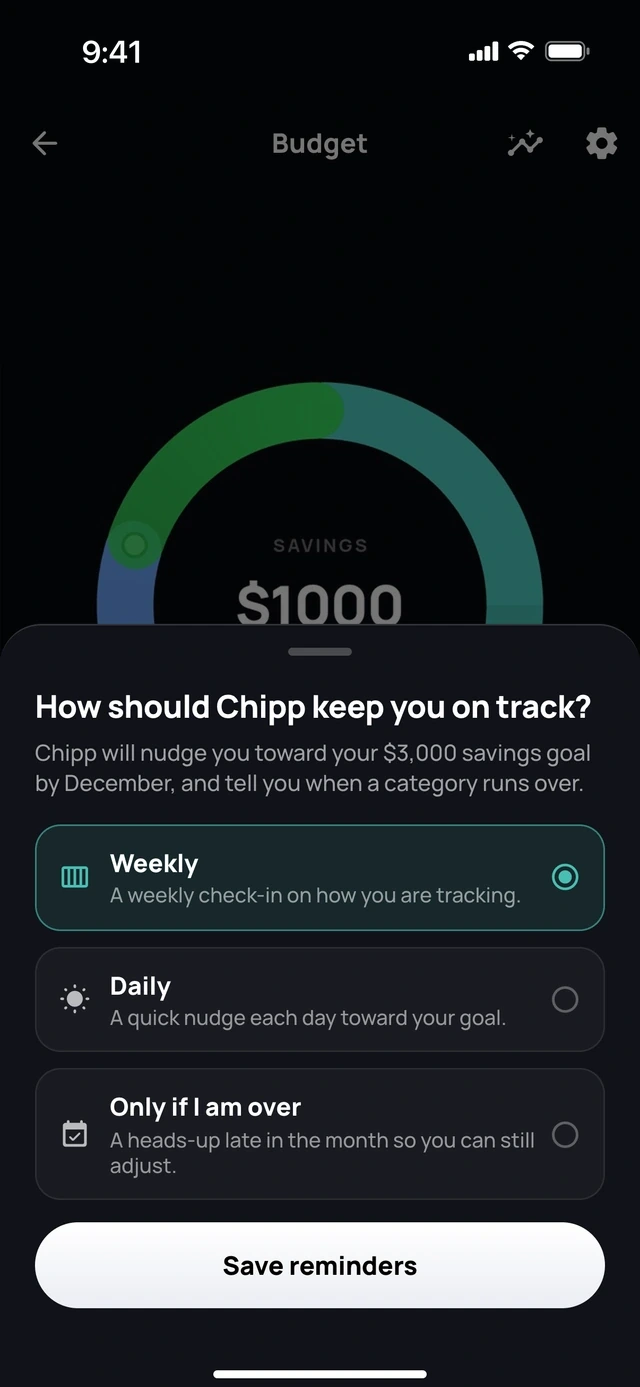
- 1Weekly or daily
- 2Or only when you go over
Private
App Lock.
Face ID or fingerprint before anyone sees your money.
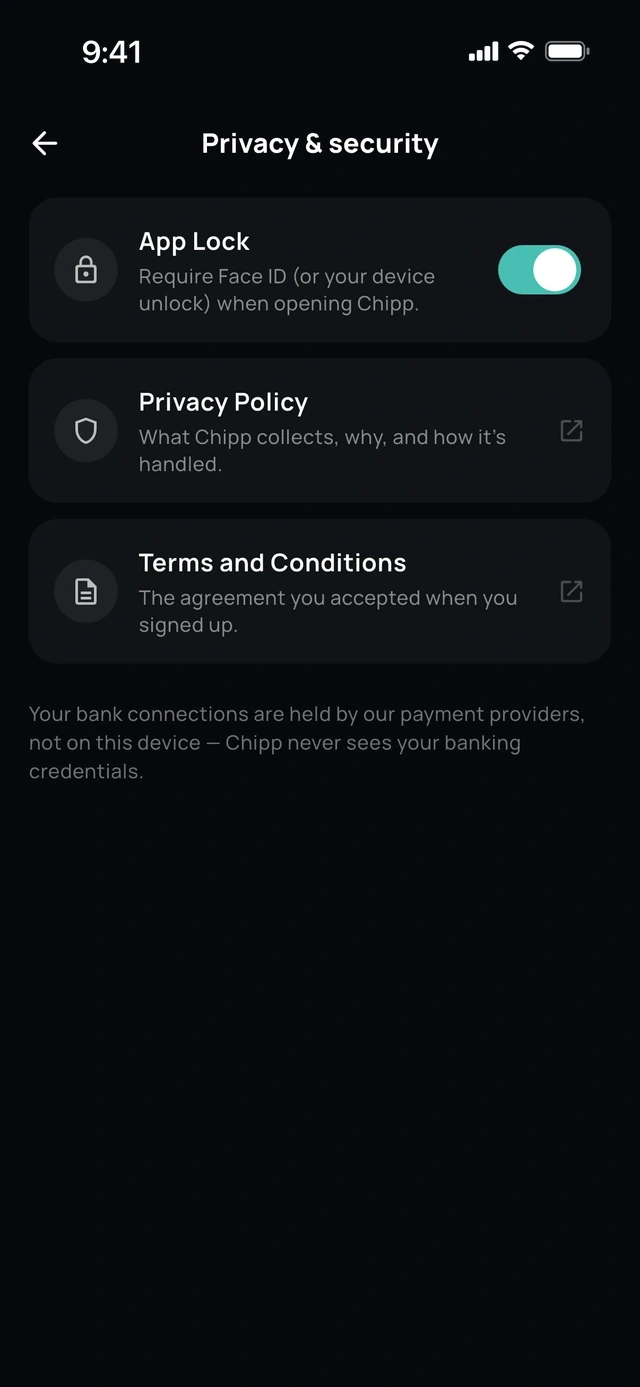
- 1Face ID or fingerprint
Support
Help, built in.
Ask how to do anything in Chipp, or talk to a person.
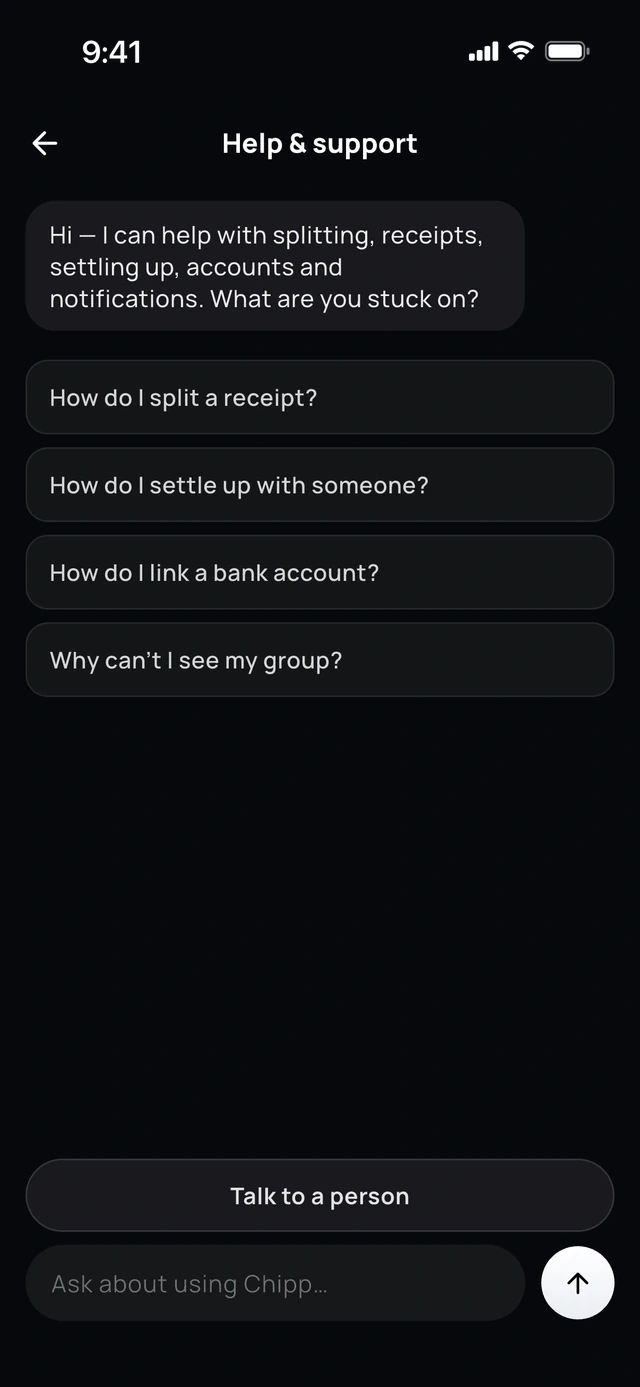
- 1Ask how to do anything
- 2Or talk to a person
Questions people ask
What columns does a shared expenses spreadsheet need?
Date, what it was, the amount, who paid and who it is split between. That is enough to work out what each person owes.
How do I work out who owes whom from a spreadsheet?
Add up each person's share of every row, then subtract what they actually paid. A positive number is what they owe and a negative number is what they are owed.
Is a spreadsheet or an app better for shared expenses?
A spreadsheet suits a few fixed bills with one careful person keeping it. An app is easier when several people add costs, splits are uneven or you want reminders sent for you.
Is Chipp free?
Yes. Expenses, groups and friends are unlimited on the free plan, with every split method and reminders included.